
Upload a photo
PNG, JPG or WebP · up to 10 MB
Choose a photo to generate a video.
The supported carry reveal
Make a Shoulder Carry AI video from one prepared scene. Animate the I'm the One carry pose with a short turn, a playful gesture and both characters distinct.
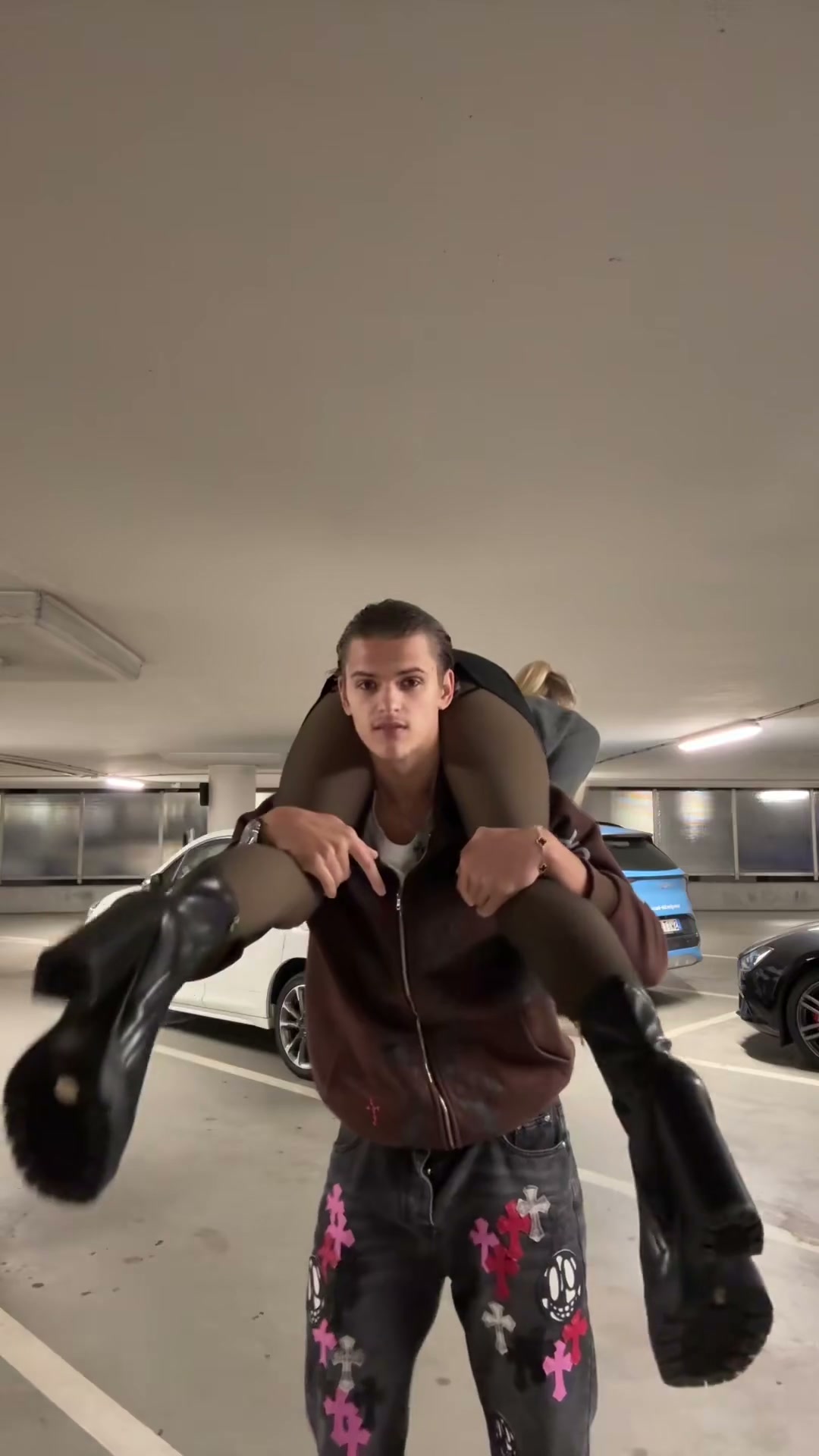
Shoulder Carry, also searched as I'm the One, plays with who seems to be carrying whom. The reference is a parking-garage balance gag: one person starts across the other's shoulders, then a bend and turn bring the rider forward. This direction keeps a supported carry and a small turning reveal. Starting from a prepared two-person pose makes the support points and character positions visible before movement begins.
Best for
- A paired confidence joke or a staged role-reversal reaction. The short version favors a clear supported pose over a complicated acrobatic exchange.
Prepare the paired carry pose
Choose your photo
Upload one prepared image of two adults in a supported shoulder-carry pose, with both faces visible and the carrier's feet in frame. Keep arms and legs separated. Establish both people in this image rather than supplying two independent portraits.
Generate with the template
Keep the support points stable while the pair turns slightly. Bring the rider's expression toward the camera and end with a confident held pose.
Review and download
Follow the support contact through the turn. Faces should remain distinct, legs should stay attached to the correct person and the pair should finish balanced rather than appearing to float.
Direct a small turning illusion
Use this reference direction as a starting point in custom-prompt mode. The template runs fixed instructions; remixing is a separate workflow, not an edit to the preset.
Animate the prepared two-adult shoulder-carry scene. Preserve both distinct faces, hairstyles, outfits and body proportions, the carrier's grounded feet and the rider's existing supported position across the shoulders. The carrier makes one small controlled quarter turn while remaining balanced. The rider raises their torso slightly toward the camera and gives a small confident pointing gesture, creating an apparent reversal in who leads the pose. Keep hands braced at the existing support points and maintain continuous contact throughout. Finish with both characters steady and their faces readable. Use a fixed full-body view. No toss, unsupported weight exchange, falls, added limbs, fused bodies, identity swaps, original recording request, captions or rapid cuts.
Before you create
Does the preset perform a complete carry-role swap?
The authored scene suggests the reversal with a short turn and the rider lifting their torso toward the camera. It keeps continuous support instead of requiring a toss or a full exchange of who bears the other person's weight.
Can I change the creative direction?
The preset uses fixed instructions. Copy the reference direction into custom-prompt mode to adapt it; this does not change the preset itself.
What video output should I expect?
The default length is 9s (reference ratio 1080/1920). The output follows your uploaded photo's aspect ratio and suits A paired confidence joke or a staged role-reversal reaction. The short version favors a clear supported pose over a complicated acrobatic exchange..
Make your I'm the One moment
Choose a prepared carry scene and build the role-reversal joke around a short, readable movement.