
Upload a photo
PNG, JPG or WebP · up to 10 MB
Choose a photo to generate a video.
A calm bridge-side performance
Create a Vossi Bop AI dance from one photo. Try a bridge-side turn, a chest-level hand sweep and a confident pose against a London-inspired dawn skyline.
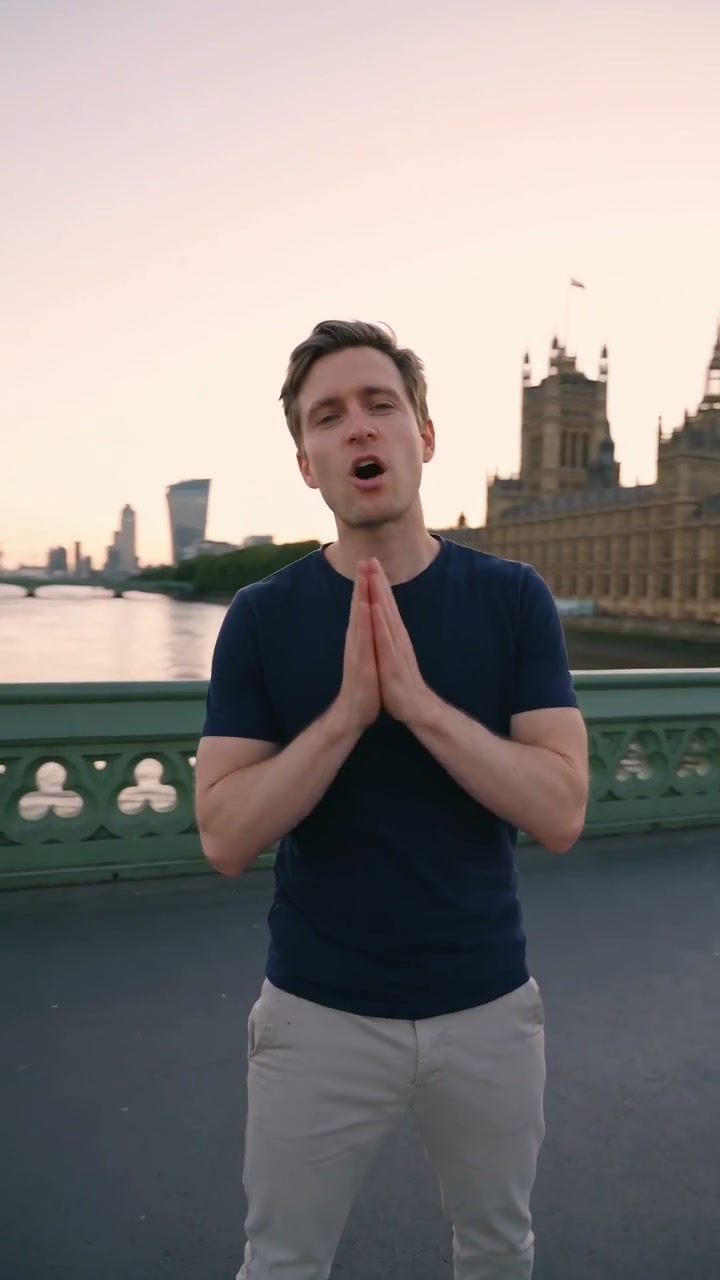
Vossi Bop gives a simple bridge-side performance a dawn skyline. The bound reference shows a navy-shirted man initially facing away, then pressing his palms together before ending with folded arms. Green railings, the London Eye and a clock tower establish the location. Your version uses your own appearance for a short turn, chest-level gesture and composed finish.
Best for
- An understated performance portrait or a confident travel-style reaction. The recognizable bridge setting provides context without needing a crowd or a complicated dance routine.
Prepare your dawn-bridge portrait
Choose your photo
Use a knee-up or full-body adult portrait with visible forearms. Keep the head sharp and clothing simple enough to remain readable as the person turns toward the camera.
Generate with the template
Review the turn, compact chest-level gesture and folded-arm finish before making your own bridge scene.
Review and download
Inspect the palms and crossed forearms, especially where one hand passes the chest. The railing and skyline should remain stable during the camera's small movement.
Direct the turn and hand gestures
Use this reference direction as a starting point in custom-prompt mode. The template runs fixed instructions; remixing is a separate workflow, not an edit to the preset.
Create a Vossi Bop-inspired bridge performance with the adult in the uploaded photo. Preserve their recognizable face, hair, clothing and proportions. Use a quiet green-railed bridge at dawn with a London-inspired skyline, a distant observation wheel and clock tower. Begin with a slight turn away, then face the camera, make one compact hand sweep across chest level, bring the palms briefly together and settle into a relaxed folded-arm pose. Use restrained mouth movement and a small confident smile. Keep fingers coherent and architecture stable in one shot. No actor replacement, exact rap, source song, captions, logos or additional featured people.
Before you create
Will I look like the performer in the source clip?
Your photo guides the lead appearance. The page-bound preview shows a recast performer, and the new direction does not replace your face with an actor or transfer a precise rap and soundtrack.
Can I change the creative direction?
The preset uses fixed instructions. Copy the reference direction into custom-prompt mode to adapt it; this does not change the preset itself.
What video output should I expect?
The default length is 10s (reference ratio 720/1280). The output follows your uploaded photo's aspect ratio and suits An understated performance portrait or a confident travel-style reaction. The recognizable bridge setting provides context without needing a crowd or a complicated dance routine..
Bring your own face to the bridge
Start with a clear portrait and keep the performance compact against the dawn skyline.