
Upload a photo
PNG, JPG or WebP · up to 10 MB
Choose a photo to generate a video.
Compact moves and a surprised look toward the car
Create a Car Alarm Dance AI video from a standing photo. Animate compact elbow pops, small side shifts, and a surprised look beside a parked red car in ReelAI.
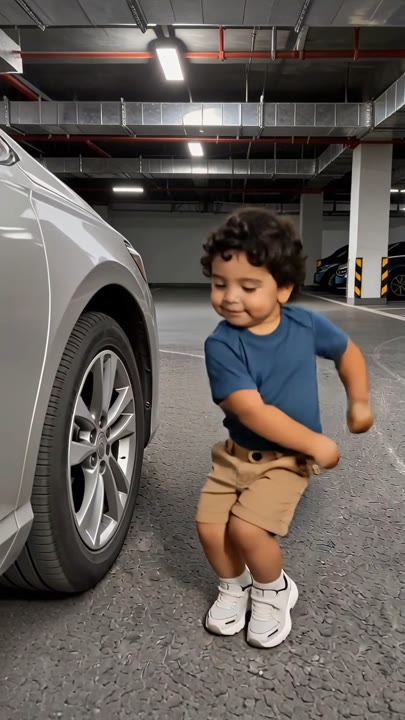
Car Alarm Dance builds its comedy from short, choppy movements rather than a long dance sequence. In this version, the performer makes two compact elbow pops beside a parked red car, shifts weight, and turns toward the vehicle as if something caught their attention. The fixed full-body view keeps the hand and foot positions easy to check. Start with a standing adult or a prepared upright character image; an ordinary four-legged pet photo is not the same pose. Use it for a character reaction, a playful vehicle-side dance insert, or a short surprise beat in your own edit.
Best for
- Quirky vehicle-side dance clips
- Character surprise reactions
- Compact elbow-pop performances
Create your Car Alarm Dance reaction
Choose your photo
Choose one standing adult or a prepared upright character with visible hands, elbows, and feet. Leave room beside the body for the compact gestures. If you want a pet character, prepare the intended upright starting pose before using this preset.
Generate with the template
Add the standing image and select Generate video. The prepared direction stages a compact dance beside a stationary red car, ending with a head turn rather than a fast routine or a moving-vehicle scene.
Review and download
Watch the elbows stay separate from the torso and the feet remain grounded through each shift. Review the head turn for facial continuity, and check the red car stays parked with the same wheels and body instead of moving behind the performer.
Direction for the elbow pops and head turn
Use this reference direction as a starting point in custom-prompt mode. The template runs fixed instructions; remixing is a separate workflow, not an edit to the preset.
Animate the single adult or prepared upright animal character in the reference image into a quirky short dance beside a parked red car. Preserve the face, outfit, coloring, and proportions. Use a steady full-body camera with room around the elbows and feet. The performer makes two small alternating elbow pops, shifts weight once to each side, and finishes with a quick surprised head turn toward the car. Keep the movement compact and the vehicle stationary. Create a new playful sequence without copying a track's exact timing. No jumps, extra dancers, changing car models, siren recording request, captions, or on-screen text.
Before you create
Does Car Alarm Dance include the original siren sound and routine?
The preset creates a new compact dance reaction and does not request the reference alarm recording or transfer an exact routine. The parked car, elbow pops, and final look establish the visual idea. Inspect the generated audio separately and add your chosen sound in an editor if your post depends on a particular cue.
Can I change the creative direction?
The preset uses fixed instructions. Copy the reference direction into custom-prompt mode to adapt it; this does not change the preset itself.
What video output should I expect?
The default length is 10s (reference ratio 406/720). The output follows your uploaded photo's aspect ratio and suits Quirky vehicle-side dance clips, Character surprise reactions, Compact elbow-pop performances.
Give your character a quirky vehicle-side moment
Pick a standing portrait with clear elbows and feet, then create a short vehicle-side reaction and check the compact movements, parked car, and closing look.