
Upload a photo
PNG, JPG or WebP · up to 10 MB
Choose a photo to generate a video.
Street-corner drift and tire smoke from a car photo
Upload one car or road photo for a Need for Speed AI video. Animate a sharp corner drift, spinning wheels and rising tire smoke in a 12-second action clip.
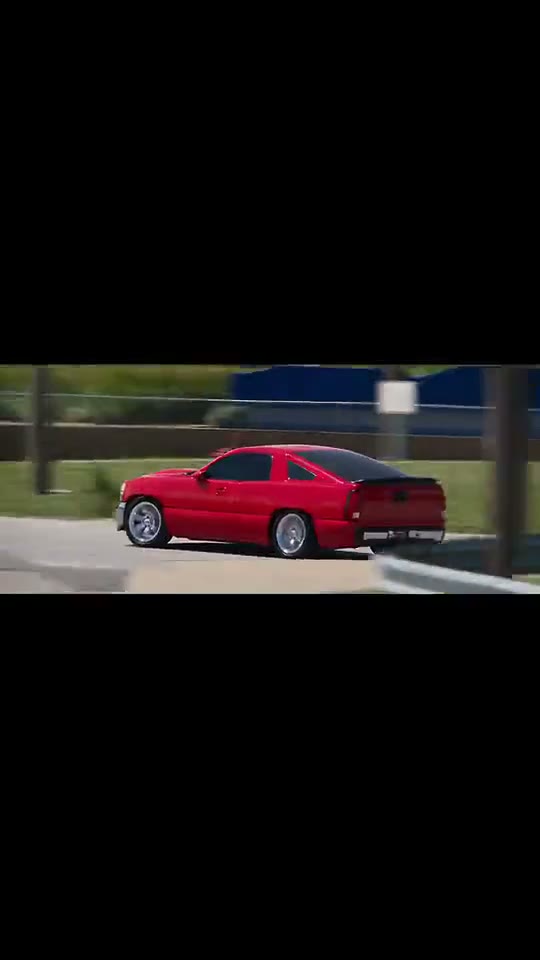
Need for Speed AI turns a parked or cruising car photo into a high-energy street-drift clip. The bound reference montage opens with a red coupe sliding around an asphalt bend, cuts briefly to a bystander on the sidewalk, and finishes in a dense plume of highway tire smoke. To keep the vehicle geometry intact from a single image, this Need for Speed AI direction focuses on one continuous camera view: the car leans into the turn, wheels spin and white smoke trails behind the rear bumper.
Best for
- An automotive photography reel
- a custom car build showcase
- or a fast-paced racing meme using Need for Speed AI
- where a three-quarter road angle gives the drift and smoke room to develop.
Turn a car photo into a Need for Speed AI drift clip
Choose your photo
Choose one wide or three-quarter outdoor photo of a car on asphalt with visible front and rear wheels and open road in the travel direction. Leaving clear pavement around the tires helps the Need for Speed AI slide and smoke trail look believable.
Generate with the template
Run the Need for Speed AI preset to animate wheel rotation, a controlled corner slide and rear tire smoke.
Review and download
Inspect the wheel rims, headlights and roofline as the car slides. A strong Need for Speed AI take keeps the chassis rigid while the tires and smoke supply the motion, avoiding rubbery body bending or sudden cuts to unrelated traffic.
Direct the corner slide, wheel spin and tire smoke
Use this reference direction as a starting point in custom-prompt mode. The template runs fixed instructions; remixing is a separate workflow, not an edit to the preset.
Animate the vehicle in the uploaded outdoor road image for a Need for Speed AI inspired street-drift sequence. Preserve the car’s body shape, paint color, wheels and surrounding road geometry. Guide the car through a controlled corner slide with rotating tires, a slight body roll and a trail of white tire smoke rising behind the rear wheels as it accelerates forward along the lane. Keep one continuous camera view without cutting to sidewalk pedestrians, adding game HUD graphics or distorting the car body.
Before you create
Does Need for Speed AI include the sidewalk bystander cut from the reference?
The source clip edits together multiple camera angles, including a pedestrian on the pavement. This Need for Speed AI preset animates your single uploaded car photo in one continuous shot so the vehicle and road stay consistent throughout the 12-second clip.
Can I change the creative direction?
The preset uses fixed instructions. Copy the reference direction into custom-prompt mode to adapt it; this does not change the preset itself.
What video output should I expect?
The default length is 12s (reference ratio 540/960). The output follows your uploaded photo's aspect ratio and suits An automotive photography reel, a custom car build showcase, or a fast-paced racing meme using Need for Speed AI, where a three-quarter road angle gives the drift and smoke room to develop..
Create your Need for Speed AI drift video
Upload one outdoor car photo and animate a Need for Speed AI corner slide with tire smoke.