
Upload a photo
PNG, JPG or WebP · up to 10 MB
Choose a photo to generate a video.
Three little pets, one round finish
Upload one prepared pet-board photo for a Ding Ding Ding AI video. Guide three little copies into one rounder pet in a playful 12-second merge-game scene.
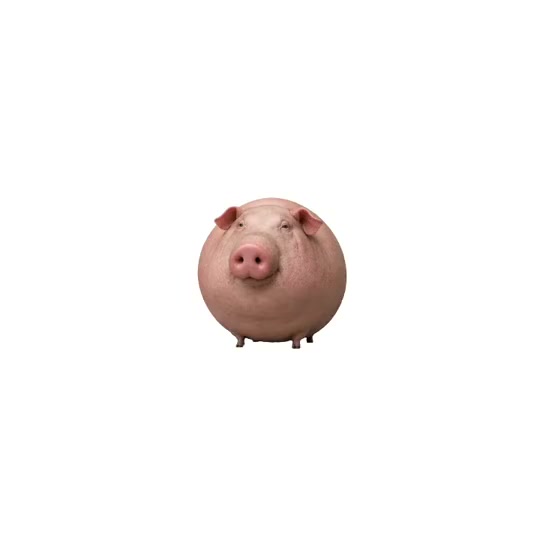
Ding Ding Ding turns a pet portrait into a cheerful merge-board scene. The reference starts with rows of pink, long-snouted cartoon pigs on a white background. A larger, rounder pig appears among the smaller pieces, and the final view leaves one almost spherical pig at the center. Repetition and increasing roundness carry the joke, so the board needs a simple layout and a recognizable animal. This direction focuses on a short three-copy merge rather than an entire game session. Prepare one picture containing the small copies and room for their combined version. Keep the same face, ears, markings and color as the pieces approach each other. A single clear transformation gives the final rounded pet enough screen time to read.
Best for
- A cat or dog reaction post
- a playful pet birthday clip or a round-animal meme with a clean square composition. The strongest starting subject has a clear silhouette
- visible ears and easily recognized markings. Use a quiet white or pastel board so the eye follows the merging pieces instead of decorative game controls
- scores or an elaborate background.
Animate your prepared pet merge board
Choose your photo
Upload one prepared board image containing three small copies of the same pet, spaced apart with empty room in the middle. The copies should share their face, coat pattern and viewing angle. Keep paws and tails separate. This page animates that finished composition; it does not provide a separate cutout editor or assemble multiple pet uploads into a board for you.
Generate with the template
Keep one short three-piece merge, then hold the rounder pet so its face and markings stay easy to recognize.
Review and download
Watch each small copy as it slides inward, especially the ears, nose and paws at contact. The final animal should retain its familiar face while the torso becomes rounder. Check that unused pieces do not appear suddenly and that the background stays clean. A readable pause after the merge is more important than adding several rapid levels or a precise score display.
Guide one clear three-copy merge
Use this reference direction as a starting point in custom-prompt mode. The template runs fixed instructions; remixing is a separate workflow, not an edit to the preset.
Animate the prepared board image with three small copies of the same pet already present. Preserve their matching face, ears, coat colors, markings and proportions. Keep the camera fixed over the clean white board. Slide the three copies slowly toward the center, pause as they meet, then transform them into one larger, rounder version of the same animal with a small soft bounce. Hold the final rounded pet facing the viewer with a tiny head tilt. Keep the identity readable throughout the change and keep the unused background empty. One merge and one continuous view; no score text, game controls, new species, extra pieces, captions or abrupt cuts.
Before you create
Will the video match every three-piece merge and ding from the reference?
The direction asks for one compact merge from your prepared image. It does not run a game engine or copy the reference's exact sequence of levels and chimes. The full inspiration clip remains available above, while the requested generation is a shorter scene. You can add your preferred sound and timing accents when editing the result.
Can I change the creative direction?
The preset uses fixed instructions. Copy the reference direction into custom-prompt mode to adapt it; this does not change the preset itself.
What video output should I expect?
The default length is 12s (reference ratio 540/540). The output follows your uploaded photo's aspect ratio and suits A cat or dog reaction post, a playful pet birthday clip or a round-animal meme with a clean square composition. The strongest starting subject has a clear silhouette, visible ears and easily recognized markings. Use a quiet white or pastel board so the eye follows the merging pieces instead of decorative game controls, scores or an elaborate background..
Make your Ding Ding Ding pet video
Start with one prepared board composition and turn your pet into the center of a playful merge-game clip.