
Upload a photo
PNG, JPG or WebP · up to 10 MB
Choose a photo to generate a video.
A close-up reaction with a clear expression change
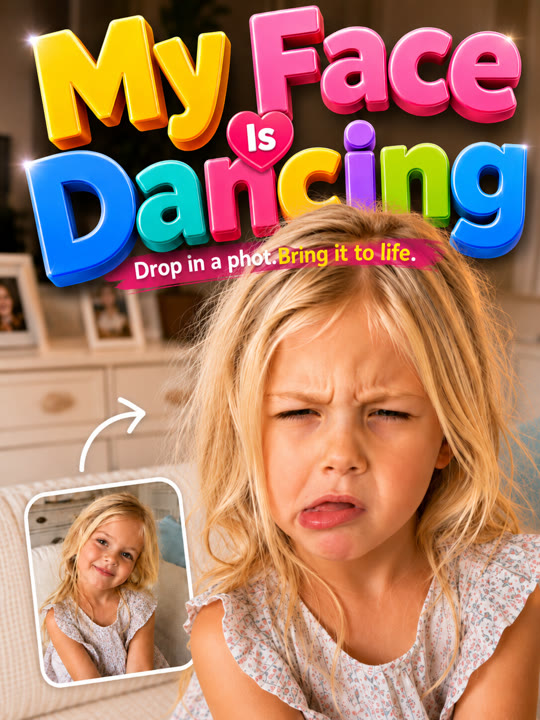
Create a Face Dance AI video from one clear selfie. Animate a small shoulder bounce, an eyebrow lift, and a head tilt for a playful portrait reaction in ReelAI.
Face Dance keeps the performance close to the face rather than asking a tight selfie to become a complicated full-body routine. A small bounce leads into an eyebrow lift, a head tilt, and a restrained grin. That sequence gives the portrait a clear beginning and ending while the original hairstyle and expression remain useful reference points. A simple background helps the viewer notice the changing look instead of an unrelated scene transformation. Use this version for a profile reaction, a character expression test, or a small comic beat that can sit between other clips in an edit.
Best for
- Selfie reaction clips
- Character expression tests
- Playful profile animations
Create your Face Dance portrait reaction
Choose your photo
Choose one sharp adult selfie or waist-up portrait with both eyes, eyebrows, and the mouth unobstructed. Keep the head inside the frame with some room above the hair. Avoid strong blur, heavy face-covering effects, or several overlapping faces.
Generate with the template
Upload the clear portrait and select Generate video. The prepared direction keeps the shot close and animates a small sequence of expressions, rather than inventing a full-body dance outside the uploaded crop.
Review and download
Check the eyes stay aligned during the tilt and the eyebrow moves without changing the rest of the face. Review teeth and lips even with the small grin, and make sure the hair and shoulder line remain continuous through the bounce.
Direction for the eyebrow, tilt, and grin
Use this reference direction as a starting point in custom-prompt mode. The template runs fixed instructions; remixing is a separate workflow, not an edit to the preset.
Animate the adult face in the reference portrait into a short playful expression sequence. Preserve the person's recognizable facial features, hairstyle, skin tone, and clothing. Use a close waist-up camera with a simple unchanged background. Begin with a tiny shoulder bounce, raise one eyebrow, tilt the head gently to one side, and finish with a small closed-mouth grin toward the camera. Keep the eyes aligned and the movement restrained enough to read as one continuous reaction. No exaggerated mouth stretching, changing identity, full-body choreography, song-specific lip-sync, captions, extra faces, or camera cuts.
Before you create
Can Face Dance make my selfie perform an exact song?
This preset creates a small expression sequence, not lyric-accurate singing or an exact performance from a reference video. The camera remains close while the eyebrow, head, and shoulders provide the motion. Choose a clear expression take first, then add selected sound or a caption separately if your reaction post needs that context.
Can I change the creative direction?
The preset uses fixed instructions. Copy the reference direction into custom-prompt mode to adapt it; this does not change the preset itself.
What video output should I expect?
The default length is 12s (reference ratio 532/720). The output follows your uploaded photo's aspect ratio and suits Selfie reaction clips, Character expression tests, Playful profile animations.
Give your selfie a playful camera moment
Pick a clear selfie with visible eyes and eyebrows, then create a short expression reaction and review the face during the tilt and closing grin.