
Upload a photo
PNG, JPG or WebP · up to 10 MB
Choose a photo to generate a video.
From a missed target to an unbothered comeback pose
Upload one photo for a Bad Aim Edit AI video. Turn a missed-shot reaction into a confident monochrome-style comeback pose in a sharp 12-second meme clip.
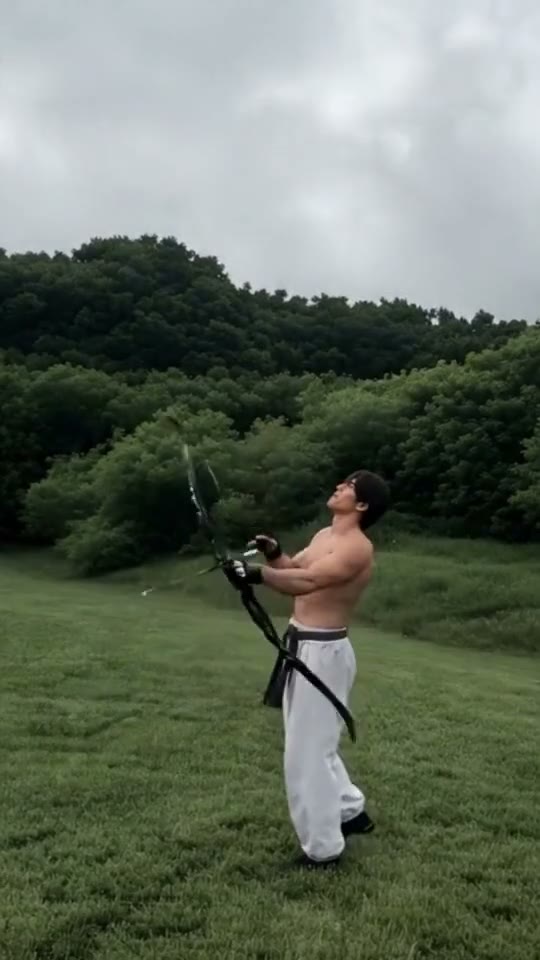
Bad Aim Edit AI turns an embarrassing miss into an unexpectedly confident flex. In the bound reference clip, a shirtless archer in white trousers watches an arrow go wide in a green field before the edit cuts to a black-and-white office view where he grins and raises MMA-gloved fists. Because single-image animation works best within one continuous environment, this Bad Aim Edit AI direction focuses on the attitude shift itself: a brief upward look as the shot misses, followed by a composed forward stare and a raised-guard stance.
Best for
- A playful sports or gaming miss
- a self-deprecating glow-up reply
- or a workout portrait that turns a small fail into a confident Bad Aim Edit AI reaction
- using one clear subject with room around the shoulders.
Create your Bad Aim Edit AI video in three steps
Choose your photo
Upload one sharp waist-up or three-quarter portrait with both arms visible and clear space in front of the chest. If you want the indoor fighter mood from the Bad Aim Edit AI reference, start with a monochrome or dramatic-lit portrait; if you prefer the outdoor setup, include the bow or sports prop in the starting frame.
Generate with the template
Keep the Bad Aim Edit AI direction focused on a brief upward look followed by a composed forward pose and steady guard.
Review and download
Watch the transition from the upward glance to the forward stare. Check that both hands keep five distinct fingers when the guard rises and that the shoulders stay attached to a stable torso. Prefer a clean, unhurried Bad Aim Edit AI expression over a clip that attempts an abrupt location cut.
Direct the missed-shot glance and confident guard
Use this reference direction as a starting point in custom-prompt mode. The template runs fixed instructions; remixing is a separate workflow, not an edit to the preset.
Animate the single adult in the uploaded photo for a Bad Aim Edit AI inspired comeback pose. Preserve the recognizable face, hairstyle, body proportions and outfit details. Begin with a brief upward glance and a playful missed-shot shoulder drop, then settle upright into a calm, confident forward stare with one gloved or bare hand raised near chest height and a subtle grin. Keep both arms and hands anatomically distinct, the torso stable and the camera fixed at a medium angle. Do not add extra people, floating bows, sudden location cuts, text overlays or copied audio.
Before you create
Does Bad Aim Edit AI automatically cut from a field to a black-and-white office?
The reference video is a two-scene montage that jumps from an outdoor field to a monochrome room. This Bad Aim Edit AI preset animates one uploaded photo in a single continuous scene so your subject keeps a consistent identity and background. You can combine two separate generations in an external editor if you want a hard cut.
Can I change the creative direction?
The preset uses fixed instructions. Copy the reference direction into custom-prompt mode to adapt it; this does not change the preset itself.
What video output should I expect?
The default length is 12s (reference ratio 540/960). The output follows your uploaded photo's aspect ratio and suits A playful sports or gaming miss, a self-deprecating glow-up reply, or a workout portrait that turns a small fail into a confident Bad Aim Edit AI reaction, using one clear subject with room around the shoulders..
Turn your photo into a Bad Aim Edit AI comeback
Start with one clear portrait and guide a missed-shot glance into a confident Bad Aim Edit AI stance.