
Upload a photo
PNG, JPG or WebP · up to 10 MB
Choose a photo to generate a video.
A tiny knight meets a protective guardian
Create a Knight Sword Swap AI video from one prepared scene image. Animate a guardian kneeling, a sword-for-flowers exchange and a pause in a misty meadow.
The Knight Sword Swap effect uses a size contrast to tell a small story about care: a tiny armored figure lowers a sword as a larger guardian kneels and offers flowers. Soft meadow light and a steady medium-wide camera give the handover room to read. This version starts from one prepared image already containing both characters, rather than assembling two separate portraits during generation. The action stays to a single exchange and a quiet pause, not a long journey or battle. Use it for a symbolic friendship message, a fantasy keepsake or a gentle growing-up story beat.
Best for
- Fantasy friendship messages
- guardian keepsakes
- symbolic growing-up edits
Create your Knight Sword Swap scene
Choose your photo
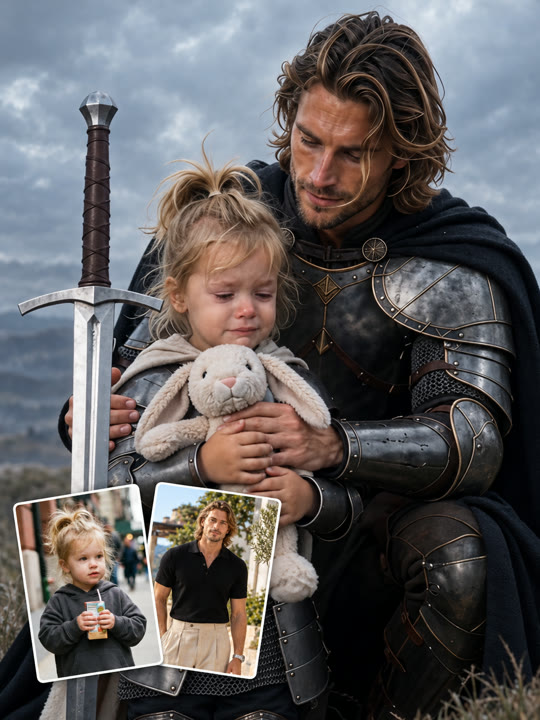
Prepare one image with the tiny knight and larger guardian already standing close together. Keep both faces, hands and the lowered sword visible, with the size contrast established. The preset does not combine two separate portraits into this composition first.
Generate with the template
Upload your prepared two-character scene and generate the meadow moment. The preset guides a slow kneel and one sword-for-flowers handover, keeping the characters close enough for a readable exchange without additional travel.
Review and download
Watch the kneeling motion and each hand during the exchange. Flowers and sword should remain distinct, the blade should point away from both bodies and the small knight should not change scale as the guardian moves closer.
One gentle sword-for-flowers handover
Use this reference direction as a starting point in custom-prompt mode. The template runs fixed instructions; remixing is a separate workflow, not an edit to the preset.
Animate the prepared image of a tiny armored knight and a larger guardian standing together in a misty meadow. Preserve both characters' faces, armor colors and positions. The small knight rests a lightweight sword downward beside the body. The guardian kneels slowly, offers a small bunch of flowers and gently accepts the lowered sword. Finish with both facing each other in a quiet pause. Use a steady medium-wide camera and soft morning light. Keep the exchange to one simple handover, with clear separation between hands, flowers and blade. No extra characters, fighting, captions or abrupt scale changes.
Before you create
Can Knight Sword Swap combine two separate portraits automatically?
Knight Sword Swap animates one prepared scene image containing both the small knight and guardian. It does not merge separate portraits or create the initial size contrast before the video begins. Compose the characters, armor and props first, then use this preset for a gentle kneel, one exchange and a closing pause.
Can I change the creative direction?
The preset uses fixed instructions. Copy the reference direction into custom-prompt mode to adapt it; this does not change the preset itself.
What video output should I expect?
The default length is 10s (reference ratio 406/720). The output follows your uploaded photo's aspect ratio and suits Fantasy friendship messages, guardian keepsakes, symbolic growing-up edits.
Animate a small story about care
Prepare your knight-and-guardian image and create the gentle exchange. Review both hands and the size contrast, then download the take with the clearest quiet closing moment.