
Upload a photo
PNG, JPG or WebP · up to 10 MB
Choose a photo to generate a video.
A small Christmas journey under warm lights
Create a Baby Reindeer Santa AI video from one clear baby photo. Add a gentle reindeer walk, glowing Christmas lights and a cheerful holiday wave with ReelAI.
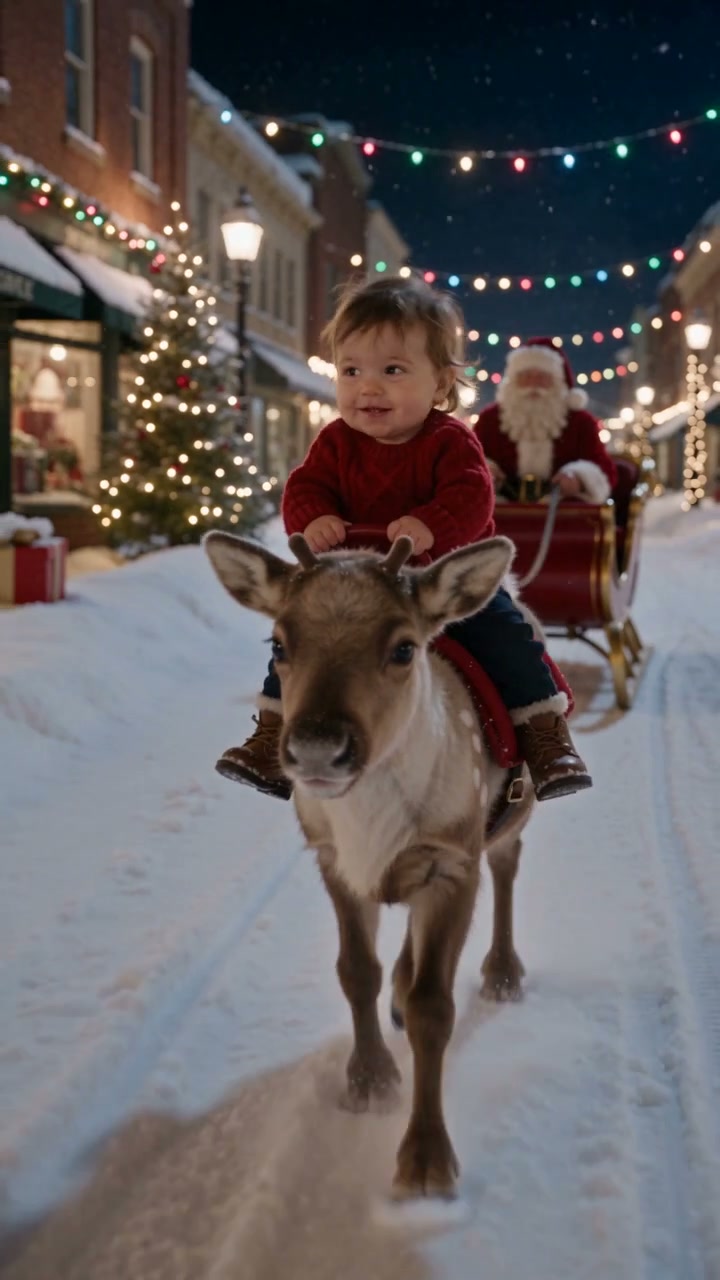
Baby Reindeer Santa turns a baby portrait into a small Christmas journey. A child sits on a young reindeer along a snow-covered street while Santa follows in the background. Warm lights and a gentle forward movement carry the scene. Start with one clear baby photo; the prompt imagines the festive setting, the reindeer and a secure seated pose around the child's appearance. A slow walk and a small background wave keep the action simple. A wider source image supplies useful clothing and posture details, although a portrait can guide the face. The generated result is a new holiday interpretation rather than a copy of every moment in the inspiration clip.
Best for
- Christmas keepsakes
- festive family clips
- whimsical reindeer portraits
Create a Christmas ride from a baby photo
Choose your photo
Choose one clear baby photo with the face unobstructed and clothing visible. A seated pose with the body in frame gives the model more posture information. You may use a prepared Christmas riding scene for greater composition control, but you do not need separate reindeer or Santa uploads.
Generate with the template
Upload your baby photo, review the Christmas setting and gentle ride direction, then generate the clip.
Review and download
Check the rider's posture, the reindeer's leg movement and the space between the foreground and Santa. The child should remain seated while the animal moves slowly. Look for stable facial features, a consistent saddle or support and no sudden jumps.
A gentle walk through the Christmas lights
Use this reference direction as a starting point in custom-prompt mode. The template runs fixed instructions; remixing is a separate workflow, not an edit to the preset.
Create a whimsical Christmas scene from the baby in the uploaded photo. Preserve the child's recognizable face and clothing cues. Show the child securely seated with visible support on a small reindeer walking slowly along a snowy street under warm holiday lights. Santa remains far behind beside a red sleigh and gives one small wave. Keep the rider stable and smiling as the reindeer takes a few natural steps. Light falling snow, gentle camera tracking, coherent anatomy. No galloping, flying, falling, sudden movement, additional children, cuts, captions or logos.
Before you create
Do I need to create the reindeer scene before uploading?
No. Start with a clear baby photo and the preset asks the model to introduce the reindeer, Christmas street and Santa in the background. A prepared scene is optional if you want to control the seating and layout more closely. Review the generated posture and animal movement before choosing a take; the preview is a reference rather than an identical-result promise.
Can I change the creative direction?
The preset uses fixed instructions. Copy the reference direction into custom-prompt mode to adapt it; this does not change the preset itself.
What video output should I expect?
The default length is 8s (reference ratio 720/1280). The output follows your uploaded photo's aspect ratio and suits Christmas keepsakes, festive family clips, whimsical reindeer portraits.
Turn a festive portrait into a moving keepsake
Choose a clear baby portrait and turn it into a cozy, gently moving Christmas scene.