
Upload a photo
PNG, JPG or WebP · up to 10 MB
Choose a photo to generate a video.
The Dominican Papi walk and camera stare
Create a Dominican Papi AI dance video from one photo. Try a confident party walk, a bread prop, and a deadpan camera stare in your own playful performance.
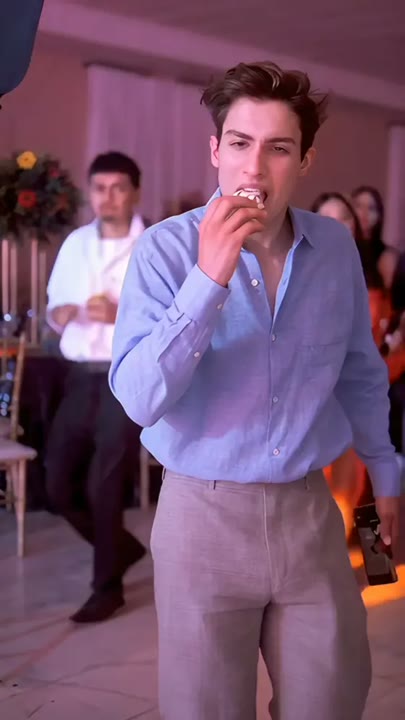
The Dominican Papi AI dance trend gets its character from confidence rather than complicated footwork. A slow party entrance, a piece of bread, and an unexpectedly serious stare carry the joke. This preset creates a new solo interpretation with two forward steps and a small closing groove. It keeps the bread as a visible prop rather than relying on a detailed chewing sequence, so the expression stays central. Warm room light and a softly blurred background frame the subject without introducing other recognizable people. Choose it for a reaction edit, a party character introduction, or a straight-faced dance meme.
Best for
- Deadpan party entrances
- Bread-prop reaction edits
- Solo two-step dance memes
Make your Dominican Papi interpretation
Choose your photo
Choose one standing adult with a visible face and upper body. Keep the hands clear of the face and leave space near the chest for the prop. A relaxed expression is a better starting point than an extreme laugh.
Generate with the template
Add the standing portrait and select Generate video. The scene combines a short confident walk with a held prop and a serious camera look, followed by a restrained two-step finish.
Review and download
Check the stare lands toward the camera, the bread remains a single prop, and the steps stay grounded. Inspect the shoulder and hip movement for a natural pause before the closing two-step, without unintended lip-sync or extra people.
Direction for the walk, bread prop, and pause
Use this reference direction as a starting point in custom-prompt mode. The template runs fixed instructions; remixing is a separate workflow, not an edit to the preset.
Animate the adult in the reference photo into a relaxed party entrance with a deadpan expression. Preserve their face, hair, and clothing. Use a warmly lit room with a softly blurred background and no distinct additional faces. The person takes two confident steps toward the camera, pauses with a small piece of bread already held at chest height, makes a subtle eyebrow lift, and gives the lens a serious sideways stare. Finish with a gentle two-step weight shift. Keep the camera steady and the hand gesture restrained. No exact dance imitation, eating close-up, recognizable soundtrack, subtitles, or extra limbs.
Before you create
Is this the exact Bby Wow Guy or Dime Dime Baby routine?
The preset draws on the confident entrance and deadpan reaction associated with those edits, but creates a new photo-to-video performance. It does not transfer a particular dancer's timing or include the named song. The reference preview helps communicate the mood; the fixed direction favors a short walk and a readable stare.
Can I change the creative direction?
The preset uses fixed instructions. Copy the reference direction into custom-prompt mode to adapt it; this does not change the preset itself.
What video output should I expect?
The default length is 6s (reference ratio 406/720). The output follows your uploaded photo's aspect ratio and suits Deadpan party entrances, Bread-prop reaction edits, Solo two-step dance memes.
Give your portrait a straight-faced entrance
Choose a calm standing portrait and create a party entrance where the bread prop, the pause, and the camera stare deliver the character.