
Upload a photo
PNG, JPG or WebP · up to 10 MB
Choose a photo to generate a video.
From the skyline to a coffee break
Make a Manhattan FPV drone video from one photo. Dive between city rooftops, follow the street and finish on your coffee portrait in a short ReelAI scene.
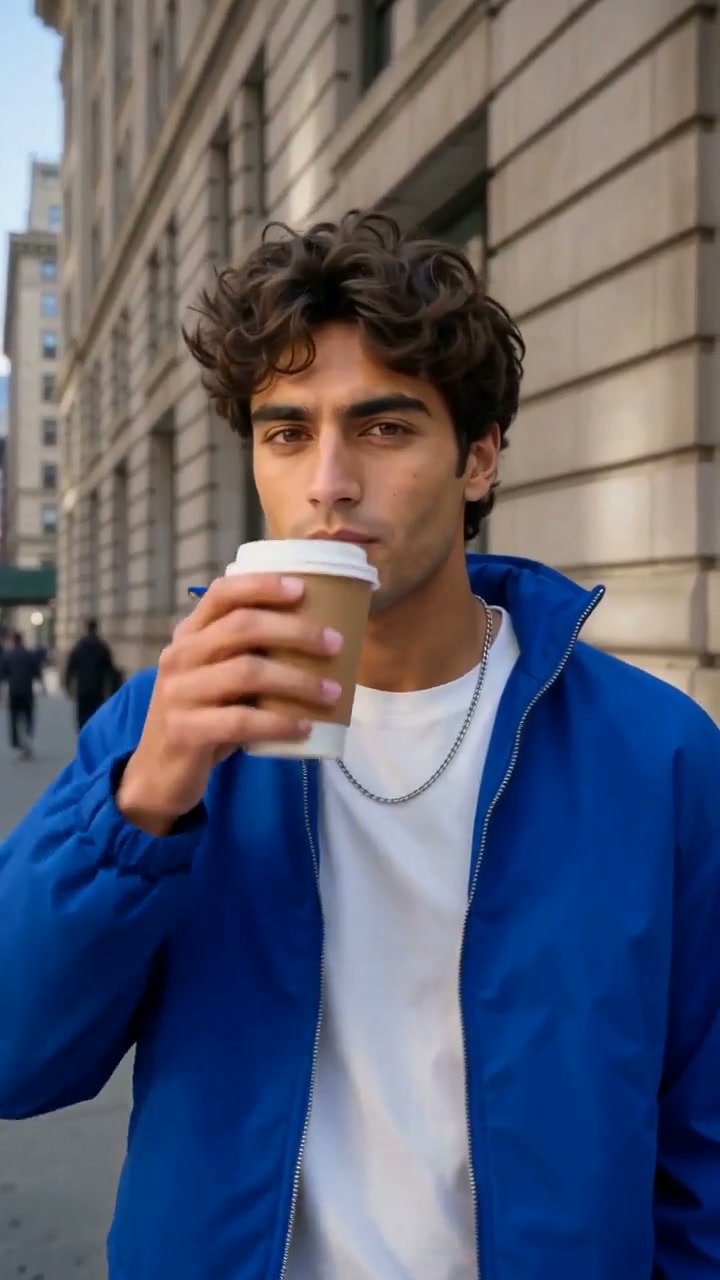
Manhattan FPV Drone resolves a city-scale opening into one person's coffee break. The five-second reference begins above Manhattan, descends between buildings and ends on a blue-jacketed man holding a paper cup. Your version uses the same aerial-to-portrait idea with a shorter, continuous approach to the person in your image.
Best for
- A city introduction
- travel-profile reveal or coffee-break opening. The destination face matters more than a long tour of landmarks. Keep the final sidewalk scene simple enough for the viewer to recognize the subject.
Create your city-to-portrait reveal
Choose your photo
Use one prepared sidewalk portrait with a clear face and nearby buildings. A paper cup already held at chest height helps anchor the ending. Leave enough background to establish the street and avoid a tightly cropped face-only image.
Generate with the template
Keep the flight short and let the camera settle on the face and cup at the end.
Review and download
Follow the building edges through the descent and check that the face remains stable when the camera arrives. The cup should stay in the same hand, and the final approach should slow instead of passing through the person.
Daytime FPV descent direction
Use this reference direction as a starting point in custom-prompt mode. The template runs fixed instructions; remixing is a separate workflow, not an edit to the preset.
Use the uploaded city-sidewalk portrait as the destination of a short continuous camera move. Preserve the person's recognizable face, hair, blue or existing outerwear and the paper cup if present. Begin at low rooftop height above a bright Manhattan-inspired street canyon, with a distant skyline and a few small yellow taxis. Descend smoothly toward the sidewalk, reducing speed as the subject comes into view, and finish in a steady chest-up portrait. The subject makes one small cup lift or natural blink. Keep buildings upright and the face consistent. No impossible building penetration, long mapped route, extra featured people, text, logos or abrupt cuts.
Before you create
Can I choose an exact Manhattan flight route?
This is a creative camera direction, not a mapped drone-route tool. One image supplies the destination subject and setting cues. The generated skyline and approach can vary; focus on a smooth city-to-face reveal rather than matching particular streets or addresses.
Can I change the creative direction?
The preset uses fixed instructions. Copy the reference direction into custom-prompt mode to adapt it; this does not change the preset itself.
What video output should I expect?
The default length is 5s (reference ratio 720/1280). The output follows your uploaded photo's aspect ratio and suits A city introduction, travel-profile reveal or coffee-break opening. The destination face matters more than a long tour of landmarks. Keep the final sidewalk scene simple enough for the viewer to recognize the subject..
Make the city reveal end on you
Choose a clear street portrait and give the aerial approach a recognizable destination.