
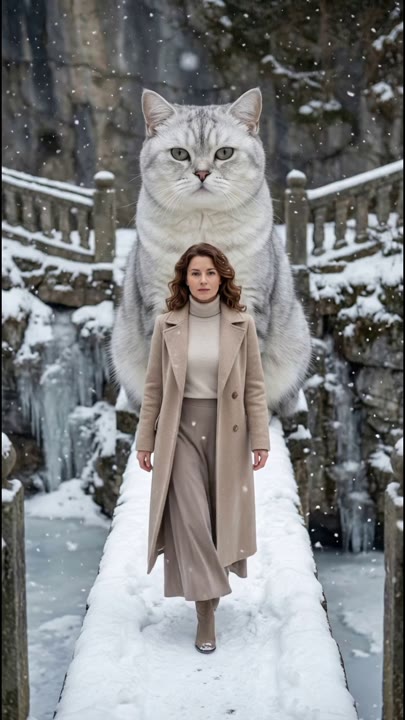
Upload a photo
PNG, JPG or WebP · up to 10 MB
Choose a photo to generate a video.
Keep the steps, shoes, and posture readable
Create a Walking Effect AI video from one standing photo. Add measured steps, a natural arm swing, and a balanced pause to bring your portrait into motion.
Walking Effect adds a simple, useful movement to a standing portrait: a few steps toward the camera and a balanced stop. The face, clothing, and shoes remain the visual reference while soft daylight and an uncluttered pavement make foot contact easier to judge. This preset avoids explosions, a runway audience, or a dramatic costume change so the walk itself stays central. A clear full-body image gives the model more posture information than a tight selfie. Use the result for a character entrance, an outfit-motion test, or a quiet transition between more elaborate scenes in an edit.
Best for
- Simple character entrances
- Outfit-motion tests
- Measured walking transitions
Create your Walking Effect clip
Choose your photo
Choose one standing adult or character with the whole body and both shoes visible. Keep the feet separated and the posture balanced. Leave space around the arms, and avoid a seated image or a crop that removes the lower legs.
Generate with the template
Add the full-body image and select Generate video. The fixed direction creates a few measured forward steps and a quiet stop, using a steady camera so the shoes, posture, and arm movement remain visible.
Review and download
Watch each shoe meet the same ground plane, with a natural transfer of weight rather than sliding feet. Check the alternating arm swing and the face as the subject approaches. The pause should finish in balance without a new pose appearing suddenly.
Direction for the forward steps and balanced stop
Use this reference direction as a starting point in custom-prompt mode. The template runs fixed instructions; remixing is a separate workflow, not an edit to the preset.
Animate the single adult or standing character in the reference image into a natural forward walk. Preserve the face, hairstyle, clothing, body proportions, and shoes. Use a full-body view on an uncluttered pavement with soft daylight. The subject takes three measured steps toward a stationary camera, with a small alternating arm swing and a relaxed forward gaze. Keep the ground level and the background stable. End on a balanced pause without a jump or a scene change. Maintain clear foot contact and one continuous body shape. No extra people, runway crowd, changing outfit, added text, or fast camera movement.
Before you create
Can Walking Effect animate a tight face-only selfie into a full walk?
A full-body starting image is the clearer input because it shows the outfit, leg position, and shoes. A tight selfie gives much less information for the walk and requires the model to invent the missing body. Prepare a standing reference first when consistent clothing and grounded steps matter to your intended clip.
Can I change the creative direction?
The preset uses fixed instructions. Copy the reference direction into custom-prompt mode to adapt it; this does not change the preset itself.
What video output should I expect?
The default length is 6s (reference ratio 406/720). The output follows your uploaded photo's aspect ratio and suits Simple character entrances, Outfit-motion tests, Measured walking transitions.
Bring your standing portrait into motion
Pick a standing reference with clear shoes and posture, then create a measured walk and inspect the foot contact, arm swing, and final balance before downloading.