
Upload a photo
PNG, JPG or WebP · up to 10 MB
Choose a photo to generate a video.
A deadpan driver finds the rhythm
Create an Ali G Driving Scene inspired AI video from one photo. Explore a blue-wheel car setup and playful head movement, then review your clip on ReelAI.
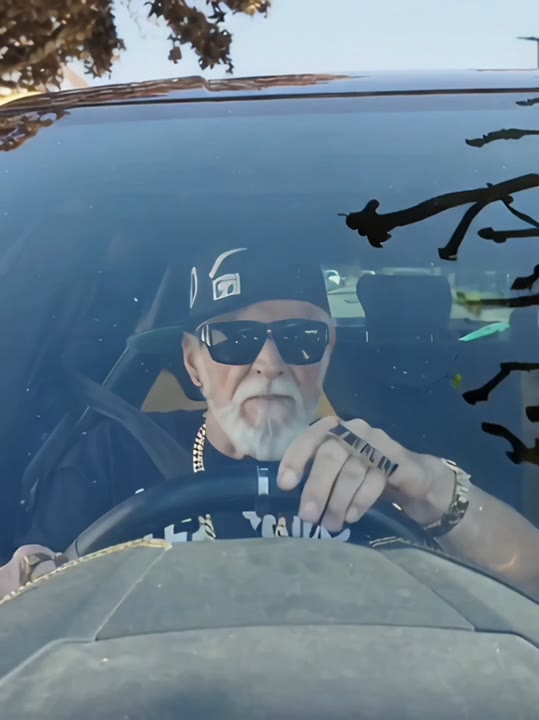
The contrast between a serious face and sudden in-car rhythm gives this driving concept its comic energy. A dashboard view and light-blue steering wheel establish the setting before two small head bobs change the mood. The direction keeps the cabin steady so the movement belongs to the subject rather than to a shaking camera. Start from a prepared driver image for the clearest visual context, or let the model interpret a portrait within the car setup. This is a short driving-scene interpretation, not a character swap into an existing film clip.
Best for
- In-car comedy clips
- Deadpan reaction edits
- Blue-wheel driving memes
- Character performance ideas
Build your Ali G inspired driving clip
Choose your photo
A prepared image of one subject seated behind a wheel provides useful context. If you use a portrait instead, show the shoulders and leave space below the face. Avoid sunglasses or a hand covering the mouth in the starting photo.
Generate with the template
Keep the driving preset selected and generate one video. Its direction establishes the dashboard view first, then asks for restrained head movement while the steering wheel and cabin remain in place.
Review and download
Check whether the steering wheel stays in front of the body and whether hands remain separate from it. Watch the face during each head bob. A small movement with a stable cabin usually reads more clearly than exaggerated headbanging.
Direction for the blue-wheel scene
Use this reference direction as a starting point in custom-prompt mode. The template runs fixed instructions; remixing is a separate workflow, not an edit to the preset.
Animate the single subject from the uploaded photo in a playful in-car performance. Establish a close dashboard view with a light-blue steering wheel in front and a softly blurred street through the windows. Keep the car cabin stable. Begin with a deadpan forward look, then introduce two modest head bobs and a slight shoulder bounce. Keep hands near the wheel and the face within the same framing. Finish with a brief confident glance toward the camera. Use one continuous shot, natural daylight, and no captions, logos, or extra passengers.
Before you create
Do I need an image already set inside a car?
It helps establish the wheel, seat, and camera angle, but the preset accepts one photo and can ask the model to build the car setting. This workflow does not take a reference driving clip. Expect a newly generated performance inspired by the scene's visual idea rather than its exact acting or timing.
Can I change the creative direction?
The preset uses fixed instructions. Copy the reference direction into custom-prompt mode to adapt it; this does not change the preset itself.
What video output should I expect?
The default length is 12s (reference ratio 540/720). The output follows your uploaded photo's aspect ratio and suits In-car comedy clips, Deadpan reaction edits, Blue-wheel driving memes, Character performance ideas.
Create your in-car performance
Choose a portrait or prepared driver image and explore the switch from a serious forward look to a playful in-car performance with your subject.