
Upload a photo
PNG, JPG or WebP · up to 10 MB
Choose a photo to generate a video.
Let the shoes announce the arrival
Turn one photo into a Valet Shoe Drop AI video: step beside a peach convertible, land the heels and make a calm hotel entrance. Create your clip on ReelAI.
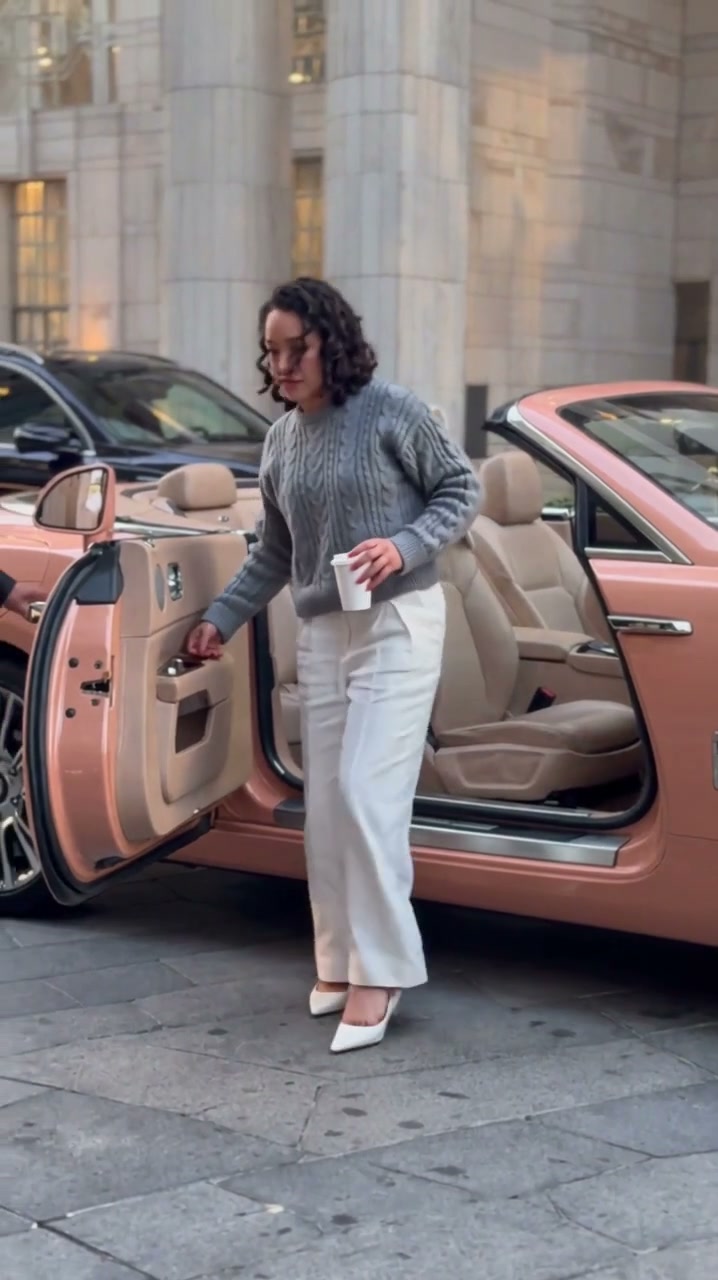
Valet Shoe Drop makes the arrival joke happen at pavement level: a passenger, an open convertible door and shoes placed just before the exit. The reference continues into a jacket change and hotel walk. This version concentrates on the shoe landing and first steps, keeping the car and passenger readable in one shot.
Best for
- A fictional grand entrance
- an outfit reveal or an exaggerated arrival at work. Use a full-body composition so the shoes carry the scene; a close face crop loses the action that distinguishes this effect from a driving portrait.
Create your convertible entrance
Choose your photo
Prepare one image with the passenger beside an open peach-colored convertible at a stone entrance. Show the whole outfit, both feet and a clear patch of pavement. Place one pair of shoes visibly beside the door rather than asking the clip to invent a wardrobe sequence.
Generate with the template
Show the open door, matching shoes and the passenger's feet in one continuous view.
Review and download
Check that the shoes stay as one matching pair and meet the feet without changing color or shape. The door should remain attached to the car, and the passenger's face should stay recognizable during the small forward step.
Curbside shoe-drop direction
Use this reference direction as a starting point in custom-prompt mode. The template runs fixed instructions; remixing is a separate workflow, not an edit to the preset.
Animate the passenger, open peach convertible and stone hotel entrance already composed in the uploaded image. Preserve the person's face, hair, outfit and proportions, and keep the vehicle stationary. Use a fixed medium-wide view with both feet and the pavement visible. One shoe makes a small drop beside its matching partner near the open door; the passenger places the feet into the pair, straightens and takes one short confident step away. Keep the door attached, shoes distinct and legs naturally connected. If a valet is already present, keep that person peripheral and still. No new wardrobe change, cup transfer, long walk, additional cars, captions, logos or cuts.
Before you create
Will the clip include the full jacket change and hotel walk?
The preset simplifies the reference into a compact arrival. It focuses on the shoes, open door and short step away, without requiring a complete wardrobe change or a long walk through the hotel. Your prepared scene image sets the passenger and car arrangement.
Can I change the creative direction?
The preset uses fixed instructions. Copy the reference direction into custom-prompt mode to adapt it; this does not change the preset itself.
What video output should I expect?
The default length is 12s (reference ratio 718/1280). The output follows your uploaded photo's aspect ratio and suits A fictional grand entrance, an outfit reveal or an exaggerated arrival at work. Use a full-body composition so the shoes carry the scene; a close face crop loses the action that distinguishes this effect from a driving portrait..
Make your own grand entrance
Choose a full-body arrival scene and keep the shoe gag at the center of the frame.