
Upload a photo
PNG, JPG or WebP · up to 10 MB
Choose a photo to generate a video.
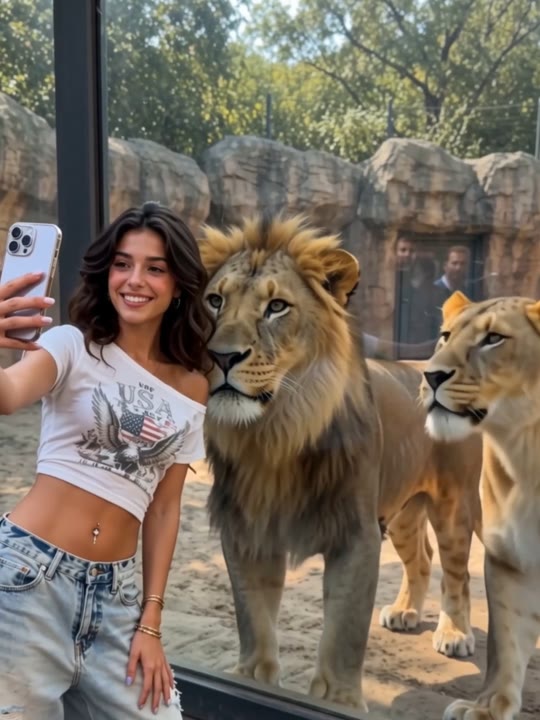
A quiet moment with a large companion
Create a Lion Friend AI video from one photo. Explore a calm animal approach and a warm outdoor encounter, then review your short companion scene on ReelAI.
Lion Friend turns an ordinary portrait into a quiet fantasy encounter with a much larger companion. Instead of asking for a fast embrace or a dramatic leap, this direction lets a relaxed lion approach, stop, and settle beside the subject. A warm outdoor setting makes the animal's body and the person's reaction easy to see. The scene is newly generated from the uploaded photo, with the lion supplied by the creative direction rather than a second image. It suits an animal-lover's portrait, a cinematic greeting, or a gentle contrast to more frantic action effects.
Best for
- Animal-companion portraits
- Gentle fantasy greetings
- Cinematic wildlife concepts
Create a Lion Friend encounter
Choose your photo
Use a knee-up or full-body image with empty space beside the person. Keep the feet and ground plane visible if possible. Natural light and a simple outdoor background help establish where the lion can approach and settle.
Generate with the template
Generate one clip with the companion direction selected. It asks the lion to move slowly and settle beside the person, keeping both figures visible and avoiding a complicated sequence of physical contact.
Review and download
Check the lion's paws, body scale, and distance from the person. Watch both silhouettes as the animal settles. Prefer a calm, readable moment over an elaborate hug if hands, mane, or clothing begin to merge during the interaction.
Direct the calm approach and resting pose
Use this reference direction as a starting point in custom-prompt mode. The template runs fixed instructions; remixing is a separate workflow, not an edit to the preset.
Use the single person in the uploaded photo for a calm fantasy wildlife encounter. Retain the person's face and clothing, and establish a quiet open path in warm evening light. Let one relaxed adult lion walk slowly into the scene beside the subject, stop at a comfortable distance, and settle on the ground. Ask the person to turn gently toward the animal with a surprised smile. Keep the lion's ears relaxed and its mouth closed. Use a steady medium-wide camera, soft natural shadows, no sudden lunges, and no captions.
Before you create
Do I need a separate lion photo for Lion Friend?
No. Your single image supplies the person, while the preset asks the model to generate a calm lion within a new scene. Leave enough room beside the subject for the animal to appear. The precise scale, fur, and interaction can vary, so review the approach and final resting position before using the result.
Can I change the creative direction?
The preset uses fixed instructions. Copy the reference direction into custom-prompt mode to adapt it; this does not change the preset itself.
What video output should I expect?
The default length is 5s (reference ratio 540/720). The output follows your uploaded photo's aspect ratio and suits Animal-companion portraits, Gentle fantasy greetings, Cinematic wildlife concepts.
Explore your animal-companion scene
Choose a clear photo with room beside the subject and explore a gentle lion encounter, built around a slow approach and a quiet shared frame.