
Upload a photo
PNG, JPG or WebP · up to 10 MB
Choose a photo to generate a video.
A quiet cliffside hold against a towering wave
Make a Sign of the Times AI video from one photo. Stage a cinematic cliffside embrace as a giant ocean wave rises behind you and review your dramatic clip.
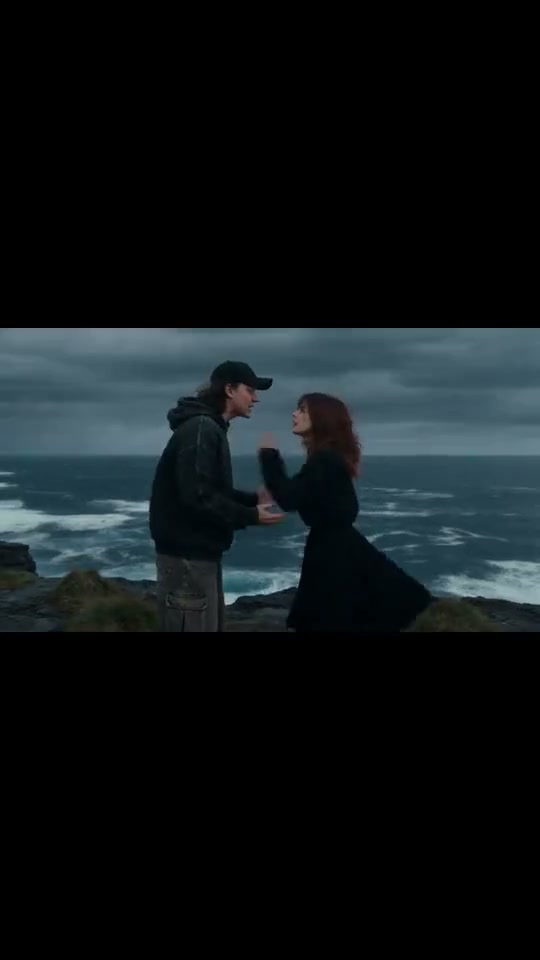
Sign of the Times pairs an intimate human embrace with an overwhelming natural spectacle. In the reference clip, a young couple in dark coats stands facing each other on a wind-swept coastal headland under moody slate-grey skies while a colossal ocean wave erupts, crests and sends mist rising across the horizon behind them. This preset adapts that dramatic cliffside hold for one uploaded couple picture or solo portrait.
Best for
- Choose Sign of the Times for emotional romance edits
- cinematic mood reels or dramatic couple portraits that suit a sweeping end-of-the-world coastal horizon.
Build your Sign of the Times cliffside scene
Choose your photo
To stage the two-person embrace on the headland, upload one image where both partners already stand close together. A solo portrait stages a lone cliffside figure facing the rising wave.
Generate with the template
Review the moody coastal headland, foreground embrace and slow-motion rising ocean wave before generating.
Review and download
Verify that the foreground figures stay grounded on the rocky cliff with wind-moved hair while the distant ocean wave and spray rise in smooth slow motion.
Guide the foreground embrace and slow-motion wave
Use this reference direction as a starting point in custom-prompt mode. The template runs fixed instructions; remixing is a separate workflow, not an edit to the preset.
Create a Sign of the Times cinematic cliffside video from the uploaded image. Preserve the recognizable faces, hairstyles and dark coats of the couple or solo figure visible in the frame. Place them on a rugged coastal headland under overcast slate-grey skies as coastal wind gently moves their hair. Animate a close, steady embrace or poised stance in the foreground while a colossal slow-motion ocean wave crests and sends white mist rising across the distant horizon. Keep figures and cliff rocks coherent in one continuous shot without text or logos.
Before you create
Can I make a Sign of the Times video from a single image file?
Yes. This workflow takes one uploaded image—either an existing couple picture for the cliffside embrace or a solo portrait for a lone dramatic horizon shot.
Can I change the creative direction?
The preset uses fixed instructions. Copy the reference direction into custom-prompt mode to adapt it; this does not change the preset itself.
What video output should I expect?
The default length is 12s (reference ratio 540/960). The output follows your uploaded photo's aspect ratio and suits Choose Sign of the Times for emotional romance edits, cinematic mood reels or dramatic couple portraits that suit a sweeping end-of-the-world coastal horizon..
Create your cinematic cliffside video
Upload one couple or solo image to create a sweeping Sign of the Times cliffside video.