
Upload a photo
PNG, JPG or WebP · up to 10 MB
Choose a photo to generate a video.
A sepia photo strip with a little movement
Animate a Christmas photobooth strip from one prepared image. Add gentle portrait movement and a warm sepia camera glide to your festive four-frame video.
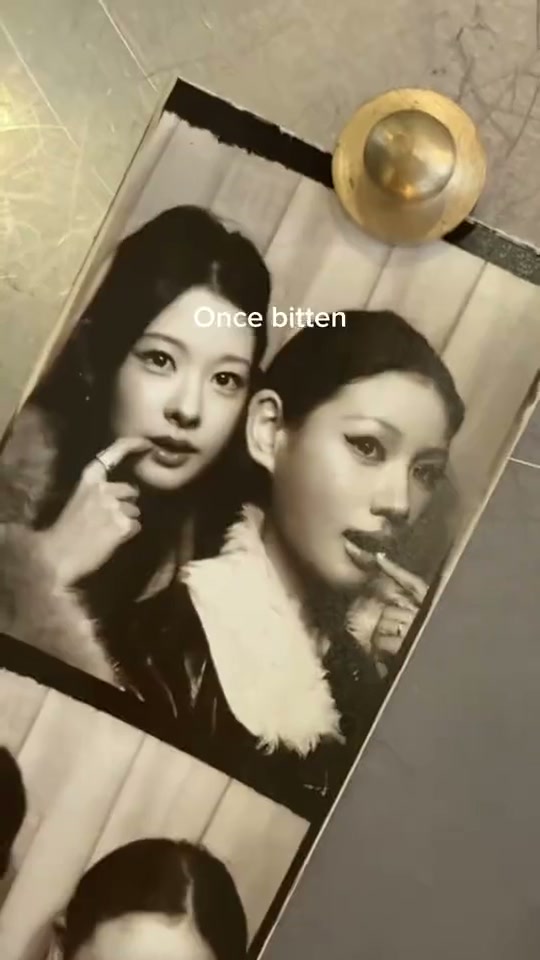
Christmas Photobooth turns a familiar printed photo strip into a small holiday scene. The reference camera glides and rotates across sepia portraits of two women posing together, with a pointed finger, a peace sign and playful cheek-to-cheek expressions. White lyric captions sit over the original footage. Your starting image supplies the strip layout, faces and Christmas styling for a new animation. Use a finished four-frame composition rather than a single unarranged selfie: the repeated panels are part of the input, and each face should already look consistent across them. A restrained glide lets the paper borders and expressions carry the scene.
Best for
- A best-friend greeting
- a couple's holiday post or a solo portrait sequence arranged like an old booth print. Santa hats
- winter sweaters
- pine sprigs and warm table lights can be included in the prepared picture. Keep the styling simple enough that faces remain the clearest part of every panel.
Animate your prepared Christmas photo strip
Choose your photo
Upload one completed photo-strip image with four visible panels and clean, separated white borders. For a pair, both people should already appear together in each relevant panel. Use matching facial details and a consistent sepia treatment. Leave a little space around the paper so the camera can drift without clipping its edges.
Generate with the template
Keep the prepared four-frame layout, gentle portrait expressions and warm camera glide, then review the direction before generating.
Review and download
Watch the border lines as the view moves down the strip. Each portrait should stay inside its own panel, with recognizable eyes and mouths and only small changes of expression. Check that the paper remains flat and that the same person does not change appearance between frames.
Guide the paper glide and portrait expressions
Use this reference direction as a starting point in custom-prompt mode. The template runs fixed instructions; remixing is a separate workflow, not an edit to the preset.
Animate the completed four-panel Christmas photobooth strip already visible in the uploaded image. Preserve its paper shape, four separate white-bordered panels, existing subjects, recognizable faces, clothes and sepia tone. Glide the camera slowly along the strip with a small natural tilt. Add subtle smiles, blinking and tiny head movements inside the existing portraits while keeping each person in their original panel. Let warm fairy-light reflections shimmer softly around the paper. Keep the borders straight, faces consistent and scene coherent in one continuous shot. Do not create new people, new panels, captions or lettering.
Before you create
Can I combine two separate photos into a four-frame strip here?
This preset takes one input image. Prepare the finished strip first, including both people when needed, then upload that single composition. The creative direction animates its existing portraits and paper layout; it does not add a photo-layout editor or combine separate uploads.
Can I change the creative direction?
The preset uses fixed instructions. Copy the reference direction into custom-prompt mode to adapt it; this does not change the preset itself.
What video output should I expect?
The default length is 12s (reference ratio 540/960). The output follows your uploaded photo's aspect ratio and suits A best-friend greeting, a couple's holiday post or a solo portrait sequence arranged like an old booth print. Santa hats, winter sweaters, pine sprigs and warm table lights can be included in the prepared picture. Keep the styling simple enough that faces remain the clearest part of every panel..
Bring your holiday photo strip into motion
Start with one complete Christmas photobooth strip and create a short animation built around its existing faces and borders.