
Upload a photo
PNG, JPG or WebP · up to 10 MB
Choose a photo to generate a video.
Warm 35mm marquee lights on a rainy nineties night
Make a 90s Rom-Com AI video from one photo. Cast yourself or a couple outside a rainy theater marquee with warm 35mm film grain and review your short scene.
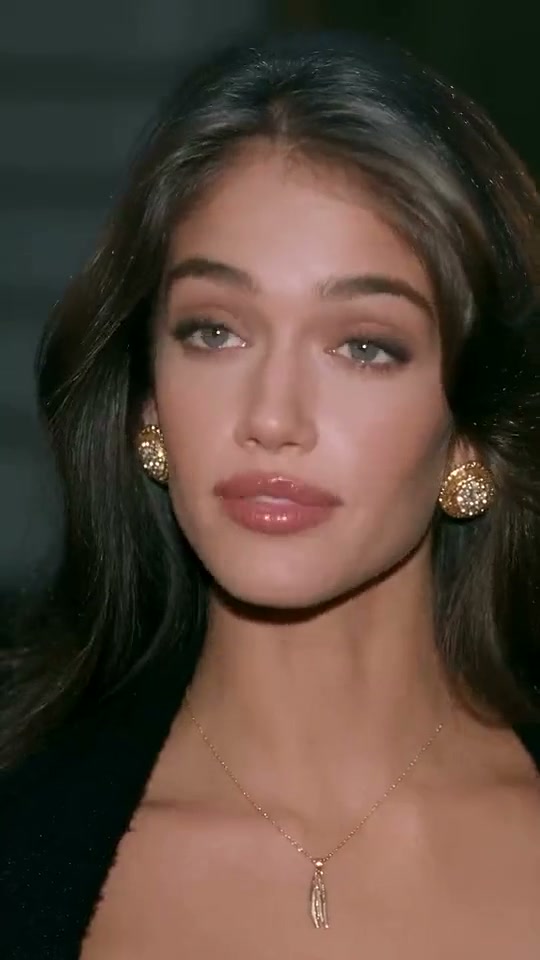
90s Rom-Com recreates the warm tungsten glow of a late-nineties movie meet-cute outside a rainy city theater. In the reference clip, a dressed-up lead in a black evening dress and gold earrings pauses beneath a glowing vintage marquee among passing black sedans, sharing a lingering cinematic glance and a subtle smile in 35mm film grain. This preset casts your uploaded solo portrait or couple image into that nostalgic night scene.
Best for
- Try 90s Rom-Com for date-night portraits
- nostalgic late-nineties aesthetic edits and romantic movie-still animations with warm marquee halation and wet pavement reflections.
Create your 90s Rom-Com movie scene
Choose your photo
Pick one clear chest-up or waist-up portrait with even illumination; to stage a two-person meet-cute outside the theater, upload a single image where both partners already appear together.
Generate with the template
Review the glowing vintage theater marquee, rainy pavement reflections and warm 35mm film look before generating.
Review and download
Check that the warm 35mm tungsten marquee glow and rainy street reflections frame the face cleanly while keeping eyes, hair and evening wear sharp.
Guide the 35mm film look and lingering glance
Use this reference direction as a starting point in custom-prompt mode. The template runs fixed instructions; remixing is a separate workflow, not an edit to the preset.
Create a 90s Rom-Com movie scene video from the solo person or couple in the uploaded image. Preserve their recognizable faces, hairstyles and evening outfits outside a glowing vintage theater marquee on a lightly rainy city night with classic black sedans in the background. Render with warm late-1990s 35mm film grain, soft tungsten halation and glistening pavement reflections. Animate a poised turn, a lingering romantic glance and a subtle, heartfelt smile toward the lens. Keep facial features coherent in one continuous shot without text or logos.
Before you create
Can I make a 90s Rom-Com video with a single solo portrait?
Yes. A solo portrait stages a classic close-up movie moment beneath the glowing theater marquee, while an existing couple image keeps both leads in the scene.
Can I change the creative direction?
The preset uses fixed instructions. Copy the reference direction into custom-prompt mode to adapt it; this does not change the preset itself.
What video output should I expect?
The default length is 12s (reference ratio 540/960). The output follows your uploaded photo's aspect ratio and suits Try 90s Rom-Com for date-night portraits, nostalgic late-nineties aesthetic edits and romantic movie-still animations with warm marquee halation and wet pavement reflections..
Star in your own 90s rom-com moment
Upload one solo or couple image to star in a nostalgic 90s Rom-Com movie scene.