
Upload a photo
PNG, JPG or WebP · up to 10 MB
Choose a photo to generate a video.
The blank stare before the office reaction
Create a Keyboard Smash AI video from one prepared work image. Explore fast typing, a blank stare, and a comic desk reaction, then review it on ReelAI.
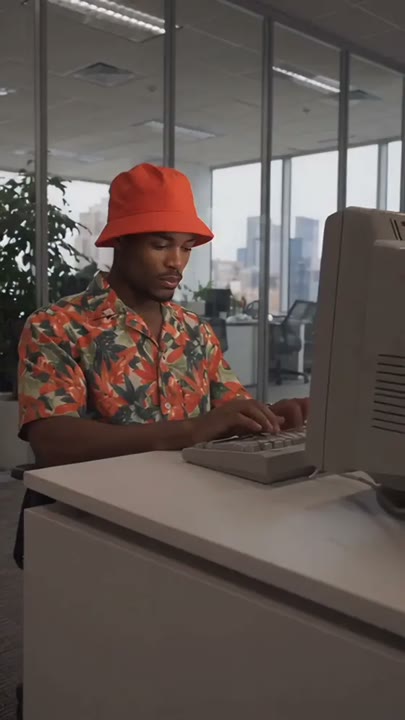
Keyboard Smash turns a familiar office pause into a visual punchline. The subject types, stops, stares at the screen, and reacts with one exaggerated motion toward the keys. This preset uses a complete desk image so the keyboard, chair, and hands have clear starting positions. A fixed side-front view makes the pause feel longer without requiring the clip itself to be long. A few bouncing keycaps suggest cartoon frustration rather than a destructive scene. Use it for a deadline caption, a meeting joke, or a short reaction to an overflowing inbox.
Best for
- Deadline reaction captions
- Meeting jokes
- Office-meltdown edits
Create a Keyboard Smash office clip
Choose your photo
Prepare one image with the worker seated at the desk and both hands near the keyboard. Keep the monitor off to one side so the face stays visible. Avoid clutter that hides the keys, wrists, or front desk edge.
Generate with the template
Generate one office clip from the prepared work image. The direction builds the joke around typing and a pause before one cartoon-like tap, keeping the desk intact and the camera in a fixed position.
Review and download
Check the typing hands before the pause and watch the keyboard during the final tap. Make sure the desk and chair remain stable. Use the blank stare as a cut point if the bouncing keys become too chaotic to read.
Direct the typing pause and comic tap
Use this reference direction as a starting point in custom-prompt mode. The template runs fixed instructions; remixing is a separate workflow, not an edit to the preset.
Animate the single worker already seated at a desk in the uploaded scene image. Keep the face, clothes, chair, keyboard, and monitor recognizable. Begin with brisk but compact typing, pause for a long blank stare at the screen, then ask for one exaggerated two-handed tap on the keyboard that makes a few loose keycaps bounce upward. Finish with the subject looking down in surprise. Keep the desk stable, use a fixed side-front medium shot, and make the action clearly cartoon-like. Add no extra workers, broken screens, fire, captions, or rapid cuts.
Before you create
Can Keyboard Smash work from a selfie without a desk?
A prepared office image is a better starting point for this direction because it establishes the hands, keyboard, and chair together. The preset takes one image and does not offer a separate desk upload. Keep the key action small, then review the hand placement and object movement before finishing your captioned edit.
Can I change the creative direction?
The preset uses fixed instructions. Copy the reference direction into custom-prompt mode to adapt it; this does not change the preset itself.
What video output should I expect?
The default length is 10s (reference ratio 406/720). The output follows your uploaded photo's aspect ratio and suits Deadline reaction captions, Meeting jokes, Office-meltdown edits.
Animate your own desk-meltdown moment
Start with a clear desk scene and explore a relatable office reaction, letting fast typing and a long blank stare set up the final comic tap.