
Upload a photo
PNG, JPG or WebP · up to 10 MB
Choose a photo to generate a video.
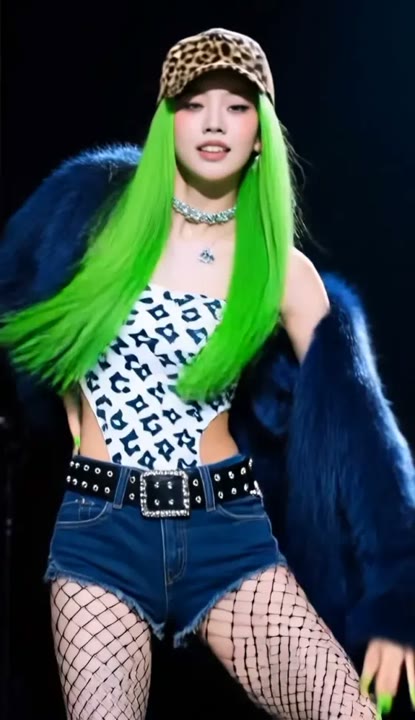
A confident Looks Can Kill stage moment
Make an IVE Looks Can Kill inspired AI video from one photo. Explore a solo stage turn and pointing pose, then review your generated dance clip on ReelAI.
A confident expression can carry a dance clip even when the movement is small. This Looks Can Kill interpretation pairs a controlled shoulder turn with a step forward and a playful point toward the viewer. Magenta stage lighting provides a performance setting while a clean backdrop keeps the gesture visible. There are no backup dancers or reference-video swaps in the preset: one photo guides one newly generated solo scene. Use the clip as a dance introduction, a character spotlight, or the visual accent for a short edit built around a favorite musical moment.
Best for
- Solo stage edits
- K-pop inspired gestures
- Character spotlights
- Confident reaction clips
Create your solo stage interpretation
Choose your photo
Choose a standing photo that shows the hand, shoulders, and enough of the legs for a small step. Keep the face toward the camera. Avoid sleeves or props that hide the fingers needed for the pointing pose.
Generate with the template
Generate one solo video with the stage preset selected. The prepared direction keeps the framing steady and reduces the movement to a turn, a small step, and a clear pointing pose.
Review and download
Check the pointing hand, the elbow bend, and the face during the forward step. Make sure the body stays balanced rather than sliding across the stage. Choose a clean held pose for your edit instead of relying on exact dance timing.
Direct the turn and pointing pose
Use this reference direction as a starting point in custom-prompt mode. The template runs fixed instructions; remixing is a separate workflow, not an edit to the preset.
Animate the single person from the uploaded image in a confident pop-stage dance inspired by the Looks Can Kill challenge. Preserve the visible face, hairstyle, and outfit. Place the performer against a clean backdrop with soft magenta stage lighting. Begin with a measured shoulder turn, take one small step forward, and raise a hand into a playful pointing pose toward the lens. Hold the expression briefly before returning to a relaxed stance. Keep the camera front-facing and steady, with no backup dancers, sudden teleportation, captions, or rapid edits.
Before you create
Will the original stage and backup dancers stay in my video?
This version creates a new solo scene from one photo, so it does not retain an existing performance stage or backup dancers. The preset uses a simple stage setting and a few dance-inspired gestures. It is best suited to a personal interpretation rather than an edit that must preserve the original choreography.
Can I change the creative direction?
The preset uses fixed instructions. Copy the reference direction into custom-prompt mode to adapt it; this does not change the preset itself.
What video output should I expect?
The default length is 12s (reference ratio 416/720). The output follows your uploaded photo's aspect ratio and suits Solo stage edits, K-pop inspired gestures, Character spotlights, Confident reaction clips.
Put your subject center stage
Upload a clear standing photo and explore a confident stage performance with a small turn, one step forward, and a direct look at the lens.