
Upload a photo
PNG, JPG or WebP · up to 10 MB
Choose a photo to generate a video.
A microphone, green light, and one confident lead
Make an On the Radar AI video from one portrait. Build a solo green-booth performance with a microphone, a relaxed hand gesture, and a confident closing pose.
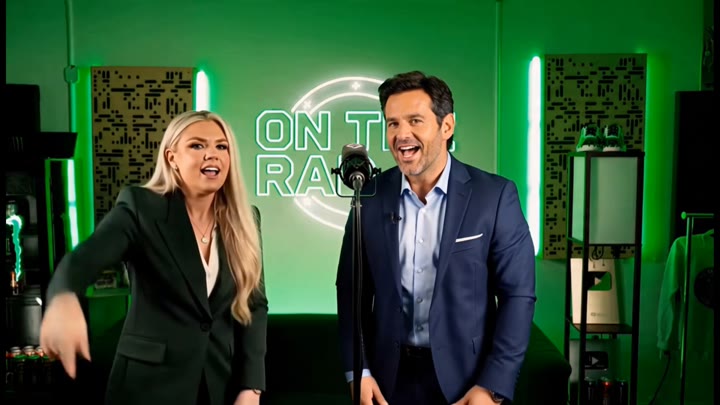
On the Radar gives a portrait the visual setting of a compact green freestyle booth. A standing microphone and circular backlight establish the scene before one nod and an open-hand gesture provide a short performance beat. This version keeps a single lead rather than assembling a personalized duo from separate photos. The shot stays at a three-quarter medium distance so the face, microphone, and hand remain visible together. Use it for a music-video-style character introduction, a green-studio portrait edit, or a confident reaction insert without expecting a particular rap recording to transfer into the output.
Best for
- Green-booth portrait performances
- Microphone character intros
- Solo freestyle-style inserts
Create your On the Radar booth scene
Choose your photo
Choose one clear adult portrait with the face, shoulders, and at least one hand visible. A waist-up standing pose suits the microphone framing. Use a prepared booth image if the exact background composition is important to your intended scene.
Generate with the template
Upload the portrait and select Generate video. The prepared direction builds one solo green-booth moment with a small nod and open-hand gesture, rather than a two-person replacement or a song-specific performance.
Review and download
Check the microphone stays separate from the mouth and hand, the circular light remains behind the lead, and the face stays recognizable during the nod. Review the final gesture without assuming the mouth movement follows a specific lyric.
Direction for the green freestyle performance
Use this reference direction as a starting point in custom-prompt mode. The template runs fixed instructions; remixing is a separate workflow, not an edit to the preset.
Animate the single adult in the reference photo into an original green-lit freestyle-booth performance. Preserve the face, hair, clothing, and proportions. Place a standing microphone near the subject in a compact studio with soft circular green backlight. The lead nods once, makes one relaxed open-hand gesture beside the microphone, and settles into a confident camera-facing pose. Keep the microphone still, the face visible, and the camera at a steady three-quarter medium view. Create a short new visual performance, not precise lyrics or a copied duet. No extra featured performer, original song request, broadcast lettering, captions, or quick cuts.
Before you create
Does On the Radar AI include 679 or the original two-performer video?
This preset creates a new solo booth scene from one image. It does not request 679, transfer exact lyrics, or combine two separate performer portraits. The green studio and microphone communicate the visual idea, while the fixed nod and hand gesture keep the action short enough to review as one continuous performance.
Can I change the creative direction?
The preset uses fixed instructions. Copy the reference direction into custom-prompt mode to adapt it; this does not change the preset itself.
What video output should I expect?
The default length is 10s (reference ratio 720/406). The output follows your uploaded photo's aspect ratio and suits Green-booth portrait performances, Microphone character intros, Solo freestyle-style inserts.
Put your portrait beside the studio microphone
Pick a clear waist-up portrait and create an original green-booth performance, then inspect the microphone, hand movement, and closing camera look before downloading.