
Upload a photo
PNG, JPG or WebP · up to 10 MB
Choose a photo to generate a video.
Your portrait towering above a neon city
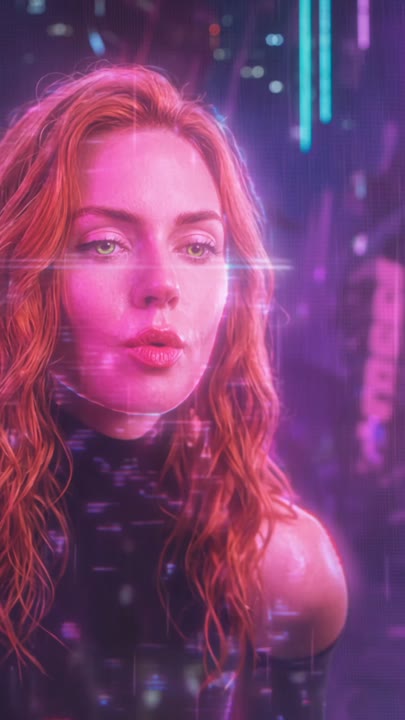
Try the Blade Runner Hologram AI Video Generator with one portrait. Create a giant neon figure, rainy street reflections and a slow greeting above the city.
The Blade Runner Hologram effect makes your uploaded subject the oversized neon figure above a rainy city. Pink-purple light, wet pavement and drifting mist create the cyberpunk setting, while a slow turn and open-handed greeting give the portrait a small performance. A low camera and gentle upward tilt establish scale against the buildings. This one-photo interpretation uses a single featured identity rather than combining separate street-level and hologram portraits. It creates a new visual encounter, not a film-dialogue remake. Use it for a futuristic character reveal, a neon portrait edit or a cinematic science-fiction introduction.
Best for
- Cyberpunk character reveals
- giant neon portraits
- science-fiction introductions
Create your Blade Runner Hologram reveal
Choose your photo
Choose one adult in a clear chest-up or waist-up portrait, with the face, hairline and at least one hand visible. Leave room around the shoulders. Avoid bright existing signage or objects crossing the face and fingers.
Generate with the template
Upload your portrait and generate the neon-city scene. The effect enlarges the featured subject into a translucent hologram, then guides a slow turn and small greeting while the camera tilts gently upward.
Review and download
Check the face through the turn and lean, then inspect the open hand against the neon background. The hologram should remain translucent and consistently scaled, with reflections separated from the figure rather than forming a second identity.
Rain, giant scale and a slow neon greeting
Use this reference direction as a starting point in custom-prompt mode. The template runs fixed instructions; remixing is a separate workflow, not an edit to the preset.
Transform the single adult in the uploaded portrait into a towering translucent hologram above a rainy futuristic street. Preserve recognizable facial features, hair shape and clothing silhouette. Use pink-purple light, drifting mist and reflections on wet pavement. The hologram slowly turns toward the camera, leans forward slightly and opens one hand in a calm greeting. Keep the camera low with a gentle upward tilt, making the scale readable against distant buildings. Use one featured identity and a stable face. No second personalized character, copied dialogue, readable billboards, extra hands or abrupt scene cuts.
Before you create
Can Blade Runner Hologram use two separate portraits for both roles?
Blade Runner Hologram on this page turns one uploaded subject into the giant neon figure. It does not offer separate identity slots for a street-level observer and the hologram. The city, low viewpoint and greeting supply the encounter's atmosphere without a second personalized face or the original scene's dialogue.
Can I change the creative direction?
The preset uses fixed instructions. Copy the reference direction into custom-prompt mode to adapt it; this does not change the preset itself.
What video output should I expect?
The default length is 10s (reference ratio 406/720). The output follows your uploaded photo's aspect ratio and suits Cyberpunk character reveals, giant neon portraits, science-fiction introductions.
Give your portrait a cyberpunk skyline
Choose a clear portrait and create your giant neon figure. Review the face, hand and scale, then download the take with the strongest rainy-city atmosphere.