
Upload a photo
PNG, JPG or WebP · up to 10 MB
Choose a photo to generate a video.
A Christmas greeting with a familiar face
Try the Elf Dance AI Video Generator to turn one photo into a festive solo. Add a pointed hat, small hops and a cheerful wave beside warm Christmas lights.
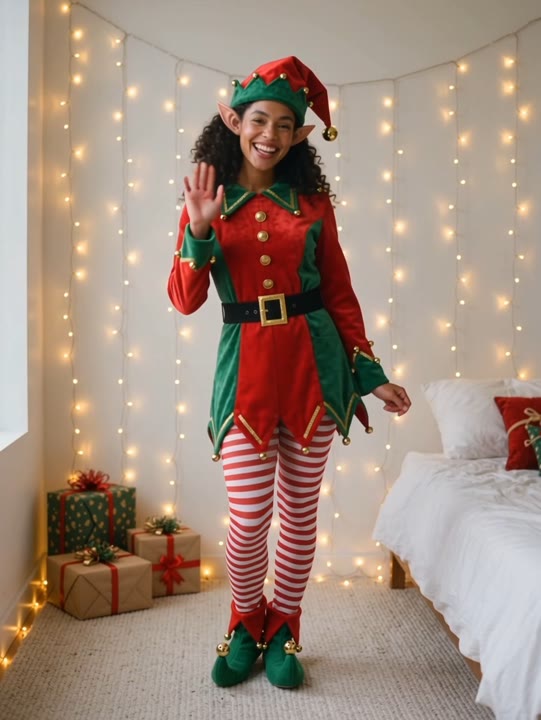
The Elf Dance AI Video Generator turns a familiar face into a small holiday performance with a pointed hat, red-and-green clothing and a welcoming Christmas-tree setting. Simple hops, loose arm swings and a final wave create the greeting without a long routine or a crowded cast. The camera holds a full-body view so the costume and movement can be seen together. This preset keeps the scene to one featured elf rather than duplicating your face across a group. Use the result as a seasonal message, a family-chat surprise or the opening of a Christmas Reel.
Best for
- Christmas greetings
- family-chat surprises
- festive portrait Reels
Create your solo Christmas elf
Choose your photo
Choose one well-lit standing person with a clear face and visible hands. Leave space above the head for the pointed hat and around the legs for the costume. Avoid a crop that ends at the ankles.
Generate with the template
Upload your portrait and generate the holiday scene. The preset adds an elf costume, small hops and a final wave while keeping the tree and gifts as a quiet, festive backdrop.
Review and download
Check that the hat stays attached during the hops, the stockings remain consistent and both feet land on the floor. Look for a recognizable face and fairy lights that stay in the background.
Holiday costume and cheerful movement
Use this reference direction as a starting point in custom-prompt mode. The template runs fixed instructions; remixing is a separate workflow, not an edit to the preset.
Transform the single person in the uploaded photo into a cheerful Christmas elf while keeping their recognizable face, hairstyle and proportions. Add a red-and-green tunic, a soft pointed hat and simple striped stockings. Place them beside a warmly lit Christmas tree with wrapped gifts and steady fairy lights. Animate two small side hops, an easy arm swing and a playful wave toward the camera. Keep the full body visible in one continuous shot, with natural fabric movement and balanced landings. No duplicate elves, sleigh flight, added words or sudden scene changes.
Before you create
Does the Elf Dance effect create a whole group of elves?
This Elf Dance version features one main subject from your uploaded photo in a Christmas costume and setting. It does not duplicate the face across a dancing troupe or recreate a sleigh-and-diner sequence. The short solo keeps the greeting centered on your subject, with room to add a message or soundtrack afterward.
Can I change the creative direction?
The preset uses fixed instructions. Copy the reference direction into custom-prompt mode to adapt it; this does not change the preset itself.
What video output should I expect?
The default length is 10s (reference ratio 540/720). The output follows your uploaded photo's aspect ratio and suits Christmas greetings, family-chat surprises, festive portrait Reels.
Send a dancing-elf greeting
Choose a clear portrait and create a short elf greeting. Review the costume and face, download your take and add a holiday message before sending it.