
Upload a photo
PNG, JPG or WebP · up to 10 MB
Choose a photo to generate a video.
Blue hoodie, cold light, and the watch glance
Create a Drake What Did I Miss-inspired AI video from your photo. Try a blue hoodie, cool lighting, and a watch-checking gesture in a new performance scene.
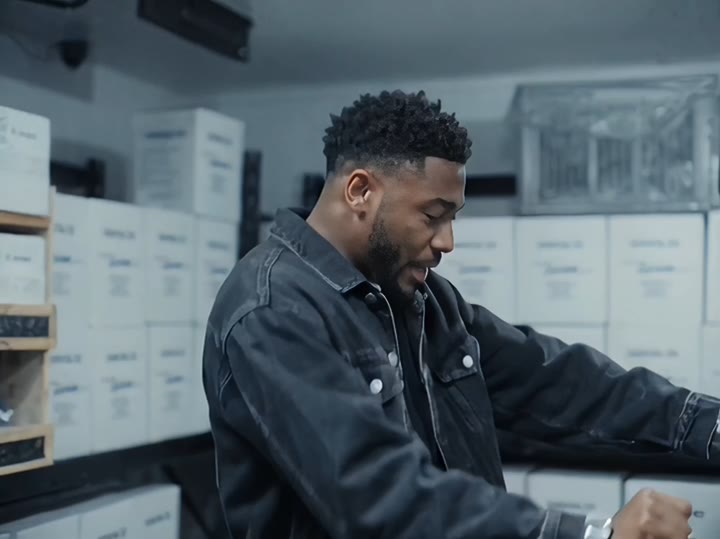
The What Did I Miss AI video theme is recognizable through a blue hoodie, cold room lighting, and a watch-checking gesture. This preset uses those visual cues to create an original solo performance from your portrait. The subject glances at the wrist, raises the head, and addresses the camera with one simple hand movement. A restrained scene keeps attention on expression and timing rather than a busy party background. It does not swap a face into existing footage or ask the model to sing a named track. Use it for a cool-toned character introduction or a music-video-style portrait insert.
Best for
- Blue-hoodie performance edits
- Watch-checking character clips
- Cool-toned portrait videos
Make your cool-toned performance scene
Choose your photo
Choose one clear waist-up portrait with the face unobstructed and at least one wrist visible. Avoid crossed arms or hands covering the jaw. The new scene introduces a blue hoodie, so keep attention on identity rather than exact original clothing.
Generate with the template
Upload the portrait and select Generate video. The fixed direction introduces the blue hoodie and watch glance, then finishes with a restrained camera-facing gesture rather than a copied rap sequence.
Review and download
Review the watch position, wrist angle, and hand as the head lifts toward the camera. Check that the hoodie stays blue and the face does not change during the glance. Inspect mouth movement rather than assuming it matches any particular lyric.
Direction for the wristwatch performance beat
Use this reference direction as a starting point in custom-prompt mode. The template runs fixed instructions; remixing is a separate workflow, not an edit to the preset.
Animate the person in the reference image into an original cool-lit rap-performance scene. Preserve their face, hairstyle, and recognizable proportions. Dress the lead in a plain blue hoodie in a minimal blue-gray room. Begin with a composed medium shot, then have the person glance down at one wristwatch, lift the head, and make one relaxed hand gesture toward the camera. Finish with a small shoulder movement and confident eye contact. Keep the shot continuous and the hands clearly separated. Do not imitate an exact performer, mouth specific lyrics, or request an existing song. No text, extra people, or multiple watches.
Before you create
Will this put my face into Drake's What Did I Miss music video?
The preset creates a separate blue-hoodie performance scene from your photo; it does not edit the original music video. The watch gesture and cool light are creative cues, not a frame-for-frame recreation or a request for the original song. Use the result as an original visual insert in your own edit.
Can I change the creative direction?
The preset uses fixed instructions. Copy the reference direction into custom-prompt mode to adapt it; this does not change the preset itself.
What video output should I expect?
The default length is 12s (reference ratio 720/540). The output follows your uploaded photo's aspect ratio and suits Blue-hoodie performance edits, Watch-checking character clips, Cool-toned portrait videos.
Create your blue-hoodie camera moment
Pick a waist-up portrait with a clear face and visible wrist, then create a cool-lit blue-hoodie scene with a confident performance finish.