
Upload a photo
PNG, JPG or WebP · up to 10 MB
Choose a photo to generate a video.
A phone reveal with playful hotel-room energy
Try the iPhone Kupi Dance AI Video Generator from one photo. Create a hotel-room phone reveal, small backward steps and a playful shoulder sway for your edit.
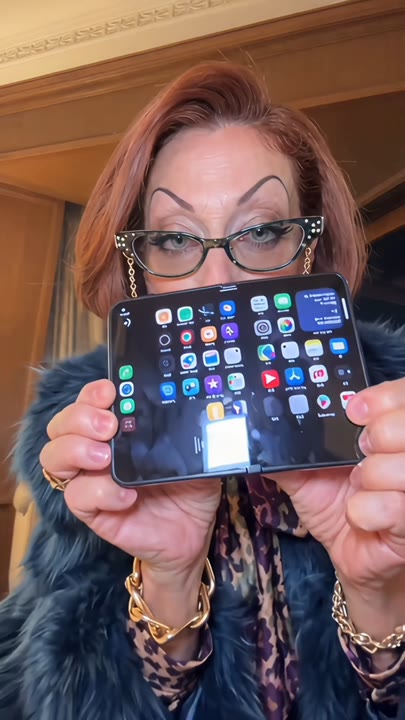
The iPhone Kupi Dance AI Video Generator gives a standing portrait a playful phone-showoff moment in a hotel-room setting. The subject presents a plain foldable device, lowers it and steps back into a light shoulder sway before the final pose. A continuous frontal view keeps the phone and performer part of the same readable action. This single-photo interpretation omits a complicated unfolding close-up and phone toss, focusing instead on the confident reveal and comic dance mood. It works for tech-themed reactions, room-dance memes and a short performance introduction built around one visible prop.
Best for
- Tech-themed reaction memes
- hotel-room dance edits
- playful phone reveals
Create your iPhone Kupi Dance clip
Choose your photo
Choose one standing adult with visible hands, shoes and a clear face. Leave room around the torso for the device and enough floor space for a small backward step. Avoid photos already holding several objects.
Generate with the template
Upload your standing portrait and generate the hotel-room solo. The effect guides a phone presentation and two small backward steps, then settles into a light shoulder sway while the device stays in hand.
Review and download
Check that only one phone remains in the subject's hand from reveal to finish. Watch for coherent fingers, natural backward steps and a stable screen shape, without the device growing or merging with the face.
One device, small steps and a sway
Use this reference direction as a starting point in custom-prompt mode. The template runs fixed instructions; remixing is a separate workflow, not an edit to the preset.
Animate the single adult in the uploaded photo into a playful hotel-room phone dance. Preserve their face, hairstyle, build and outfit. In a tidy room, they present one plain foldable phone toward the camera, lower it carefully to waist height and take two small backward steps into a light shoulder sway. End with a confident, amused pose while still holding the phone. Keep the full body and device readable in one continuous front-facing shot. Suggest the iPhone Kupi mood without exact choreography. No phone toss, branded screen graphics, extra devices, copied lyrics, text or abrupt cuts.
Before you create
Does iPhone Kupi Dance include the phone toss and original audio?
This iPhone Kupi preset creates a simpler phone reveal and solo sway from one portrait. The device stays in the subject's hand instead of following a complex toss, and the original audio is not included. You can add your preferred track later and cut around the reveal, steps or final pose.
Can I change the creative direction?
The preset uses fixed instructions. Copy the reference direction into custom-prompt mode to adapt it; this does not change the preset itself.
What video output should I expect?
The default length is 12s (reference ratio 406/720). The output follows your uploaded photo's aspect ratio and suits Tech-themed reaction memes, hotel-room dance edits, playful phone reveals.
Make your own phone-showoff moment
Choose a clear standing photo and create your phone-reveal dance. Review the device and fingers, then download the take with the most playful final expression.