
Upload a photo
PNG, JPG or WebP · up to 10 MB
Choose a photo to generate a video.
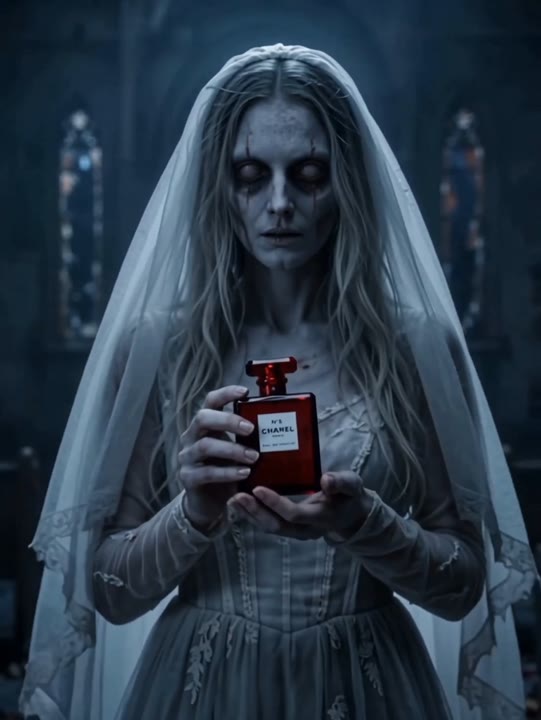
A quiet gothic bride in candlelit blue
Try the Corpse Bride AI Video Generator with one portrait. Create a blue-toned gothic bride, delicate veil, faded bouquet and a smile in a candlelit scene.
The Corpse Bride effect brings a gothic bridal look to a portrait through blue-toned color, a delicate veil and faded flowers. A slow head turn and glance toward the bouquet add movement without turning the scene into a complicated wedding sequence. Candlelight and a restrained camera push keep the face at the center of the reveal. This single-photo version creates a new character portrait rather than copying a film scene or building a couple from separate images. Use it for a dark-romance introduction, a Halloween character concept or a quiet fantasy before-and-after edit.
Best for
- Gothic bridal portraits
- Halloween character reveals
- dark-romance introductions
Create your Corpse Bride portrait reveal
Choose your photo
Choose one adult in a chest-up portrait with the forehead, hairline and shoulders clearly visible. Leave space above the head for the veil. Keep hands away from the face and avoid an existing prop covering the chin.
Generate with the template
Upload your chest-up portrait and generate the gothic reveal. The effect adds blue-toned styling and a veil, then guides a small turn toward the bouquet before a faint camera-facing smile.
Review and download
Check that the facial structure remains recognizable as the blue color appears. Watch the veil edge, bouquet and head turn for continuity, and make sure the eyes stay aligned when the subject lowers the gaze.
Blue light, a delicate veil and faded flowers
Use this reference direction as a starting point in custom-prompt mode. The template runs fixed instructions; remixing is a separate workflow, not an edit to the preset.
Transform the single adult in the uploaded portrait into a gothic bridal character while keeping recognizable facial features and hair shape. Begin in soft shadow against a dim candlelit chapel. A gentle blue light reveals porcelain-blue skin, a delicate dark veil and faded flowers held near the chest. The subject turns the head slightly, lowers the gaze to the bouquet and gives a faint mysterious smile. Use a slow chest-up camera push and restrained doll-like movement. Keep the face centered and the veil consistent. No extra characters, wounds, captions, film logos or abrupt cuts.
Before you create
Does Corpse Bride turn my photo into the exact film character?
Corpse Bride here creates a gothic bridal interpretation using your uploaded subject as the appearance reference. It does not reproduce a film character's exact face or place you into existing footage. The blue color, veil, bouquet and restrained movement define this new portrait, with the generated styling varying between takes.
Can I change the creative direction?
The preset uses fixed instructions. Copy the reference direction into custom-prompt mode to adapt it; this does not change the preset itself.
What video output should I expect?
The default length is 8s (reference ratio 540/720). The output follows your uploaded photo's aspect ratio and suits Gothic bridal portraits, Halloween character reveals, dark-romance introductions.
Give your portrait a dark-romance look
Choose a clear portrait and create your gothic bridal take. Review the eyes, veil and bouquet, then download the frame sequence with the strongest quiet expression.