
Upload a photo
PNG, JPG or WebP · up to 10 MB
Choose a photo to generate a video.
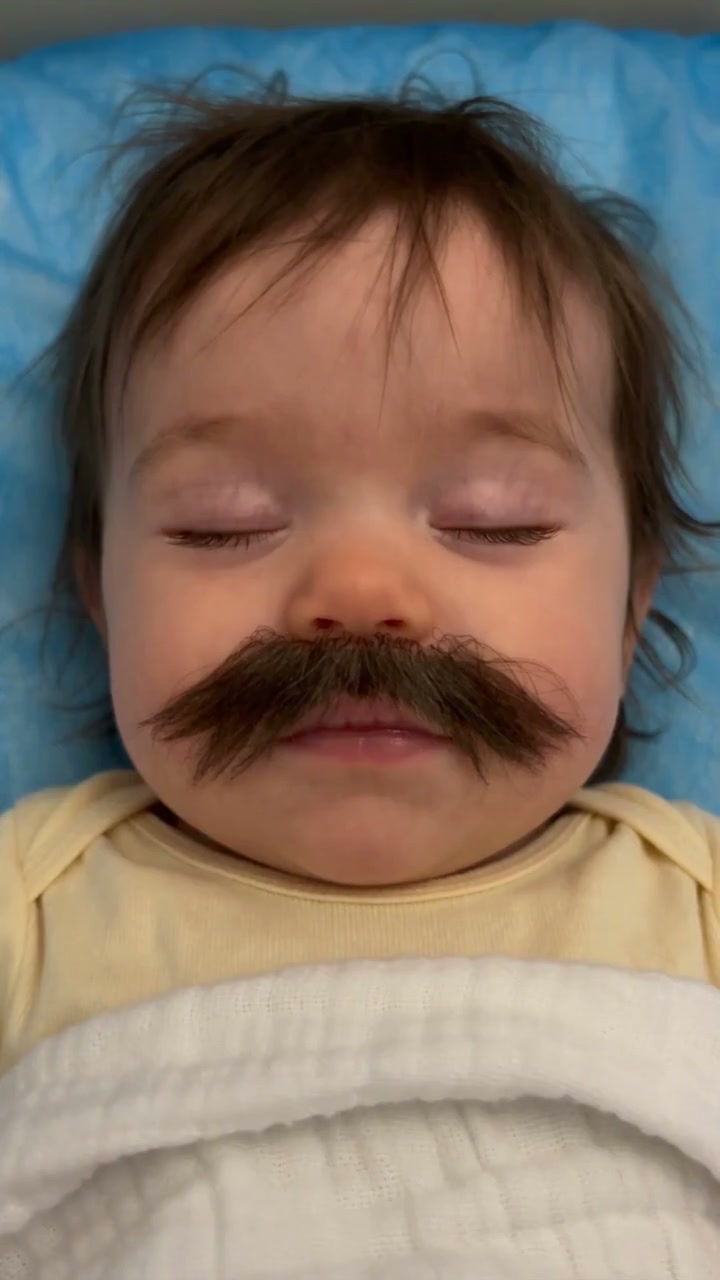
A little face with a very grown-up mustache
Make a Baby With Mustache AI video from one baby photo. Add a bushy mustache, gentle blinks and a funny pout to a close-up portrait, then download your clip.
Baby With Mustache turns the contrast between a tiny face and oversized facial hair into a reaction clip. A soft blanket and close framing keep attention on the expression while a small blink, smile or pout carries the joke. The reference shows a dark-haired baby resting on blue bedding with a large brown mustache; the eyes open and the lips purse near the end. It is inspiration for the look, not a ReelAI-generated result. Start with a clear baby portrait rather than an adult selfie if you want to keep the subject's existing age and facial structure. The direction adds the facial hair without asking for a different identity, a full costume change or a new setting. A calm face gives the small movement room to read, especially when the finished clip is viewed on a phone.
Best for
- Baby portrait memes
- funny family reactions
- a tiny grown-up expression
Turn a baby portrait into a funny reaction
Choose your photo
Use one close-up baby photo with the upper lip, cheeks and chin visible. Soft light and a simple blanket or pillow work well. Avoid a pacifier, a hand over the mouth or a face that is too small in the image. Keep enough space below the nose for the added mustache.
Generate with the template
Upload one clear baby photo and select Generate video. The preset adds a bushy mustache and guides a slow blink, a small smile and a gentle pout.
Review and download
Watch the facial hair as the mouth moves. It should stay above the upper lip rather than slide across the cheeks or cover the nose. Check that the eyes and skin remain consistent and that the blink or pout feels gentle rather than stretched.
Keep the face steady and let the expression change
Use this reference direction as a starting point in custom-prompt mode. The template runs fixed instructions; remixing is a separate workflow, not an edit to the preset.
Animate the single baby in the supplied image as a gentle comic portrait. Preserve the baby's age, facial proportions, hair, skin tone, clothing, bedding and recognizable identity. Add one soft, thick brown mustache centered above the upper lip, with its two sides remaining attached naturally as the mouth moves. The baby slowly opens the eyes, makes a tiny smile, then purses the lips into a mild pout. Use a steady close camera, soft light and very little head movement. Keep the mustache clear of the nostrils, eyes and mouth opening. No adult face replacement, extra facial hair on the cheeks, captions, logos or scene cuts.
Before you create
Do I need a baby photo that already has a mustache?
No. A clear baby portrait is the starting point, and the preset asks for the bushy mustache as part of the visual effect. If you already have a prepared mustached portrait, the direction can focus on subtle animation.
Can I change the creative direction?
The preset uses fixed instructions. Copy the reference direction into custom-prompt mode to adapt it; this does not change the preset itself.
What video output should I expect?
The default length is 10s (reference ratio 720/1280). The output follows your uploaded photo's aspect ratio and suits Baby portrait memes, funny family reactions, a tiny grown-up expression.
Give the baby portrait a comic twist
Choose a close-up portrait, make the mustached reaction and download the take with the clearest expression.