
Upload a photo
PNG, JPG or WebP · up to 10 MB
Choose a photo to generate a video.
Let the low-poly awkwardness become the joke
Create a Niu Lai AI video from a prepared cow-character image. Animate small steps, a friendly wave, and a playful low-poly performance for your own short meme.
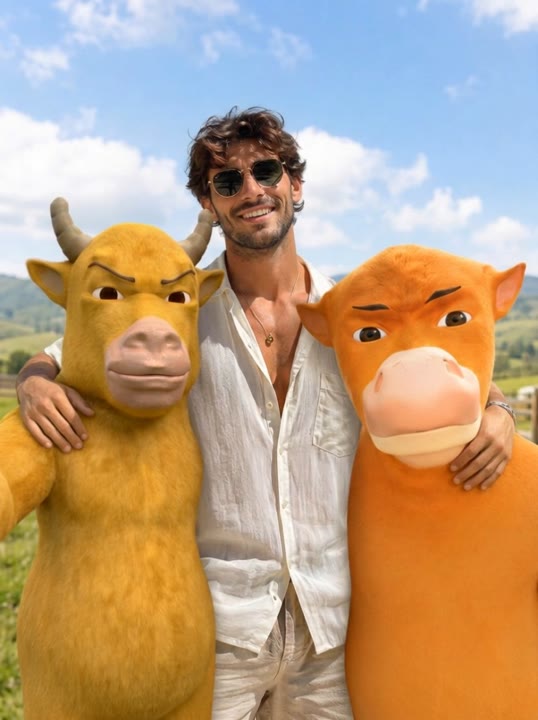
Niu Lai uses the charm of a rough low-poly cow rather than a polished realistic animal. A simple yellow character, a slightly stiff walk, and an awkward pause can make the short performance feel intentionally homemade. This preset animates an existing cow or calf artwork in one courtyard scene. It does not first convert a human selfie into a three-dimensional character or generate a multi-scene trailer. The small side steps and wave keep the action readable while the uploaded silhouette and outfit supply personality. Use the result as a cow-meme insert, a character greeting, or a short animation experiment.
Best for
- Low-poly cow memes
- Awkward character greetings
- Short calf animation experiments
Animate your Niu Lai cow character
Choose your photo
Upload one prepared cow or calf character image with its whole body and face visible. Low-poly artwork fits the intended look. If you only have a person photo or a written story, prepare the character image separately before using this preset.
Generate with the template
Upload the prepared cow artwork and select Generate video. The fixed direction adds two small steps and a wave in one courtyard shot, keeping the character's rough low-poly look instead of building a new story.
Review and download
Check the cow keeps the same face, outfit, and number of limbs through the steps and wave. The movement can remain deliberately stiff, but the character should stay grounded and should not split into several different cows during the finish.
Direction for the steps and friendly wave
Use this reference direction as a starting point in custom-prompt mode. The template runs fixed instructions; remixing is a separate workflow, not an edit to the preset.
Animate the single low-poly cow character in the reference artwork into a playful short dance. Preserve its yellow coloring, large eyes, rough three-dimensional surfaces, and distinctive outfit. Use a simple empty courtyard with soft daylight. The cow stands upright, takes two small side steps, raises one foreleg in a friendly wave, and settles into a slightly awkward camera-facing pose. Keep the camera fixed and the character's shape consistent. Let the stiff, toy-like movement be part of the visual joke. No character multiplication, detailed human hands, scene changes, spoken script, subtitles, logos, or a named song.
Before you create
Can Niu Lai build a whole cow story from my text?
This preset animates one supplied character image with a fixed small movement sequence. It does not turn a written story into several scenes, add synchronized dialogue, or create the starting artwork. Prepare the cow image first, then use the short wave or dance as one visual beat inside a larger story if you want.
Can I change the creative direction?
The preset uses fixed instructions. Copy the reference direction into custom-prompt mode to adapt it; this does not change the preset itself.
What video output should I expect?
The default length is 5s (reference ratio 538/720). The output follows your uploaded photo's aspect ratio and suits Low-poly cow memes, Awkward character greetings, Short calf animation experiments.
Give your cow character a short performance
Choose a full-body cow character with a clear silhouette, then create a short, deliberately awkward greeting that preserves the outfit, face, and low-poly visual style.