
Upload a photo
PNG, JPG or WebP · up to 10 MB
Choose a photo to generate a video.
Same pose, one flash, a coordinated disguise
Make a Mandem in Disguise AI video from one photo. A bright flash reveals dark puffer jackets and balaclavas while keeping the original pose and setting.
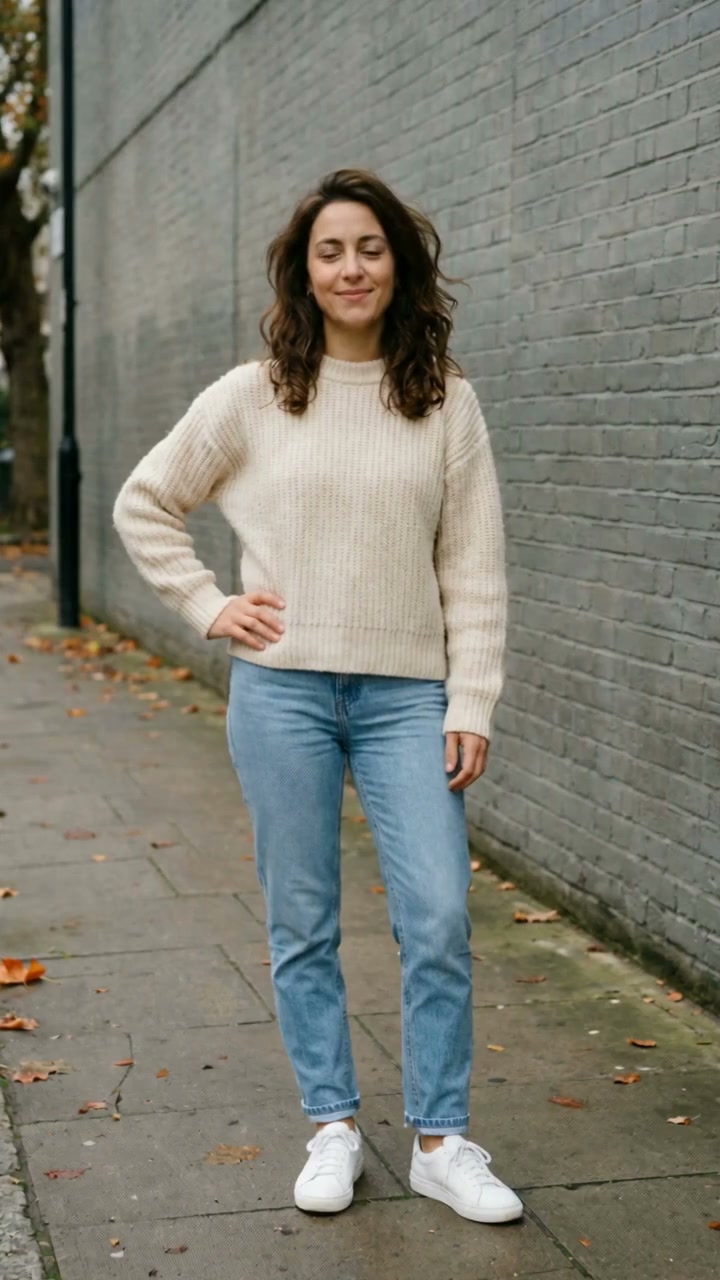
Mandem in Disguise is an outfit reveal built around continuity: the pose is familiar, a flash hides the switch and the same composition returns with dark jackets and knitted face coverings. It works as a solo transformation or a coordinated look for people already together in one group photo. The reference begins with a woman in a cream sweater beside a grey brick wall, changes to a masked figure in a black padded jacket and ends with a closer view of the disguise. It is inspiration, not a result generated by ReelAI. Keep the background, head positions and framing simple so the before and after are easy to compare. A gentle nod after the flash can help the reveal feel alive without changing where everyone stands. For groups, space between faces gives each person's new outfit a clear silhouette.
Best for
- Flash outfit reveals
- solo disguise memes
- coordinated group-photo transformations
Create the outfit reveal from one photo
Choose your photo
Upload one portrait or one existing group photo. Keep faces visible, bodies separated and the light even. A waist-up composition leaves room to show the padded jackets. Do not upload separate portraits expecting this page to combine them; the group must already be together in the image.
Generate with the template
Upload one portrait or group photo and select Generate video. The preset guides a short flash followed by dark padded jackets and balaclavas in the original positions.
Review and download
Compare the positions before and after the flash. Each person should remain in the same place with a consistent head shape and visible eyes. Check that face coverings do not merge between neighbors and that the jackets do not absorb hands, phones or background objects.
Preserve the composition through the flash
Use this reference direction as a starting point in custom-prompt mode. The template runs fixed instructions; remixing is a separate workflow, not an edit to the preset.
Animate the single uploaded portrait or group photograph into a coordinated costume reveal. Preserve the exact number of visible people, their positions, head shapes, body proportions and the original background. Begin with their current appearance and a slight natural movement. A single brief white camera flash fills the frame; as it clears, the same people wear plain black padded jackets and knitted black balaclavas with natural openings for their own eyes. Keep their poses and the camera fixed, then add one subtle head nod. Do not add people, merge faces, rearrange the group or cover the eyes. No weapons, signs, readable text, logos, captions or additional cuts.
Before you create
Can I make the disguise reveal with a group photo?
Yes, the input can be one photo that already contains the group. The direction asks for the outfit switch across the visible people while keeping their positions. Larger or crowded groups are harder to keep consistent. This page does not assemble separate portraits or promise the trend's original song.
Can I change the creative direction?
The preset uses fixed instructions. Copy the reference direction into custom-prompt mode to adapt it; this does not change the preset itself.
What video output should I expect?
The default length is 10s (reference ratio 720/1280). The output follows your uploaded photo's aspect ratio and suits Flash outfit reveals, solo disguise memes, coordinated group-photo transformations.
Put your portrait through the disguise switch
Pick a clearly framed photo, generate the reveal and download the version with the cleanest before-and-after continuity.