
Upload a photo
PNG, JPG or WebP · up to 10 MB
Choose a photo to generate a video.
A perceptive smirk in shadowy monochrome light
Create a Mentalist AI trend video from one photo. Step into a shadowy black-and-white suit portrait with a knowing smirk and warm smile to review in seconds.
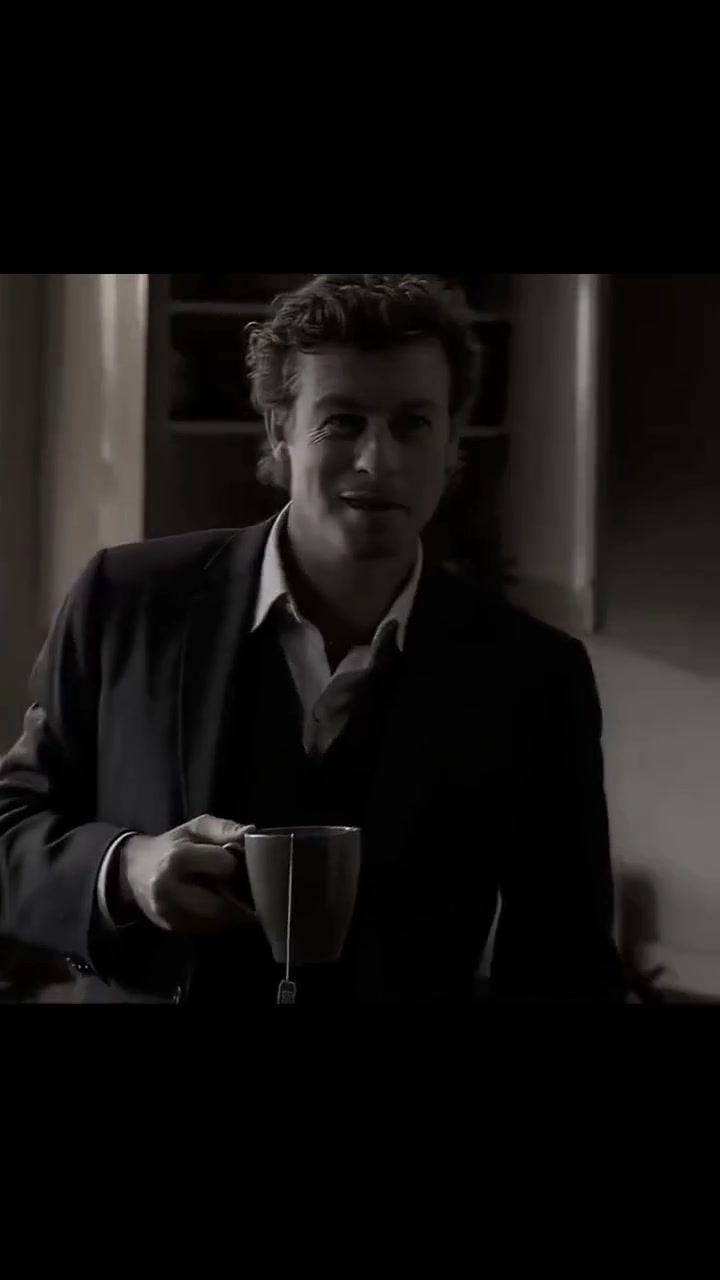
The Mentalist AI Trend pays homage to the observant, slightly mischievous charm of television’s classic consultant detective. In the reference clip, a wavy-haired man in a dark three-piece suit and open-collar shirt stands in a shadowy monochrome room, holding a ceramic teacup and shifting from a perceptive smirk into an easy, disarming smile. This preset brings that suave character beat to one uploaded portrait.
Best for
- Choose the Mentalist AI Trend for witty "I knew it all along" reaction reels
- sharp suited portraits and moody monochrome character studies that rely on subtle facial acting.
Stage your Mentalist monochrome reaction clip
Choose your photo
Upload one clear chest-up or waist-up portrait with a relaxed expression and visible hair so the eyebrow lift, knowing smirk and teacup hold look effortless.
Generate with the template
Keep the shadowy monochrome study, open-collar suit styling and knowing smirk-to-smile transition before generating.
Review and download
Verify that the transition from the slight perceptive smirk to the broader smile preserves your natural eye shape and jawline under the shadowy monochrome lighting.
Direct the open-collar suit look and knowing smile
Use this reference direction as a starting point in custom-prompt mode. The template runs fixed instructions; remixing is a separate workflow, not an edit to the preset.
Create a Mentalist AI Trend character portrait video using the person in the uploaded image. Preserve their recognizable facial structure, eyes and hairstyle, styled in a dark tailored suit jacket, vest and relaxed open-collar shirt inside a softly lit vintage room. Frame a steady medium close-up in rich monochrome contrast. Begin with a calm, observant gaze while holding a ceramic teacup at chest height, then transition smoothly into a knowing smirk and a warm, disarming smile. Keep hands and facial identity coherent in one continuous shot without text or watermarks.
Before you create
Does the Mentalist AI Trend paste my face onto television footage?
No. This preset generates a new monochrome portrait animation from your uploaded image, guided by the open-collar suit, teacup and knowing-smile direction.
Can I change the creative direction?
The preset uses fixed instructions. Copy the reference direction into custom-prompt mode to adapt it; this does not change the preset itself.
What video output should I expect?
The default length is 10s (reference ratio 720/1280). The output follows your uploaded photo's aspect ratio and suits Choose the Mentalist AI Trend for witty "I knew it all along" reaction reels, sharp suited portraits and moody monochrome character studies that rely on subtle facial acting..
Try the Mentalist monochrome preset
Start with one clear portrait to generate a suave Mentalist AI Trend monochrome reaction clip.