
Upload a photo
PNG, JPG or WebP · up to 10 MB
Choose a photo to generate a video.
An overhead couch portrait with a styling reveal
Create a sofa outfit transition AI video from one couch portrait. Guide a short overhead camera move and a single outfit reveal while keeping your face clear.
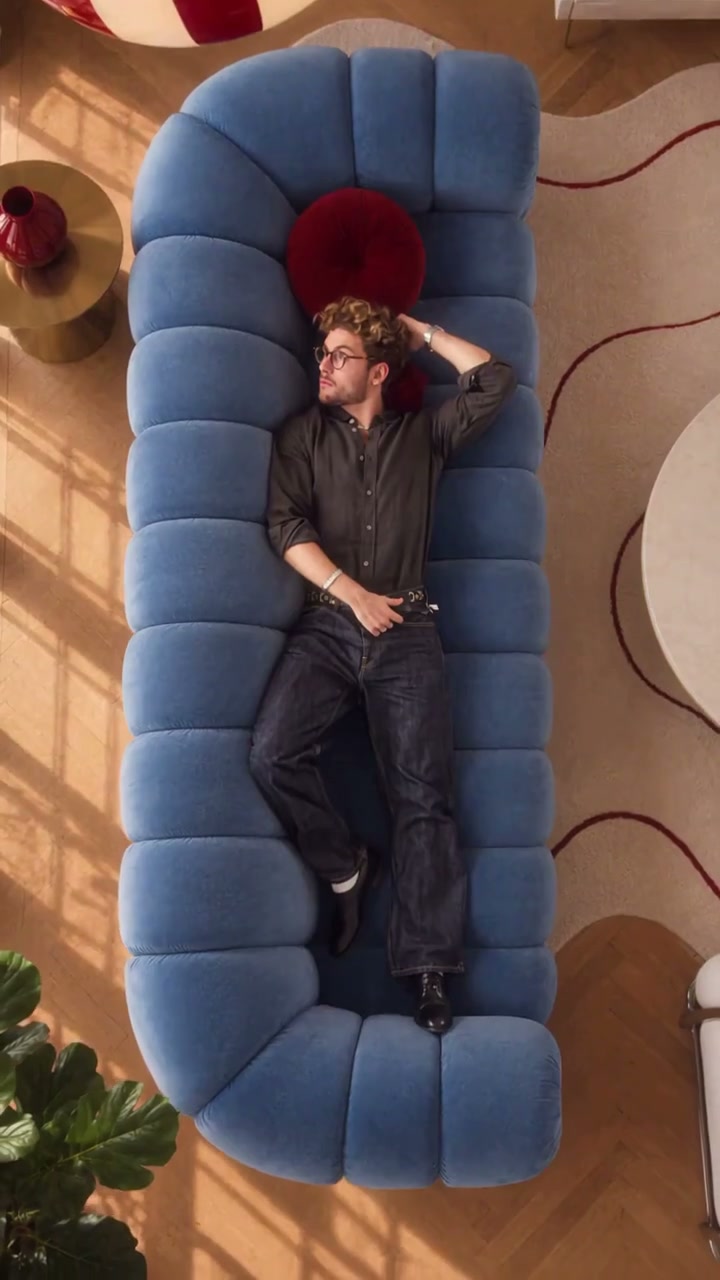
Sofa Outfit Transition places the outfit reveal inside an overhead couch composition. The reference shows a man reclining on a deep blue segmented sofa in a warm living room, changing his arm pose and finishing with a book while dressed in a dark shirt and trousers. The couch, rug and elevated viewpoint give the scene its recognizable shape. This direction asks for one wardrobe change during a short camera sweep. A prepared reclining portrait gives the body, furniture and room a coherent starting arrangement. The reveal should read as one deliberate styling moment with the face and sofa remaining consistent from the first pose to the final look.
Best for
- An outfit comparison
- a casual-to-evening reveal or a compact fashion reel based on a single couch portrait. A sofa with a clear silhouette and a quiet rug pattern helps the camera move feel intentional. Choose one meaningful wardrobe change instead of asking for a rapid sequence of unrelated costumes.
Animate your sofa outfit transition
Choose your photo
For a sofa outfit transition, upload one image of the person already seated or reclining on the couch, ideally with the full body and cushion edges visible. Keep the face unobstructed and the hands separated from the hair and upholstery. A slightly elevated view is useful when the direction calls for an overhead turn.
Generate with the template
Review the existing sofa pose and one target outfit, then keep the overhead camera movement short and controlled.
Review and download
Check the arms against the cushions, the sofa seams during the camera movement and the point where the outfit changes. Facial features and body proportions should stay consistent through the reveal. Watch for a sleeve merging into the sofa or a new accessory appearing without a clear purpose.
Direct one camera move and one wardrobe change
Use this reference direction as a starting point in custom-prompt mode. The template runs fixed instructions; remixing is a separate workflow, not an edit to the preset.
Animate the person already reclining or seated on the sofa in the uploaded image. Preserve their face, hairstyle, body proportions, pose support and the sofa's shape and cushions. Move the camera gently toward an overhead view, then make one short rotational sweep. During the sweep, transition the person's clothing into a coordinated evening outfit while preserving the same face and body. Finish with a relaxed pose and a readable full outfit. Keep furniture seams, hands and limbs stable. One continuous camera movement, no extra people, floating accessories, captions or logos.
Before you create
Do I need to upload a separate photo for every outfit?
This preset takes one photo and uses the written direction for the new look. Keep the starting couch composition in that image and describe one target outfit. It does not combine a collection of wardrobe reference uploads or build a multi-look editing timeline.
Can I change the creative direction?
The preset uses fixed instructions. Copy the reference direction into custom-prompt mode to adapt it; this does not change the preset itself.
What video output should I expect?
The default length is 9s (reference ratio 720/1280). The output follows your uploaded photo's aspect ratio and suits An outfit comparison, a casual-to-evening reveal or a compact fashion reel based on a single couch portrait. A sofa with a clear silhouette and a quiet rug pattern helps the camera move feel intentional. Choose one meaningful wardrobe change instead of asking for a rapid sequence of unrelated costumes..
Try a couch-based outfit reveal
Upload one clear couch portrait to build a compact fashion transition around your existing pose and setting.