
Upload a photo
PNG, JPG or WebP · up to 10 MB
Choose a photo to generate a video.
A full-body groove with room for the feet
Make your photo dance with the AI street dance generator. Create a relaxed hip-hop groove, an arm wave, and a closing freeze from one clear full-body image.
An AI street dance video works best when the body has room to move and the camera lets the movement remain visible. This template uses an easy hip-hop groove rather than a rapid sequence of tricks: a knee bounce, a weight shift, one arm wave, and a closing freeze. An uncluttered pavement setting gives shoes and foot contact a clear background. The fixed full-body framing makes it easier to review balance and identity without following a moving camera. Use the scene for a character introduction, a streetwear portrait animation, or a casual dance post built around your own image.
Best for
- Photo-to-hip-hop clips
- Streetwear portrait animations
- Casual dance introductions
Turn your standing photo into street dance
Choose your photo
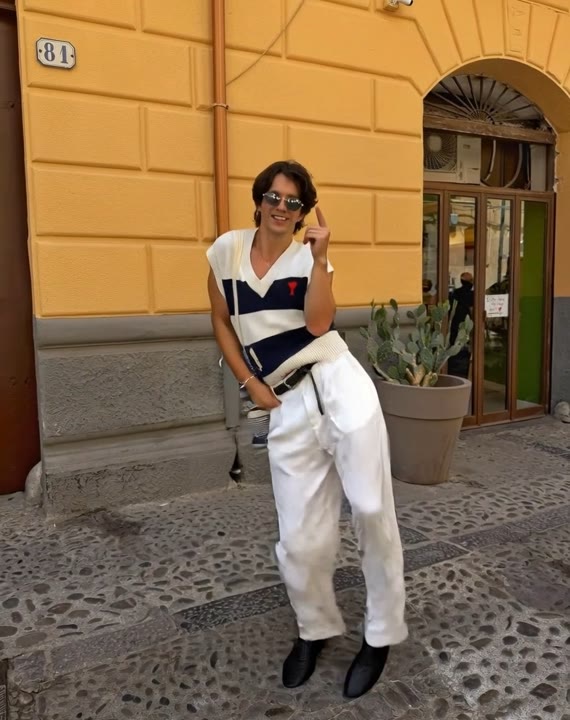
Upload one full-body image with both shoes, knees, hands, and shoulders inside the frame. Keep the limbs separated from the body where possible. A natural standing pose gives a clearer starting point than a seated or heavily twisted position.
Generate with the template
Add the full-body photo and select Generate video. The preset keeps the camera still while the subject performs a small bounce, an arm wave, and a balanced closing freeze.
Review and download
Look at the shoes during each weight shift and the elbows during the arm wave. The dancer should remain balanced, with one continuous body shape and consistent clothing. Watch for a freeze that holds rather than ending on a blurred step.
Direction for a relaxed hip-hop sequence
Use this reference direction as a starting point in custom-prompt mode. The template runs fixed instructions; remixing is a separate workflow, not an edit to the preset.
Animate the single person in the reference image into a relaxed street-dance groove. Preserve the face, hairstyle, clothing, shoes, and body proportions. Use a full-body view on an uncluttered urban pavement with soft afternoon light. Begin with a gentle knee bounce and side-to-side weight shift, add one slow arm wave across the chest, and finish with a balanced standing freeze. Keep both feet visible and in contact with the ground. Use a stationary camera and continuous motion. Create a new casual hip-hop sequence, not a copied routine. No spinning, acrobatics, extra dancers, costume changes, or on-screen text.
Before you create
Can the street dance generator copy a specific hip-hop routine?
This preset creates a new short groove from the uploaded image. It does not accept a dance-reference video or promise the timing of a particular routine. If you need a different movement vocabulary, copy the creative direction into custom-prompt mode and replace the simple wave or closing freeze with the action you want to explore.
Can I change the creative direction?
The preset uses fixed instructions. Copy the reference direction into custom-prompt mode to adapt it; this does not change the preset itself.
What video output should I expect?
The default length is 12s (reference ratio 570/720). The output follows your uploaded photo's aspect ratio and suits Photo-to-hip-hop clips, Streetwear portrait animations, Casual dance introductions.
Give your photo a street-dance moment
Choose a full-body photo with visible shoes and hands, then create a relaxed street-dance clip with a clear groove and a held finish.