
Upload a photo
PNG, JPG or WebP · up to 10 MB
Choose a photo to generate a video.
Bouncy sticker-cutout energy with a pixel rainbow trail
Upload one photo for a Tweenslop AI video. Turn a pet or portrait into a bouncy sticker-style animation with a colorful rainbow trail in a 12-second meme clip.
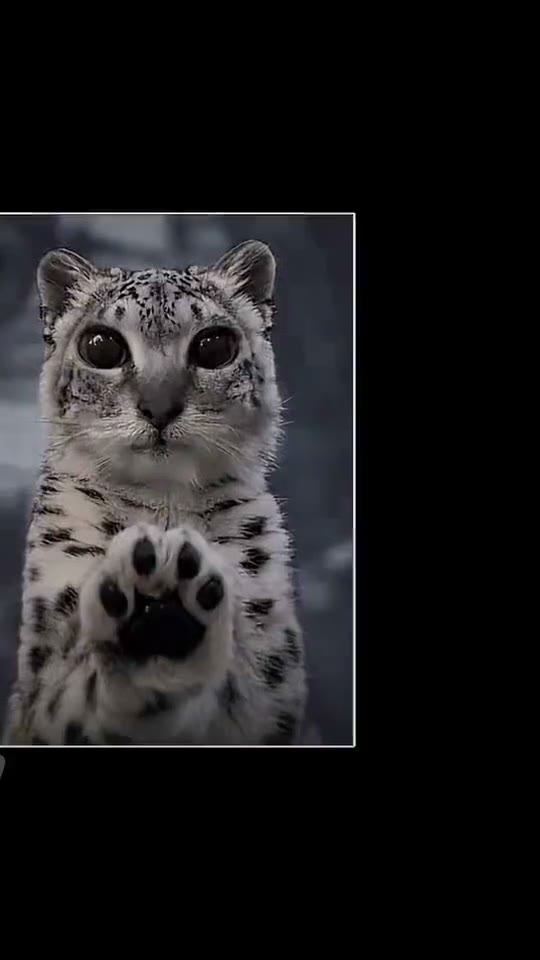
Tweenslop AI draws on the hyper-energetic TikTok animation style where a still photo—often a wide-eyed cat or snow leopard cub—bounces like a paper sticker across a colorful backdrop with a Nyan-Cat-style rainbow trail. The bound reference clip starts on a snow leopard cub raising a paw before launching cut-out copies across blue and purple pixel screens. This Tweenslop AI preset adapts that playful bounce, paw wave and rainbow-ribbon aesthetic for a single central subject.
Best for
- A chaotic pet reaction
- a nostalgic 2010s internet-core edit
- or a playful sticker-style intro using Tweenslop AI
- where a cute animal or expressive portrait gets an upbeat cartoon bounce.
Create a Tweenslop AI animation from one photo
Choose your photo
Choose one photo of a pet, person or object with a clean, unmistakable outline around the head and paws. A simple background makes it easier for the Tweenslop AI bounce and colorful trail to stand out without visual clutter.
Generate with the template
Select the Tweenslop AI preset to guide a rhythmic sticker bounce, a small wave and a bright rainbow trail.
Review and download
Watch the subject’s eyes and outline during the bounce. A readable Tweenslop AI clip keeps the main face sharp in the center while the colorful trail stays behind the body, rather than splitting the subject into overlapping fragments.
Direct the cutout bounce and colorful rainbow trail
Use this reference direction as a starting point in custom-prompt mode. The template runs fixed instructions; remixing is a separate workflow, not an edit to the preset.
Animate the subject in the uploaded photo for a Tweenslop AI inspired cutout-sticker bounce video. Preserve the recognizable pet or person face and silhouette. Give the subject a playful, rhythmic squash-and-stretch bounce, a cheerful paw or hand wave and a gentle sideways glide while a bright pixel-style rainbow ribbon and soft pastel stars trail cleanly behind the body. Keep one clear main subject in the center of the frame without chaotic screen-flashing strobes, multiplied clones covering the face or text.
Before you create
Does Tweenslop AI clone my photo into dozens of flying stickers with strobe flashes?
The reference edit uses manual 2D keyframe cloning and rapid color flashes. Our Tweenslop AI preset generates a smoother single-subject video animation with a bouncy pose and rainbow trail so your pet or portrait stays clearly recognizable.
Can I change the creative direction?
The preset uses fixed instructions. Copy the reference direction into custom-prompt mode to adapt it; this does not change the preset itself.
What video output should I expect?
The default length is 12s (reference ratio 540/960). The output follows your uploaded photo's aspect ratio and suits A chaotic pet reaction, a nostalgic 2010s internet-core edit, or a playful sticker-style intro using Tweenslop AI, where a cute animal or expressive portrait gets an upbeat cartoon bounce..
Turn your photo into a Tweenslop AI animation
Upload one clear pet or portrait photo and animate a playful Tweenslop AI rainbow bounce.