
Upload a photo
PNG, JPG or WebP · up to 10 MB
Choose a photo to generate a video.
Recognition before the embrace
Create a Zombie Love Story AI video from one prepared couple image. Explore a cautious reunion and a gentle embrace, then review your short scene on ReelAI.
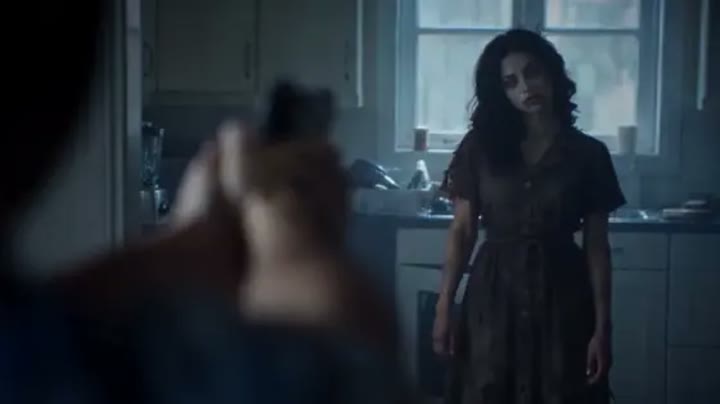
Zombie Love Story makes recognition more important than the creature reveal. One character hesitates, recognizes the person beneath the makeup, and moves toward an embrace. This version narrows the idea to a single quiet room and a gradual change from cool to warmer light, rather than compressing a standoff and several flashbacks into one clip. Prepare one image that already contains both characters and their intended appearance. The resulting short scene can become an emotional Halloween greeting, a fictional reunion moment, or a visual contrast between an unsettling costume and a familiar relationship.
Best for
- Fictional reunion scenes
- Emotional Halloween greetings
- Couple story concepts
Create a Zombie Love Story reunion
Choose your photo
Prepare one image showing both characters with clear faces and a little space between them. Establish subtle zombie makeup on one person before uploading. Keep hands visible and avoid a starting pose where arms overlap across both bodies.
Generate with the template
Generate one story moment from the complete couple image. The direction uses a cautious step and shoulder-level embrace, letting a gentle lighting change suggest emotion without requiring several locations or a flashback sequence.
Review and download
Watch the approach and the first moment of the embrace separately. Check that each face remains distinct and arms meet the correct shoulders. Keep the lighting change gradual so it supports the reunion rather than hiding an unstable transition.
Direct the cautious step and warm ending
Use this reference direction as a starting point in custom-prompt mode. The template runs fixed instructions; remixing is a separate workflow, not an edit to the preset.
Animate the two characters already shown in the single prepared scene image: a human survivor and a familiar-looking partner with subtle zombie makeup. Keep their faces, outfits, and positions distinct. Begin with a small distance between them in a quiet grey room. Let the survivor lower tense hands and take one careful step forward as the partner reaches out. End in a gentle shoulder-level embrace while the room's light becomes warmer. Use a steady medium-wide camera, coherent arms, no weapons, no wounds, no new characters, and no captions or flashback cuts.
Before you create
Can Zombie Love Story combine two separate portrait uploads?
This preset takes one complete scene image, so prepare the two characters together before uploading. It does not offer separate survivor and zombie identity slots. The direction requests a short approach and embrace rather than a full multi-scene film. Review both faces and the arm contact when choosing the section to keep.
Can I change the creative direction?
The preset uses fixed instructions. Copy the reference direction into custom-prompt mode to adapt it; this does not change the preset itself.
What video output should I expect?
The default length is 12s (reference ratio 720/404). The output follows your uploaded photo's aspect ratio and suits Fictional reunion scenes, Emotional Halloween greetings, Couple story concepts.
Bring your prepared reunion scene to life
Place both characters in one prepared image and explore a quiet reunion, using a small step and a gentle embrace to carry the story.