
Upload a photo
PNG, JPG or WebP · up to 10 MB
Choose a photo to generate a video.
A small pet gesture beside the water
Create a Quiet on the Creek AI pet video from one clear photo. Add a curious peek, gentle bounce and playful head tilt beside the water, using ReelAI.
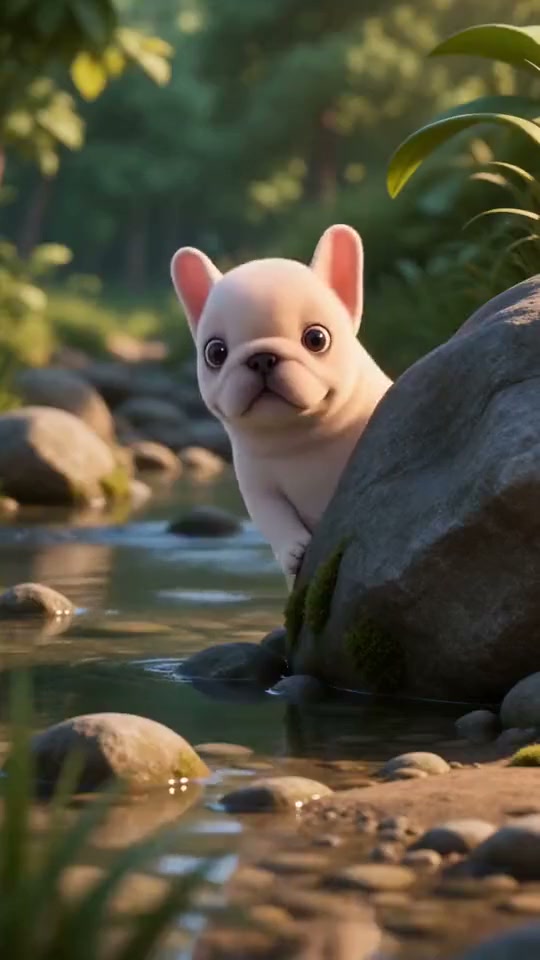
Quiet on the Creek turns a pet portrait into a playful waterside dance reaction. The theme is a small peek, an expressive pause and a gentle bounce rather than a complicated routine. Start with a clear image of your pet, with its face and body visible. The prompt introduces a shallow stream and nearby stones while preserving the animal's recognizable markings. A simple framing helps the pet stay the focus as ripples and leaves add atmosphere. Keep the movement compact so the head tilt and raised paw remain readable on a phone. The reference inspires the mood and gesture; your uploaded still guides a new video rather than transferring the exact steps or soundtrack. The inspiration clip shows a stylized white puppy standing by a stream, turning away and returning to a front-facing pose with one paw raised.
Best for
- Pet dance reactions
- creek-side character clips
- playful animal portraits
Give your pet a playful creek-side moment
Choose your photo
Choose one clear photo of a single pet with its face, front paws and body visible. Leave space around the outline and use even light. A creek-side photograph can preserve more of the setting, but an ordinary pet portrait can also guide the scene.
Generate with the template
Upload your pet photo, review the creek-side setting and gentle motion direction, then generate the clip.
Review and download
Check that the animal keeps its face and markings while it moves. Look for distinct paws, steady contact with the ground and consistent water edges. Favor a small bounce and readable head tilt over a take with stretched limbs or sudden position changes.
A peek, a pause and a gentle bounce
Use this reference direction as a starting point in custom-prompt mode. The template runs fixed instructions; remixing is a separate workflow, not an edit to the preset.
Create a playful creek-side scene from the single pet in the uploaded photo. Preserve its recognizable face, fur markings and proportions. Place it beside a shallow stream and one rounded stone. The pet peeks around the stone, tilts its head toward the camera, briefly lifts one front paw near its muzzle and makes two modest body bounces. Add gentle water ripples and end in a balanced pose. Fixed camera, coherent joints, distinct paws. No extra animals, human fingers, floating limbs, deep water, rapid spins, cuts, captions or logos.
Before you create
What kind of pet photo works for Quiet on the Creek?
A clear photo of one cat or dog works best, with the face, body and front paws visible. The preset introduces a creek-side setting and guides a small peek, head tilt and playful bounce. Your pet does not need to be photographed outdoors; leave space around its outline so the movement has room.
Can I change the creative direction?
The preset uses fixed instructions. Copy the reference direction into custom-prompt mode to adapt it; this does not change the preset itself.
What video output should I expect?
The default length is 12s (reference ratio 540/960). The output follows your uploaded photo's aspect ratio and suits Pet dance reactions, creek-side character clips, playful animal portraits.
Bring your waterside pet portrait to life
Start with a visible face and paws, then create a lighthearted waterside reaction.