
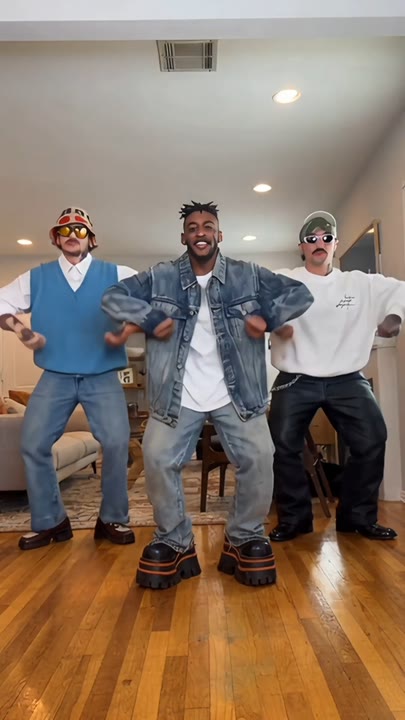
Upload a photo
PNG, JPG or WebP · up to 10 MB
Choose a photo to generate a video.
Quick steps and a cheerful stage finish
Create a lively solo with the Can Can Dance AI Video Generator. Turn one standing photo into quick steps, modest kicks and a cheerful stage finish for a Reel.
The Can Can Dance AI Video Generator gives a standing portrait a short theatrical solo with quick steps and modest forward kicks. Warm stage curtains and an open-arm finish provide the cabaret mood without crowding the performance. The frontal full-body view keeps the footwork easy to see, while the movement stays balanced rather than reaching for extreme leg lifts. This one-photo interpretation does not build a synchronized kick line or reproduce a full filmed routine. Use it for a cheerful dance reaction, a party invitation or a playful stage introduction featuring your own recognizable subject.
Best for
- Cheerful dance reactions
- party invitations
- theatrical solo introductions
Create your solo can-can-inspired clip
Choose your photo
Choose one adult in a clear full-body photo with both legs and shoes visible. Leave space beside the body and in front of the feet. Avoid long coats, crossed legs or a crop that hides the knees.
Generate with the template
Upload your full-body photo and generate the stage solo. The effect guides quick steps and a modest kick on each side, keeping the camera steady so the supporting feet and final pose remain visible.
Review and download
Check that the kicks alternate from planted supporting feet and that the knees bend naturally. Watch for duplicated legs, sliding shoes and a face that changes during the open-arm finishing pose.
Balanced kicks, warm curtains and open arms
Use this reference direction as a starting point in custom-prompt mode. The template runs fixed instructions; remixing is a separate workflow, not an edit to the preset.
Animate the single standing adult in the uploaded photo into a lively stage dance. Preserve their recognizable face, hairstyle, outfit colors and proportions. Against a warm curtained backdrop, they take two quick small steps, make one modest forward kick on each side and finish with open arms and a cheerful pose. Keep the full body visible with enough floor around the feet. Use theatrical can-can energy while prioritizing balance over extreme kicks. The camera stays frontal and steady. No partner line, high acrobatics, copied musical timing, changing clothes, added text or extra legs.
Before you create
Can the Can Can Dance effect make a synchronized kick line?
The Can Can Dance preset on this page creates a solo from one standing photo. It uses modest kicks and quick steps instead of assembling several dancers or matching a full chorus line. The original music is not included, so you can choose a soundtrack and edit around the clearest steps afterward.
Can I change the creative direction?
The preset uses fixed instructions. Copy the reference direction into custom-prompt mode to adapt it; this does not change the preset itself.
What video output should I expect?
The default length is 12s (reference ratio 406/720). The output follows your uploaded photo's aspect ratio and suits Cheerful dance reactions, party invitations, theatrical solo introductions.
Give your portrait a stage-dance moment
Choose a clear standing portrait and create a cheerful dance take. Review the knees and shoes, then download the clip for a party message or theatrical reaction.