
Upload a photo
PNG, JPG or WebP · up to 10 MB
Choose a photo to generate a video.
White feathers unfold around your portrait
Create an Angel Wings AI video from one portrait. Unfold white feathers behind your subject, add soft cloud light, and shape a gentle fantasy reveal in ReelAI.
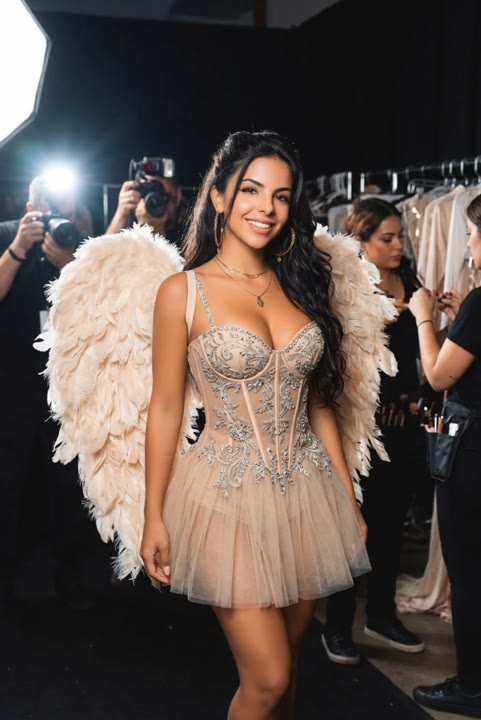
Angel Wings gives a familiar portrait a fantasy silhouette without turning the scene into a full flying sequence. The wings unfold behind the shoulders, hold a balanced spread, and settle while the subject raises their gaze. Soft light and a few distant feathers keep the scene atmospheric rather than crowded. This version preserves the uploaded clothing instead of staging a runway costume change. A clear shoulder line helps the wings read as part of the same character. Use it for a fantasy profile introduction, a gentle tribute insert, or a character portrait with a luminous closing image.
Best for
- Fantasy portrait reveals
- Feathered character introductions
- Gentle tribute inserts
Create your Angel Wings reveal
Choose your photo
Choose one adult portrait with the face and both shoulders visible. Leave space behind and above the subject for the wings. A straight or gently turned posture is easier to frame than a tight crop or a pose with a hidden back.
Generate with the template
Upload the portrait and select Generate video. The fixed direction introduces a slow wing spread behind a still subject, keeping the face and original outfit visible rather than adding flight or a runway sequence.
Review and download
Check that two wings unfold from the same shoulder area and remain balanced around the body. Review feather edges, facial lighting, and the lifted gaze. Avoid a take where a wing floats away or hides the face during the spread.
Direction for the cloud light and feather spread
Use this reference direction as a starting point in custom-prompt mode. The template runs fixed instructions; remixing is a separate workflow, not an edit to the preset.
Animate the adult in the reference portrait into a gentle angel-wing reveal. Preserve the face, hairstyle, skin tone, and clothing. Use soft cloud light behind the shoulders and a calm front-facing camera. Two white feathered wings slowly unfold from behind the back, pause at a balanced spread, and settle with a small natural feather movement. Add a few drifting feathers in the distant background while the person lifts their gaze slightly. Keep the body standing still and the wings attached symmetrically. No flight, costume removal, extra people, exaggerated body changes, written text, or sudden scene cuts.
Before you create
Can Angel Wings use my existing outfit instead of a runway costume?
The preset asks to preserve the clothing in your portrait while adding white wings behind the shoulders. It is a quiet reveal rather than a runway walk or a wardrobe selector. For another wing color or a flying scene, copy the direction into custom-prompt mode and adapt that separate submission to the new idea.
Can I change the creative direction?
The preset uses fixed instructions. Copy the reference direction into custom-prompt mode to adapt it; this does not change the preset itself.
What video output should I expect?
The default length is 5s (reference ratio 482/720). The output follows your uploaded photo's aspect ratio and suits Fantasy portrait reveals, Feathered character introductions, Gentle tribute inserts.
Give your character a luminous silhouette
Choose a portrait with clear shoulders and room for the feathers, then create a gentle fantasy reveal with a balanced spread and a softly lit closing look.