
Upload a photo
PNG, JPG or WebP · up to 10 MB
Choose a photo to generate a video.
Small side steps with flash-step attitude
Try the Shan Shen Bu AI Dance Video Generator with one full-body photo. Create short side steps, a shoulder shake and a playful lean in a clear solo scene.
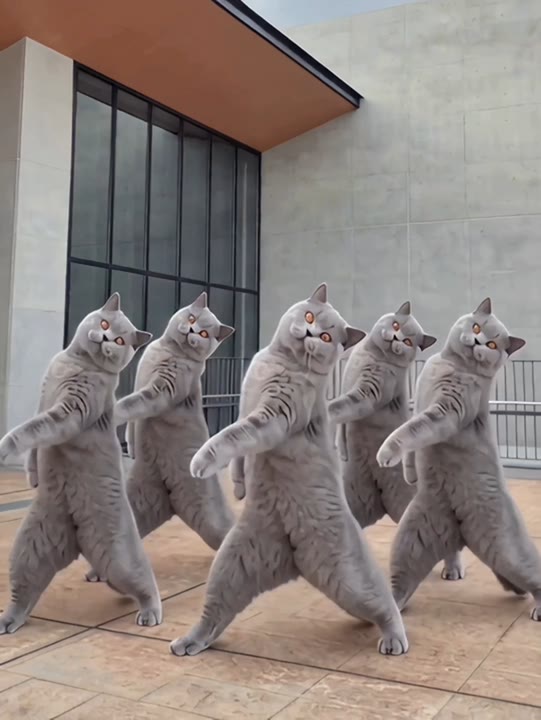
The Shan Shen Bu effect interprets the Chinese flash-step mood through quick-looking but compact sideways movement. Two short side steps and a small shoulder shake lead into a playful lean back toward center. A simple dance-room background and fixed frontal camera make the feet and body line easier to follow. This photo-to-video version favors a readable solo rather than literal teleportation or a frame-matched routine. Your face, clothes and shoes remain the appearance reference. Use it for a flash-step reaction, a personal dance sketch or a character introduction with a light comic bounce.
Best for
- Flash-step reaction clips
- personal dance sketches
- playful character introductions
Make your Shan Shen Bu solo
Choose your photo
Use one clear full-body image with both feet, knees and hands visible. Leave empty space on either side for the sideways steps. Avoid a twisted starting pose, a long coat hiding the knees or a face-only selfie.
Generate with the template
Upload your full-body photo and generate the solo. The preset guides two short side steps and a shoulder shake before returning to center, keeping the feet and body line visible throughout the scene.
Review and download
Check the supporting foot through each side step and the shoulders during the shake. The body should shift without stretching, the shoes should not slide independently and the closing lean should return to a balanced stance.
Keep both feet visible through the lean
Use this reference direction as a starting point in custom-prompt mode. The template runs fixed instructions; remixing is a separate workflow, not an edit to the preset.
Animate the single person in the uploaded full-body photo into a playful flash-step-inspired solo. Preserve their recognizable face, hairstyle, clothing and shoes. Use an uncluttered indoor dance space with soft even light and a steady frontal camera. The subject shifts weight to one side, takes two short sideways steps, adds a small shoulder shake and leans back toward center for a balanced finish. Keep both feet visible and movements compact. Suggest the Shan Shen Bu mood without exact reference timing. No teleportation, acrobatics, extra dancers, sliding shoes, added captions or sudden camera cuts.
Before you create
Will Shan Shen Bu reproduce the exact flash-step choreography?
Shan Shen Bu here is a short single-photo interpretation with compact steps, a shoulder shake and a lean. It does not use a reference dance clip or transfer its exact sequence and timing. After generation, choose the most readable section and place your preferred sound around the movement in your editor.
Can I change the creative direction?
The preset uses fixed instructions. Copy the reference direction into custom-prompt mode to adapt it; this does not change the preset itself.
What video output should I expect?
The default length is 12s (reference ratio 540/720). The output follows your uploaded photo's aspect ratio and suits Flash-step reaction clips, personal dance sketches, playful character introductions.
Give your standing photo a sideways groove
Choose a clear standing portrait and create your flash-step-inspired take. Review the shoes and final lean, then download the most balanced section for your edit.