
Upload a photo
PNG, JPG or WebP · up to 10 MB
Choose a photo to generate a video.
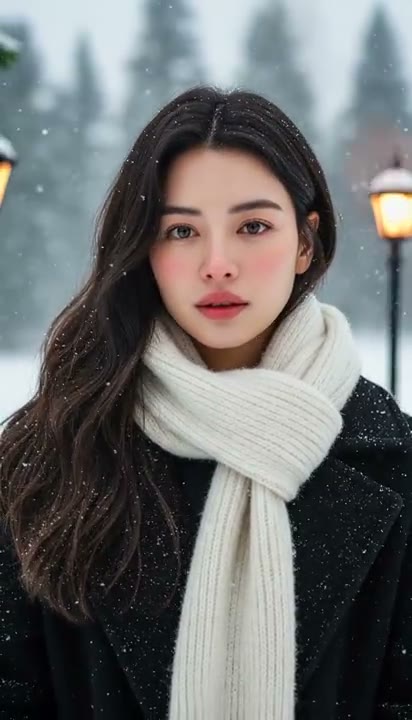
A winter portrait with room to breathe
Create an AI Snow Video from one photo. Add falling flakes, a soft blink and a quiet winter mood, then review and download your own short scene in ReelAI.
The AI Snow Video effect gives an outdoor portrait a quiet winter moment rather than a busy holiday montage. Snow drifts at different depths while a gentle blink and relaxed smile bring the subject into the scene. Cool light and a gentle camera approach keep the face easy to follow through the flakes. Your uploaded image supplies the person, clothing and starting setting; this preset adds snowfall and restrained movement, not a separate image-generation stage. Use the clip for a seasonal greeting, a travel-memory insert or an atmospheric winter portrait Reel.
Best for
- Winter portrait Reels
- seasonal greeting clips
- quiet travel memories
Create your AI Snow Video from a photo
Choose your photo
Choose one clear outdoor portrait with the face, hairline and shoulders visible. A winter coat and uncluttered background help establish the mood. If you want a specific snowy location, prepare that setting in the image before uploading.
Generate with the template
Add your outdoor portrait and select Generate video. The effect introduces gently drifting snow, a soft blink and a relaxed smile while keeping the starting scene as its visual guide.
Review and download
Watch the face through the falling flakes and check that the blink reopens cleanly. Snow should cross the scene without becoming white patches on the eyes, while clothing, hair and background lines remain consistent.
Gentle snowfall and a soft camera-facing blink
Use this reference direction as a starting point in custom-prompt mode. The template runs fixed instructions; remixing is a separate workflow, not an edit to the preset.
Animate the single adult in the uploaded outdoor portrait as a quiet winter scene. Preserve recognizable facial features, hair shape, clothing and the main background layout. Add gently falling snow at several depths, with smaller flakes behind the subject and a few soft flakes in the foreground. The subject takes a slow breath, blinks gently and lets a small relaxed smile develop. Let hair, scarf or coat move subtly in the breeze. Use a steady waist-up shot with a gentle forward drift, cool ambient light and warm distant bokeh. No costume changes, extra faces, heavy blizzard, text or sudden cuts.
Before you create
Does AI Snow Video create a winter image before animating it?
This preset animates the single image you upload; it does not create a separate winter portrait first. An outdoor photo or prepared snow scene gives the movement a clearer starting point. The direction adds flakes and a small expression change, so review the face and setting before choosing your final take.
Can I change the creative direction?
The preset uses fixed instructions. Copy the reference direction into custom-prompt mode to adapt it; this does not change the preset itself.
What video output should I expect?
The default length is 5s (reference ratio 412/720). The output follows your uploaded photo's aspect ratio and suits Winter portrait Reels, seasonal greeting clips, quiet travel memories.
Bring a quiet winter moment to life
Choose a clear outdoor portrait and create your winter scene. Review the face and snowfall, then download the take with the calmest, clearest movement.