
Upload a photo
PNG, JPG or WebP · up to 10 MB
Choose a photo to generate a video.
The hand that pulls you back
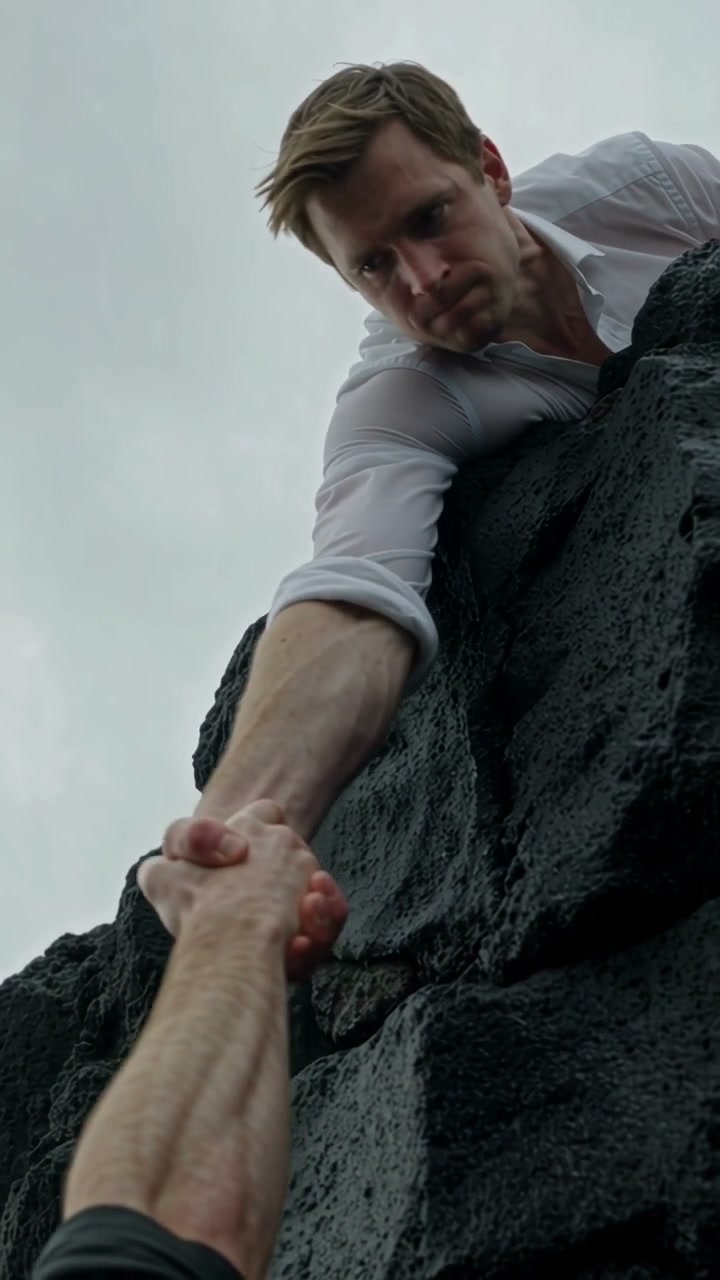
Create a Save Yourself AI video from one prepared cliff scene. Animate a rescuer gripping a matching character's hand, with a small pull and a firm final hold.
Save Yourself puts the same recognizable character on both sides of a rescue. The reference moves from a person gripping a sea cliff to a matching rescuer and a sunset embrace. The authored version concentrates on the joined-hand moment in one scene. Both roles start in the supplied image, with the rescuer supported on the ledge. A small pull and a reassuring pause carry the idea without needing the full multi-shot climb.
Best for
- A self-support message
- a dramatic counterpart scene or a short recovery metaphor built around a visible helping hand.
Prepare both rescue roles
Choose your photo
Prepare one image with the cliff edge, the hanging character and the rescuer already arranged together. Show their joined hands clearly and give the rescuer a supported pose. For the self-rescue twist, establish the matching face in both roles beforehand.
Generate with the template
Keep the joined hands and stable ledge as the center of the scene. Use one small supported pull followed by a quiet pause.
Review and download
Inspect the hand grip, wrists and ledge contact first. Keep each face distinct, clothing consistent and the rescue movement small enough that the bodies remain supported.
Focus on the supported pull
Use this reference direction as a starting point in custom-prompt mode. The template runs fixed instructions; remixing is a separate workflow, not an edit to the preset.
Animate the prepared cliff-rescue image with the two counterpart characters already visible. Preserve their recognizable matching faces, distinct dark and light outfits, body proportions, joined hand grip and positions relative to the rock ledge. The rescuer remains braced securely above the ledge, tightens the existing grip and makes a small controlled pull. The lower character rises slightly toward the edge and looks up with relief, while the rescuer holds steady. Add restrained sea movement, wind in clothing and a gentle camera approach without changing the scene's light. Finish on the stable helping-hand connection. No release or fall, unsupported leap, full climb-and-embrace sequence, extra limbs, identity swaps, captions or abrupt cuts.
Before you create
Does one portrait automatically become both rescue characters?
Use a prepared same-frame scene with both roles already visible. This preset animates their rescue interaction; it does not add a separate identity-casting step or assemble two independent uploads.
Can I change the creative direction?
The preset uses fixed instructions. Copy the reference direction into custom-prompt mode to adapt it; this does not change the preset itself.
What video output should I expect?
The default length is 12s (reference ratio 720/1280). The output follows your uploaded photo's aspect ratio and suits A self-support message, a dramatic counterpart scene or a short recovery metaphor built around a visible helping hand..
Create your self-rescue moment
Choose a prepared cliff-rescue image and give the helping-hand moment a short cinematic movement.