
Upload a photo
PNG, JPG or WebP · up to 10 MB
Choose a photo to generate a video.
Formal portrait polish with a smile that arrives slowly
Upload one photo. Give your suited portrait a restrained smile and a subtle camera push while keeping glasses and styling in a 9-second video. Ready to share.
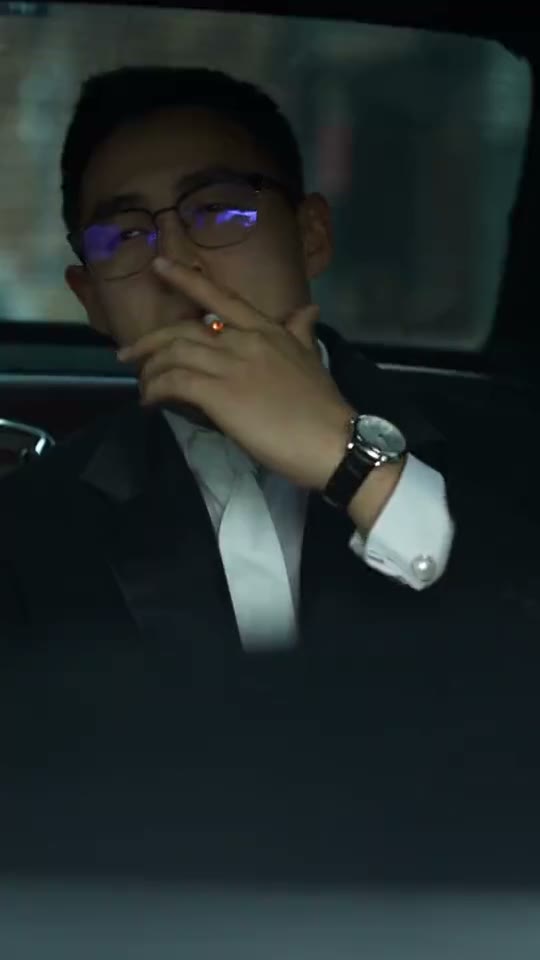
Tom Hardy Legend sets the mood for a polished suit portrait that moves from restraint to a confident smile. The reference opens on a warm-lit close-up of a bespectacled man in a tuxedo and white bow tie, moves to a smiling high-angle outdoor suit shot and ends with another tight smiling close-up. This Tom Hardy Legend Edit direction uses one starting image and keeps the movement continuous, concentrating on the visible action rather than rebuilding every source edit.
Best for
- formalwear campaign snippets
- personal profile introductions
- evening outfit posts with a composed cinematic finish using Tom Hardy Legend Edit when a still image needs a short
- focused visual story.
Create your Tom Hardy Legend Edit video from one image
Choose your photo
Upload a sharp face or waist-up portrait in formal clothing. Keep glasses fully visible and choose lighting that reveals both eyes. A clean collar and uncluttered background give the small smile and camera movement enough visual focus without needing a new outfit. Set up your Tom Hardy Legend Edit starting frame before choosing the motion.
Generate with the template
Select Tom Hardy Legend Edit and guide a restrained opening expression, a gradual confident smile and a subtle push-in. Keep the action focused on this short sequence so the opening, movement and final pose each have time to read.
Review and download
Inspect the glasses bridge, reflections and mouth corners as the smile develops. Lapels should retain their shape while the framing tightens. Prefer a natural change in expression over a broad grin that pulls the cheeks away from the original facial structure. Review the whole Tom Hardy Legend Edit clip once at normal speed, then pause on the busiest moment before choosing your final take.
Shape the Tom Hardy Legend Edit motion
Use this reference direction as a starting point in custom-prompt mode. The template runs fixed instructions; remixing is a separate workflow, not an edit to the preset.
Animate the uploaded image for Tom Hardy Legend Edit. Preserve the subject’s face, hairstyle, glasses and formal outfit. Begin with a restrained expression, then soften the eyes and develop a confident natural smile as the camera moves subtly closer. Maintain warm portrait lighting and stable lapel lines. Keep the existing background consistent without changing identity, switching locations or introducing new accessories.
Before you create
Will this Legend Edit rebuild every suit portrait from the source?
The reference combines several angles and locations, while this version animates one formal portrait continuously. The title supplies the trend context rather than confirming the reference subject’s identity. Keep your own styling in the starting image and let a restrained smile carry the finished shot.
Can I change the creative direction?
The preset uses fixed instructions. Copy the reference direction into custom-prompt mode to adapt it; this does not change the preset itself.
What video output should I expect?
The default length is 9s (reference ratio 540/960). The output follows your uploaded photo's aspect ratio and suits formalwear campaign snippets, personal profile introductions, evening outfit posts with a composed cinematic finish using Tom Hardy Legend Edit when a still image needs a short, focused visual story..
Make your Tom Hardy Legend Edit video
Start with a well-composed image and turn it into Tom Hardy Legend Edit motion with a clear opening and a memorable finish.