
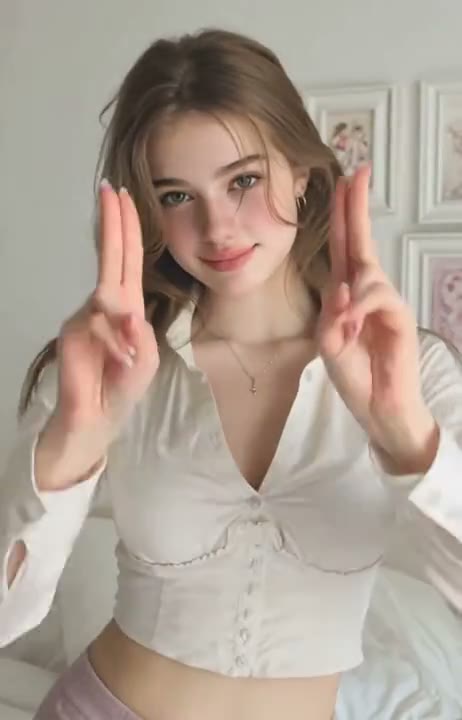
Upload a photo
PNG, JPG or WebP · up to 10 MB
Choose a photo to generate a video.
Let the hand gesture guide the camera
Make a Finger Frame AI video from a prepared hand-frame portrait. Animate a forward gesture and a gentle camera push while keeping the face in the opening.
Finger Frame makes the hands part of the composition instead of treating them as an extra prop added after the shot. Start with a portrait where the thumbs and index fingers already create a viewfinder around the face. The preset adds a small forward gesture and a camera push toward that opening, keeping the background quiet. This restrained version avoids a miniature-person transformation or a series of rapid hand changes. A clear starting gesture gives you a more readable visual target for a profile introduction, a creator transition, or a short camera-framing experiment.
Best for
- Hand-viewfinder portrait reveals
- Creator framing transitions
- Close-up camera experiments
Animate your Finger Frame portrait
Choose your photo
Prepare a portrait with both hands already forming the frame and both eyes visible inside it. Keep all fingers distinct and leave space around the gesture. A selfie without visible hands is not the intended opening composition for this direction.
Generate with the template
Upload the prepared hand-frame image and select Generate video. The fixed direction moves the existing gesture forward a little and brings the camera closer, keeping the face inside the same opening throughout the shot.
Review and download
Count the visible fingers and watch the opening remain rectangular as the camera approaches. The hands should stay separate from the cheeks and eyes, with no extra thumb or changing face. Check that the final hold still shows the whole intended gesture.
Direction for the viewfinder and camera push
Use this reference direction as a starting point in custom-prompt mode. The template runs fixed instructions; remixing is a separate workflow, not an edit to the preset.
Animate the supplied portrait in which both hands already form a small rectangular viewfinder around the face. Preserve the person's face, hair, clothing, and the existing finger arrangement. The hands move forward slightly and hold the frame steady while the camera makes a gentle push toward the face inside the opening. Keep the background softly out of focus and the eyes visible between the fingers. Finish on a balanced held composition. Use one continuous shot with minimal hand movement. No new hands, shrinking person, changing finger count, hand-to-face merging, added text, rapid gestures, or extra camera cuts.
Before you create
Does Finger Frame add a miniature character inside my hand gesture?
This preset uses the opening around the existing face, with a small forward hand movement and a gentle camera push. It does not create a separate miniature person or a second scene inside the frame. Prepare the hand gesture in the starting image and use this version when you want a readable portrait-focused transition.
Can I change the creative direction?
The preset uses fixed instructions. Copy the reference direction into custom-prompt mode to adapt it; this does not change the preset itself.
What video output should I expect?
The default length is 10s (reference ratio 462/720). The output follows your uploaded photo's aspect ratio and suits Hand-viewfinder portrait reveals, Creator framing transitions, Close-up camera experiments.
Frame your next portrait reveal with your hands
Choose a portrait with a clear hand-viewfinder gesture, then create a gentle framing transition and inspect the fingers, face, and final camera position before downloading.