
Upload a photo
PNG, JPG or WebP · up to 10 MB
Choose a photo to generate a video.
A small winter world behind the glass
Upload one prepared snow globe photo to animate swirling flakes, warm winter lights and a tiny person or pet inside the glass in a five-second holiday video.
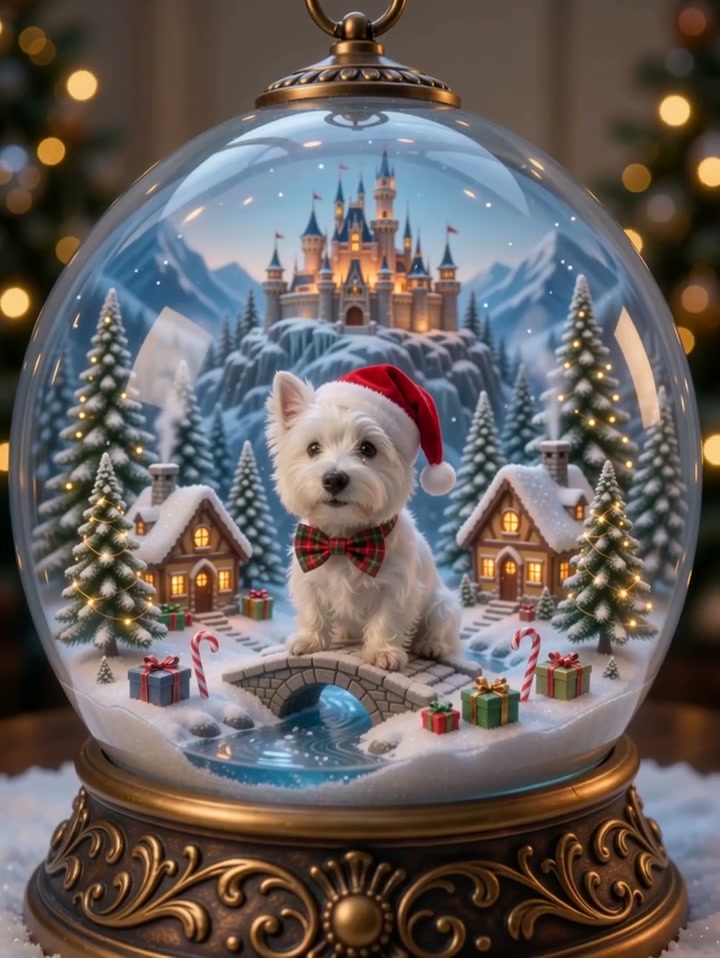
Snow Globe AI turns a miniature winter scene into a moving Christmas keepsake. The visual hook is the clear glass dome: a familiar face or pet sits inside a much smaller world, surrounded by a snowy village, glowing windows and a decorative base. In the bound reference, a white dog in a Santa hat sits beside a bridge, wrapped gifts and a little stream. A castle rises behind the puppy as the camera moves closer and loose flakes drift through the air. This direction starts from a prepared globe composition rather than assembling several photographs during submission. Keep the subject large enough to recognize through the curved glass, with the rim and base visible around it. A short wave, a slight head turn or a curious look gives the miniature character something to do while the surrounding landscape stays stable. Gentle movement suits the effect better than a sudden shake that hides the face. The reference's forward camera move is useful for a cozy close-up; a slow pullback is a separate creative choice, not an action already demonstrated by this particular preview.
Best for
- Use the snow globe effect for a pet Christmas greeting
- a miniature family keepsake or a quiet seasonal post. One person or one animal is easiest to read; a couple should already share the same prepared composition.
Make a moving snow globe
Choose your photo
Prepare one image with the intended subject already inside a transparent globe. Include the full glass outline, a solid decorative base and a little breathing room. Avoid reflections crossing the eyes or tiny faces lost behind trees, gifts and snow.
Generate with the template
Choose the snow globe effect and upload the complete glass-dome scene, with the subject clearly visible inside it.
Review and download
Watch the glass rim, the base and the subject's face throughout the clip. Flakes should move inside the miniature world without erasing its features. Reject a version where the dome changes shape, the pet multiplies or background buildings slide across the foreground.
Direct the miniature scene
Use this reference direction as a starting point in custom-prompt mode. The template runs fixed instructions; remixing is a separate workflow, not an edit to the preset.
Animate the single prepared snow globe image into a cozy Snow Globe AI holiday video. Preserve the person or pet's face, clothing or fur markings, the transparent dome, decorative base and every fixed village feature. Begin with the entire globe visible. Let a few small snowflakes drift gently around the miniature subject. Ask for one curious head tilt or a small wave while warm windows twinkle softly in the background. Move the camera forward very slowly without crossing the glass. Keep reflections subtle and away from the eyes. Finish with the subject settled in the original position. Add no new people, duplicated pets, rotating buildings, readable lettering, violent shaking or abrupt cuts.
Before you create
Does Snow Globe AI need a finished winter-scene photo?
For this direction, yes: upload one prepared snow-globe image containing the person or pet you want to animate. This page does not combine separate identity photos or provide a still-image editor. The puppy preview is a source reference for the small-world setting and drifting snow; it is not a ReelAI result made from your photo.
Can I change the creative direction?
The preset uses fixed instructions. Copy the reference direction into custom-prompt mode to adapt it; this does not change the preset itself.
What video output should I expect?
The default length is 5s (reference ratio 720/958). The output follows your uploaded photo's aspect ratio and suits Use the snow globe effect for a pet Christmas greeting, a miniature family keepsake or a quiet seasonal post. One person or one animal is easiest to read; a couple should already share the same prepared composition..
Create your snow globe video
Bring your miniature winter portrait to life with a restrained gesture, falling snow and a slow camera move.