
Upload a photo
PNG, JPG or WebP · up to 10 MB
Choose a photo to generate a video.
A quiet sway in a warm retro room
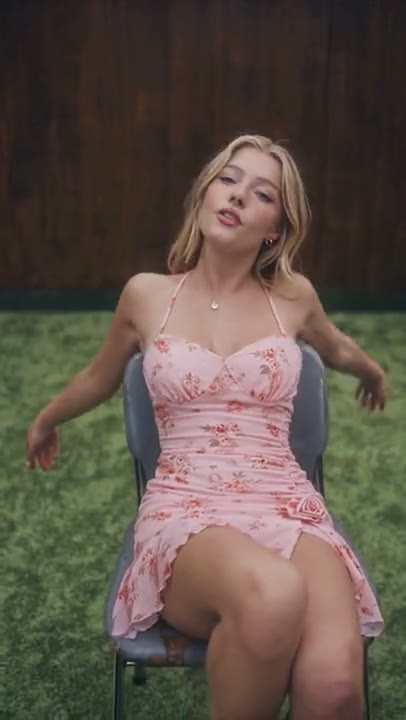
Create a Retro Chair Rock AI video from one prepared seated photo. Add a gentle chair sway, a small tilt and a calm camera look in a retro-inspired room.
Retro Chair Rock puts the movement in the seated pose and chair rather than a fast dance routine. A light backward lean creates a small sway before the subject settles upright and looks toward the camera. The full chair and shoes remain visible in one warm room view, making the balance and frame shape easier to follow. Use an image that already establishes the person, chair and room together. This version offers a short single-scene interpretation, not the reference clip's stronger backward tilts or changing overhead and low-angle shots.
Best for
- Retro seated portraits
- gentle chair-motion studies
- calm character introductions
Create your Retro Chair Rock seated scene
Choose your photo
Prepare one photo with an adult already seated in a clearly shaped chair, with the full frame and both shoes visible. Keep hands separate from the seat edges. A standing portrait or tight selfie is not the intended opening composition.
Generate with the template
Add your prepared seated photo and select Generate video. The effect guides a light backward lean and small chair sway, then returns the subject upright without switching camera angles or moving through the room.
Review and download
Watch where the chair frame meets the floor and check that the small lean returns to balance. The chair should not grow, flip or travel across the room, and the subject's face and shoes should stay recognizable.
A small lean and a balanced return
Use this reference direction as a starting point in custom-prompt mode. The template runs fixed instructions; remixing is a separate workflow, not an edit to the preset.
Animate the single adult already seated in the chair shown in the uploaded scene. Preserve the person's face, hair, outfit and body proportions, along with the chair's frame and room layout. Use a warm retro living room and a steady front-three-quarter camera showing the complete chair and both shoes. The subject leans lightly backward, lets the chair sway through a small range and returns upright with a calm look toward the lens. Keep the chair base near its original position and the feet supported. Use gentle fabric movement and one continuous shot. No full spins, flips, overhead cuts, new furniture, extra people, lyrics or captions.
Before you create
Can Retro Chair Rock build the chair scene from a face-only selfie?
Use one prepared seated scene so the chair, person and room are established before animation. The preset does not assemble separate portrait and furniture images or create an opening still first. Its direction keeps a small sway in one camera view, giving you a clearer target than a full rotating-chair performance.
Can I change the creative direction?
The preset uses fixed instructions. Copy the reference direction into custom-prompt mode to adapt it; this does not change the preset itself.
What video output should I expect?
The default length is 12s (reference ratio 406/720). The output follows your uploaded photo's aspect ratio and suits Retro seated portraits, gentle chair-motion studies, calm character introductions.
Give your seated portrait a little movement
Choose a clear seated scene and create your gentle chair-motion take. Review the frame, feet and face, then download the version with the most balanced return.