
Upload a photo
PNG, JPG or WebP · up to 10 MB
Choose a photo to generate a video.
One cap, a completely different attitude
Try the Skull Cap Trend AI Video Generator for a before-and-after mood switch. Turn one photo from a goofy bright-room look to a dark cap reveal and cold stare.
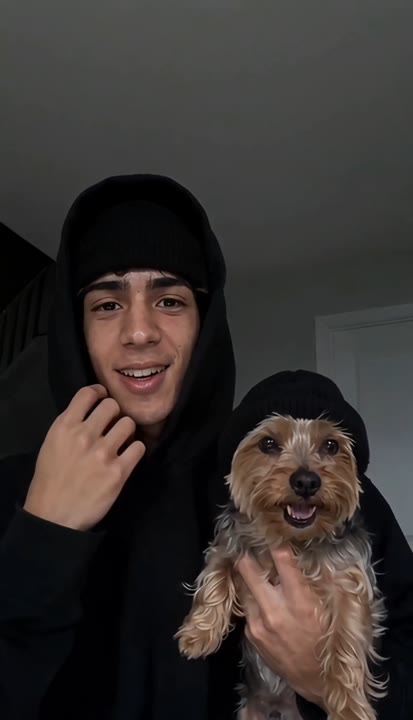
The Skull Cap Trend AI Video Generator builds a comic before-and-after around one small wardrobe change. A relaxed expression in a bright room gives way to a black cap, cool darker lighting and a suddenly serious stare. The chest-up camera stays steady so the difference in mood becomes the whole punchline. This version features one person and one clean switch rather than adding a companion or changing the subject's facial structure. Use it for attitude memes, profile reveal edits and a playful contrast between your casual photo and an overly composed final look.
Best for
- Attitude-switch memes
- cap reveal edits
- before-and-after portrait reactions
Create your bright-to-dark mood switch
Choose your photo
Choose one chest-up portrait with a clear hairline, visible eyes and at least one hand in frame. Leave some space above the head for the cap. Avoid existing bulky hats or hair covering most of the face.
Generate with the template
Upload your portrait and generate the mood switch. The preset moves from a relaxed bright-room expression to a black-cap reveal with cool lighting, keeping the camera and featured identity steady.
Review and download
Check the hand placing the cap and the cap's fit around the hairline. The face should remain the same during the lighting change, with a serious expression rather than altered jaw shape or disappearing eyes.
A black cap and a sudden serious stare
Use this reference direction as a starting point in custom-prompt mode. The template runs fixed instructions; remixing is a separate workflow, not an edit to the preset.
Create a playful mood-switch portrait using the single person in the uploaded photo. Preserve their recognizable face, hairstyle and body proportions. Begin in a bright ordinary room with a relaxed, slightly goofy expression and one plain black skull cap held near the head. As the subject puts on the cap, shift the lighting into a darker cool-toned look and settle into a calm serious stare. Use a steady chest-up camera and one clean transformation. Keep the cap fitted naturally. No face reshaping, extra hands, duplicated hats, added captions or abrupt background replacements.
Before you create
Does the Skull Cap Trend effect change my face shape?
The Skull Cap Trend effect is designed around a cap, lighting and expression change, not a new facial structure. Your uploaded subject remains the appearance reference through the bright and dark portions. Review the eyes, hairline and jaw in the generated take, and choose the version where the mood changes without losing recognizability.
Can I change the creative direction?
The preset uses fixed instructions. Copy the reference direction into custom-prompt mode to adapt it; this does not change the preset itself.
What video output should I expect?
The default length is 10s (reference ratio 414/720). The output follows your uploaded photo's aspect ratio and suits Attitude-switch memes, cap reveal edits, before-and-after portrait reactions.
Make your own cap-reveal reaction
Choose a clear portrait and create your cap-reveal meme. Review the hairline and final stare, then download the take with the clearest before-and-after contrast.