
Upload a photo
PNG, JPG or WebP · up to 10 MB
Choose a photo to generate a video.
Knee lifts and theatrical dance energy
Create a lively solo with the Rasputin Dance AI Video Generator. Turn one standing photo into knee lifts, heel taps and swinging arms for a playful dance edit.
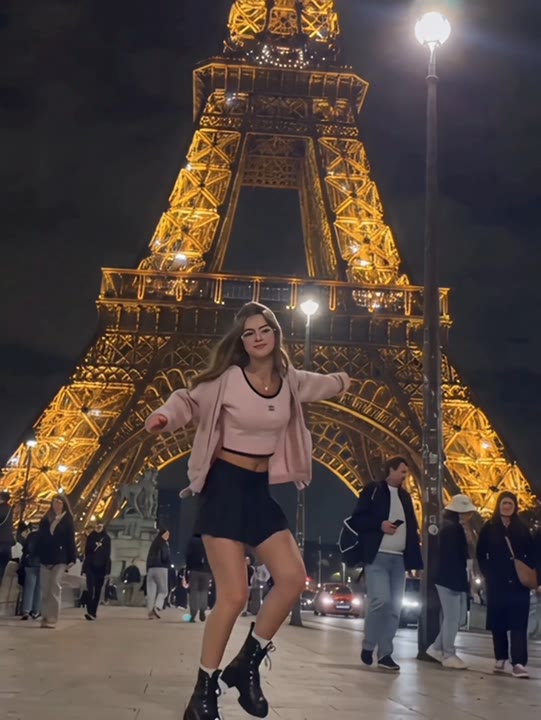
The Rasputin Dance AI Video Generator gives a still portrait an energetic solo routine built around knee lifts, heel taps and broad arm movement. Warm room lighting and a full-body camera view make the performance feel theatrical while keeping the steps readable. The effect favors a short, balanced sequence over deep squat kicks, acrobatics or a partner lift. Your uploaded photo supplies the subject's appearance; the preset supplies the movement direction. It works as a playful dance reaction, a party-message clip or a throwback-themed social post, with any chosen soundtrack added during editing.
Best for
- Throwback dance posts
- party messages
- playful reaction clips
Turn your standing photo into a solo
Choose your photo
Pick a full-body portrait showing a single upright person with both feet in frame. Choose fitted or clearly outlined clothing around the knees. Keep the face large enough to recognize and avoid motion-blurred source photos.
Generate with the template
Select your standing photo and generate a solo sequence of knee lifts, heel taps and swinging arms. Start with a clear body outline so the movement remains readable from the first pose to the finish.
Review and download
Review the knee lifts and heel taps at normal speed. The weight should appear to shift between planted feet rather than hover. Check that the arms return naturally and the face stays stable through the finishing pose.
A lively routine without the acrobatics
Use this reference direction as a starting point in custom-prompt mode. The template runs fixed instructions; remixing is a separate workflow, not an edit to the preset.
Bring the single standing person in the reference photo into a lively theatrical dance. Keep their face, hairstyle, body proportions and outfit recognizable. In a spacious warm-lit room, alternate small knee lifts, quick heel taps and open-arm swings, with a playful upright posture. Let the camera remain front-facing at full-body distance so both feet stay visible. Use a buoyant Rasputin-inspired energy without copying an exact filmed routine. End with a balanced finishing pose and a cheerful look. No deep acrobatics, partner lifts, additional dancers, text or abrupt camera cuts.
Before you create
Will the Rasputin Dance video follow the original song exactly?
The Rasputin Dance effect creates a short visual interpretation with lively steps and arm movements. It is not an audio-driven choreography transfer and does not include the original song. After generation, you can choose a track and trim the clip around a few clear movements instead of expecting every step to land on a particular beat.
Can I change the creative direction?
The preset uses fixed instructions. Copy the reference direction into custom-prompt mode to adapt it; this does not change the preset itself.
What video output should I expect?
The default length is 12s (reference ratio 540/720). The output follows your uploaded photo's aspect ratio and suits Throwback dance posts, party messages, playful reaction clips.
Start your Rasputin-inspired dance
Bring a full-body portrait and give it a lively dance moment. Choose the take with grounded steps, then build your music edit around its strongest movement.