
Upload a photo
PNG, JPG or WebP · up to 10 MB
Choose a photo to generate a video.
Your scene becomes a textured retro console world
Upload one photo. Restyle your scene with chunky geometry, coarse textures and a slow camera move for a nostalgic 12-second retro game video. Ready to share.
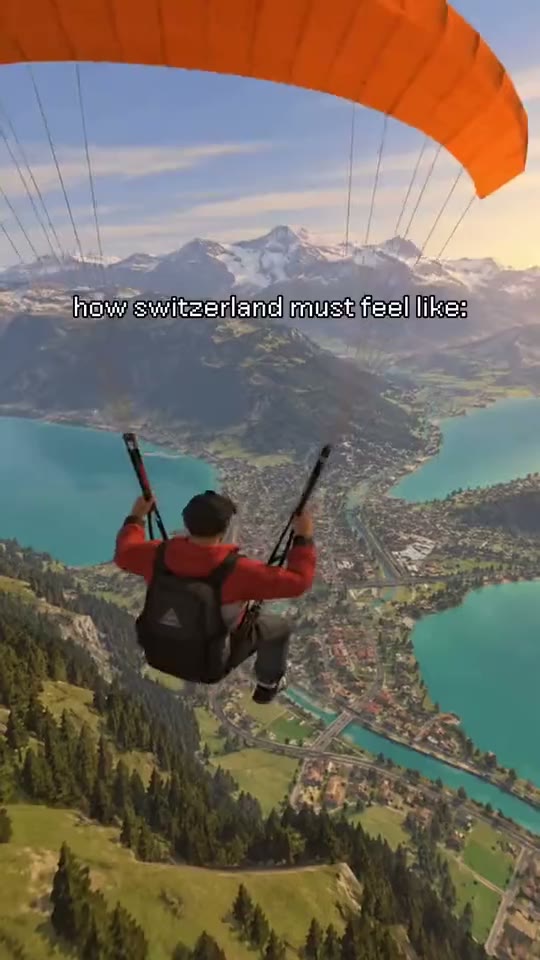
PS2 Filter brings a familiar scene into a retro console aesthetic built from simplified shapes and coarse surfaces. The reference is an alpine resort montage: people sit beside skis and a snowy peak, a terrace overlooks a valley and waterfall, and a dark luxury car stands outside a mountain hotel with nearby figures. This PS2 Filter AI direction uses one starting image and keeps the movement continuous, concentrating on the visible action rather than rebuilding every source edit.
Best for
- travel nostalgia reels
- architecture mood posts
- automotive scene reveals with an early console-game finish using PS2 Filter AI when a still image needs a short
- focused visual story.
Create your PS2 Filter AI video from one image
Choose your photo
Choose one clearly composed scene with a recognizable foreground and a readable landscape or building behind it. Strong outlines work better than dense clusters of tiny details. A terrace, street corner or mountain hotel image gives the slow camera move distinct layers to explore. Set up your PS2 Filter AI starting frame before choosing the motion.
Generate with the template
Select PS2 Filter AI and guide simplified geometry, coarse surface textures and a slow environmental camera move. Keep the action focused on this short sequence so the opening, movement and final pose each have time to read.
Review and download
Inspect building edges and the spacing between foreground figures as the viewpoint drifts. Textures should feel deliberately low resolution rather than randomly smeared. Preserve the original scene layout so the retro treatment still feels like a recognizable version of your photograph. Review the whole PS2 Filter AI clip once at normal speed, then pause on the busiest moment before choosing your final take.
Shape the PS2 Filter AI motion
Use this reference direction as a starting point in custom-prompt mode. The template runs fixed instructions; remixing is a separate workflow, not an edit to the preset.
Animate the uploaded image for PS2 Filter AI. Preserve the input composition, recognizable foreground subjects and background layout. Restyle surfaces as coarse retro console textures with simplified polygonal geometry and restrained game-like shading. Move the camera slowly through a shallow environmental drift while keeping architecture rigid and figures coherent. Retain the original scene rather than cutting between resorts or adding interface graphics.
Before you create
Is PS2 Filter AI limited to a city portrait?
No. The reference actually shows several alpine resort scenes, so architecture, landscapes and vehicles all suit the treatment. This version restyles the single scene you provide and adds a slow camera move; it does not assemble the separate ski, waterfall and hotel shots into a new montage.
Can I change the creative direction?
The preset uses fixed instructions. Copy the reference direction into custom-prompt mode to adapt it; this does not change the preset itself.
What video output should I expect?
The default length is 12s (reference ratio 540/960). The output follows your uploaded photo's aspect ratio and suits travel nostalgia reels, architecture mood posts, automotive scene reveals with an early console-game finish using PS2 Filter AI when a still image needs a short, focused visual story..
Make your PS2 Filter AI video
Start with a well-composed image and turn it into PS2 Filter AI motion with a clear opening and a memorable finish.