
Upload a photo
PNG, JPG or WebP · up to 10 MB
Choose a photo to generate a video.
Your profile recap as a printed receipt
Create an Instagram Journey AI video from prepared profile receipt artwork. Animate a photo-booth print reveal and review your details before sharing the clip.
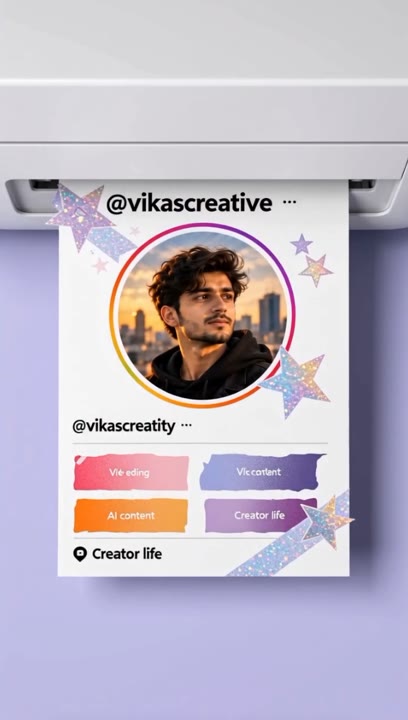
The Instagram Journey effect presents a profile as a printed receipt rather than another scrolling screen recording. A narrow strip of paper emerges from a photo booth and becomes a physical-looking snapshot of the account. This template animates prepared receipt artwork; it does not read a profile, calculate years active, or turn an unedited screenshot into an accurate receipt. Arrange and check those details before uploading. The video direction then focuses on paper feed, a clean printer slot, and one closing hand movement, giving a personal milestone or account recap a tactile visual format.
Best for
- IG receipt animations
- Account milestone recaps
- Photo-booth print reveals
Create your Instagram Journey receipt video
Choose your photo
Upload a finished receipt image with the profile picture, username, and numbers already arranged and checked. Use a sharp, high-contrast design with generous text spacing. A raw profile screenshot is not a completed receipt layout.
Generate with the template
Add the prepared receipt artwork and select Generate video. The preset animates a slow paper-feed reveal and a closing hold; it does not build the receipt or retrieve profile details.
Review and download
Pause the output to inspect the username, digits, and paper edges. Watch for new or altered text during the print motion. If exact profile details matter, use your original artwork as the final still rather than relying on generated lettering.
Direction for the photo-booth print reveal
Use this reference direction as a starting point in custom-prompt mode. The template runs fixed instructions; remixing is a separate workflow, not an edit to the preset.
Animate the supplied prepared Instagram profile receipt artwork as a small photo-booth printout. Preserve the existing layout, profile image, and visible marks without inventing new statistics. Use a steady close-up of a compact receipt printer on a neutral counter. The paper advances slowly from the slot, revealing the existing profile design from top to bottom. A single hand enters, gently lifts the finished strip, and holds it still for the closing frame. Keep the paper rectangular and the printer fixed. Do not add numbers, usernames, years, logos, captions, or new text. Use soft light and minimal camera movement.
Before you create
Will Instagram Journey calculate my account age or follower count?
No. This page animates an image you provide; it does not connect to Instagram or retrieve account statistics. Prepare the receipt with the numbers and years you want to show, verify them yourself, and then animate it. Generated video can change small lettering, so inspect any readable details before using the clip.
Can I change the creative direction?
The preset uses fixed instructions. Copy the reference direction into custom-prompt mode to adapt it; this does not change the preset itself.
What video output should I expect?
The default length is 5s (reference ratio 406/720). The output follows your uploaded photo's aspect ratio and suits IG receipt animations, Account milestone recaps, Photo-booth print reveals.
Animate your finished profile receipt
Check the details in your receipt artwork first, then create a tactile photo-booth print reveal for an Instagram account milestone or recap.