
Upload a photo
PNG, JPG or WebP · up to 10 MB
Choose a photo to generate a video.
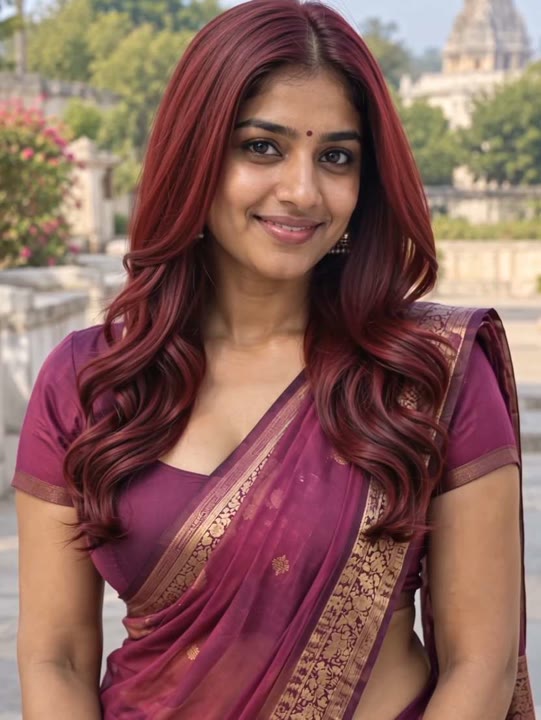
A wine-red color reveal without a haircut change
Create a Hair Dye Filter AI video from one portrait. Explore a burgundy color reveal with a warm light sweep, gentle head turn and relaxed salon-style smile.
The Hair Dye Filter effect explores a wine-red look through a short portrait transformation. A warm light sweep introduces the burgundy color as the subject turns gently, then a small head tilt shows the result from another angle. Soft salon-style lighting keeps the hair and face readable without a sequence of brushes, bowls and straighteners. This single-photo version changes the visual color direction rather than predicting a real dye result or redesigning the haircut. Use it for a beauty concept, a hairstyle mood board or a simple before-and-after social edit with your own portrait.
Best for
- Burgundy hair concepts
- beauty before-and-after edits
- hairstyle mood boards
Create your Hair Dye Filter transformation
Choose your photo
Choose one adult in a sharp chest-up portrait with the full silhouette, roots and parting visible. Use even light and avoid hats or hands covering the strands. Keep both sides of the style inside the image.
Generate with the template
Upload your portrait and generate the color reveal. The effect keeps the haircut as the appearance guide while a warm sweep introduces burgundy, followed by a small turn and relaxed closing smile.
Review and download
Watch the color sweep along the roots and outer edge. The face, length and parting should remain consistent, with no new bangs or stretched strands appearing during the small head turn and finishing tilt.
One warm sweep into burgundy color
Use this reference direction as a starting point in custom-prompt mode. The template runs fixed instructions; remixing is a separate workflow, not an edit to the preset.
Create a burgundy hair-color transformation using the single adult in the uploaded portrait. Preserve their recognizable face, hair length, parting and natural head shape. In a softly lit salon-style setting, the subject turns slightly toward the camera as a gentle warm light sweep changes the visible hair from its starting color to a deep wine-red shade. Finish with a small head tilt showing the new color and a relaxed smile. Use a steady chest-up camera and restrained strand movement. No scissors, brushing sequence, changing haircut, extra hands, captions or abrupt face changes.
Before you create
Does Hair Dye Filter predict how burgundy dye will look on my actual hair?
Hair Dye Filter creates a generated visual color concept from your photo, not a physical dye prediction. Lighting, texture and the model's interpretation can change the shade. The preset focuses on a burgundy reveal and gentle head movement rather than a complete salon process or an exact formula matched to real hair.
Can I change the creative direction?
The preset uses fixed instructions. Copy the reference direction into custom-prompt mode to adapt it; this does not change the preset itself.
What video output should I expect?
The default length is 10s (reference ratio 540/720). The output follows your uploaded photo's aspect ratio and suits Burgundy hair concepts, beauty before-and-after edits, hairstyle mood boards.
Explore a burgundy look from your portrait
Choose a clear portrait and explore your burgundy concept. Review the roots, parting and face, then download the take that best shows the color transition.