
Upload a photo
PNG, JPG or WebP · up to 10 MB
Choose a photo to generate a video.
An ambitious question, an unimpressed reaction
Make a How I Become a Millionaire AI video from one portrait. Create a hopeful phone check, stunned pause and unimpressed stare, then add your own meme caption.
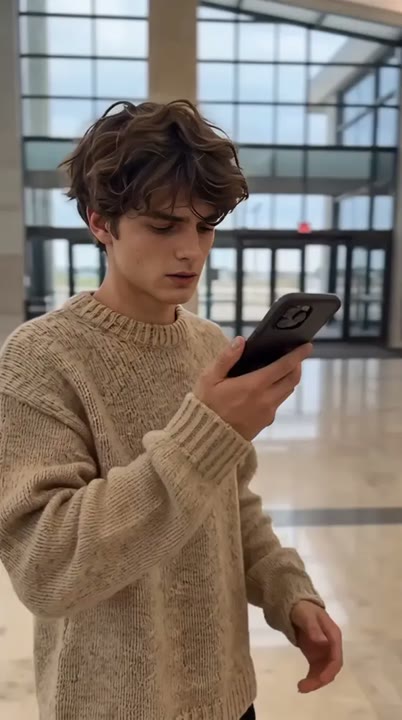
The Become a Millionaire meme turns an ambitious phone question into a brutally ordinary reaction. This effect starts with an optimistic smile, moves through a screen glance and stunned pause, then ends with an unimpressed look toward the viewer. A plain phone and steady chest-up camera keep the face as the focus. The preset creates the visual setup for your get-rich joke; it does not connect to a chat service, generate a readable answer or supply dialogue. Add the question and punchline while editing, and use the result for a workday reaction or self-deprecating money meme.
Best for
- Get-rich reaction memes
- workday punchlines
- caption-led phone jokes
Create your Become a Millionaire reaction
Choose your photo
Choose one adult in a clear chest-up portrait with a visible hand and relaxed expression. Leave room below the face for the phone. Avoid an existing screen, hand or large prop covering the mouth or eyes.
Generate with the template
Upload your portrait and generate the phone-reading scene. The effect moves from optimism to a stunned pause and unimpressed look, leaving screen text and the final punchline for your own edit.
Review and download
Watch the change from hopeful smile to stunned pause and unimpressed stare. The same phone should remain in one hand without growing, and the face should stay recognizable when the subject looks down and back up.
A phone check and a perfectly awkward pause
Use this reference direction as a starting point in custom-prompt mode. The template runs fixed instructions; remixing is a separate workflow, not an edit to the preset.
Create a comic phone-reading reaction using the single adult in the uploaded portrait. Preserve their recognizable face, hair, clothing and proportions. Seat them in a simple room holding one plain phone with its screen turned away from the camera. Begin with an optimistic smile, glance down at the screen, pause in surprise and look back at the lens with an unimpressed raised eyebrow. Use a steady chest-up shot and restrained hand movement. Leave the joke's question and answer for later editing. No readable screen text, copied app interface, spoken lines, captions or extra characters.
Before you create
Does Become a Millionaire generate the Get a Job answer on screen?
Become a Millionaire creates the phone-reading reaction, not a readable chat exchange. The phone screen stays turned away so you can add the question and Get a Job punchline in your editor. The preset does not call a chat service or supply a spoken answer; your caption and timing complete the meme.
Can I change the creative direction?
The preset uses fixed instructions. Copy the reference direction into custom-prompt mode to adapt it; this does not change the preset itself.
What video output should I expect?
The default length is 12s (reference ratio 414/720). The output follows your uploaded photo's aspect ratio and suits Get-rich reaction memes, workday punchlines, caption-led phone jokes.
Give your get-rich joke a face
Choose a clear portrait and create your phone reaction. Review the expression change, download your take and add the get-rich question and punchline in your editor.